
doeomodlafdbbnajjllemacdfphbbohl

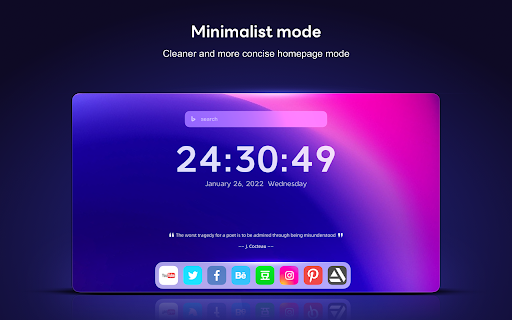

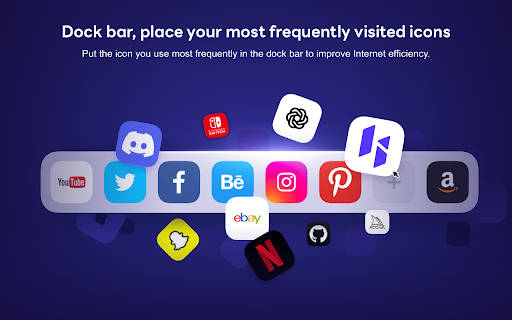
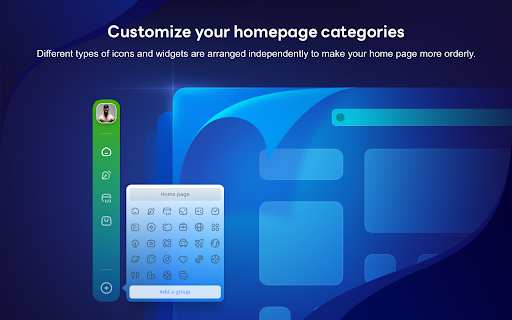
Customize your homepage with widgets, and dark mode support HiTab - New Tab Dashboard and Widgets. New Tab Dashboard and Widgets. Personal dashboard organizes bookmarks, favorite websites from start page. HiTab supports customizing your homepage with widgets, including dark mode. Hitab - New Tab Dashboard and Widgets,Hitab is a new tab extension for iOS that allows you to create your own visually appealing homepage with customizable widgets. It features card-style design, built-in features such as countdowns, anniversaries, weather, hot searches, and a calculator. Hitab makes all the information easily accessible, keeping your new tab page clean and beautiful. 1. Customize widgets and icons on your new tab page, freely arrange and mix and match them. 2. Personalize birthday countdown widgets, payday countdown widgets, holiday widgets, etc. 3. Quickly add frequently visited websites or widgets to your homepage. 4. Customize search engines and toggle between Google, Bing, Yahoo, and other search engines. You can also add your own custom search engines. 5. Customize wallpapers with a wide selection of high-definition wallpapers in categories such as nature, ocean, architecture, animals, etc. 6. Note-taking and to-do list widgets to keep your inspirations and tasks organized. 7. Customize dark or light mode, or automatically follow your system settings. 8. Customize the left sidebar with categorized icons for easy access to office and entertainment apps. You can hide or show the sidebar as needed. 9. Customize the bottom bar to store frequently used websites for convenient one-click access. You can hide or show the bottom bar. 10. Login/register a Hitab new tab account to backup and sync your data across different devices. 11. Receive message notifications from us. 12. Ability to adjust the icon size. 13. Hot search widgets. 14. Ability to adjust the icon width. 15. Ability to adjust the icon size to small, medium, or large. 16. Unit converter widget supporting calculators, length, weight, area, volume, temperature, speed, unit conversion, heat, pressure, power, force, etc. 17. Calendar widget. 18. Daily quotes widget. 19. News widget. 20. Habit tracker widget. 21. System status widget displaying real-time CPU, battery, and memory usage. 22. Currency exchange rate converter widget. 23. Mini game widget. 24. Dynamic wallpapers and gradient backgrounds. 25. Bookmark manager widget for easy bookmark management. 26. Full-screen clock widget and world time widget in the new tab. 27. Minimalist mode support for new tab.

CaretTab - New Tab Dashboard
Your Tab, Your Rules! Infinite customization of your New Tab page with many widget options. Your Tab, Your Rules! Introducing CaretTab, your New Tab dashboard. It's not just a browser extension; it's a statement - your tab, your rules! Explore the realm of infinite customization right at your fingertips and transform the way you experience browsing. Get it today for free! 🥰 Uniquely yours At the heart of CaretTab is the idea of complete control. Want a digital clock, a notepad, or a quick access link to your favorite website on your new tab? You got it. How about a to-do list widget or a binary clock to show off your tech-savvy nature? It's all there. With our wide array of widgets, you're not only changing the look of your tab but also enhancing its functionality to match your needs and aesthetic sense. Plus, you can tailor each widget to your liking by adjusting fonts, colors, sizes, and placement - even overlapping if you so desire! 🔒 Your privacy secured Moreover, we understand the value of your privacy. That's why CaretTab is built with a privacy-first approach. No sign-ups, no tracking, no advertisements, no unnecessary data collection. The only time information is gathered on our servers is if you opt for our Premium Access, where the enhanced features will surely captivate you! 🤩 A world of Features CaretTab transforms your new tab page with an array of customizable widgets—from different clock styles to personal weather updates, a digital notepad, and a specialized loadshedding widget. Further enhance your browsing experience with our sidebar tools, including a quick calculator, unit converter, timer, password generator, and an AI chat powered by OpenAI. With CaretTab, you get a personal, feature-rich new tab tailored to your style and needs. 😮 Widgets and Tools: ✔ Clocks: Digital, Analog, and even Binary! ✔ Date: Offering comprehensive date and year details. ✔ Weather: Personalized meteorological updates. ✔ Todo & Notepad: For your thoughts, ideas, tasks, and reminders. ✔ Quotes: Showcase your favorite wisdom. ✔ Quick Links: Quick access to your favorite sites. ✔ Countdown: Track time left to significant dates and events. ✔ IFrame: Embed external web pages. ✔ Fidget Toy: Regain focus soothe anxiety. ✔ Snake Game: Play the classic game on your New Tab. ✔ Loadshedding: A must-have for South African residents. ✔ Shape & Text: Let your creativity flow. ✔ Calculator: Quick, easy calculations, no extra tabs needed. ✔ Unit Conversion: Seamlessly switch between global standards. ✔ Timer & Stopwatch: Precise time-tracking for tasks and challenges. ✔ Password Generator: Strengthen your online security with unique passwords. ✔ AI Chat: Harness the power of AI for smart suggestions and quick answers. 👍 Get started for free Available in multiple languages, CaretTab is ready to globalize your new tab page, wrapping the world's diversity into your daily browsing experience. So, why wait? Elevate your browser with CaretTab today - because it's your tab, your rules! Explanation of permissions: - "Storage": Used to store your settings in the browser's storage area. - "UnlimitedStorage": Used to store large user-uploaded wallpapers in the browser's storage area. - "Replace the page you see when opening a new tab": Used to replace the New Tab page with this extension. - "This extension can read and change your data on sites": The sites listed with this permission are used to retrieve data for CaretTab to function. - "https://fonts.googleapis.com/*": The fonts available in the extension are from Google Fonts; this URL is where the fonts are loaded from. - "https://dtfv5mvrx9.execute-api.us-west-2.amazonaws.com/*": This is an Amazon Web Services server that CaretTab accesses to retrieve various data such us API access for weather among other data. Data is only ever retrieved from this address, never sent. - (Optional) "https://developer.sepush.co.za/*": Used to retrieve data for the Loadshedding widget. - (Optional) "Read the icons of the websites you visit": Used to display the favicons (logos) of the website you add to your quick links. - (Optional) "Read a list of your most frequently visited websites": Used to display the "most visited" menu on the quick links widget, when enabled. - (Optional) "Read and change your bookmarks": Used to display your browser bookmarks on the quick links widget, when enabled. By installing the "CaretTab" browser extension, I accept and agree to set the browser's New Tab page to that provided by the service and agree to the Privacy Policy (https://www.bluecaret.com/privacy/) and Terms of Use (https://www.bluecaret.com/terms/). CaretTab was designed and developed by BlueCaret https://www.carettab.com - https://www.bluecaret.com Privacy Policy: https://www.bluecaret.com/privacy/ Terms of Use: https://www.bluecaret.com/terms/ About BlueCaret: https://www.bluecaret.com/about/ Help and Tips: https://www.carettab.com/help/

Renewed Tab
A customisable New Tab page, with widgets and beautiful backgrounds - Powerful Widgets System: you can add, move, resize, and configure widgets on a grid using intuitive controls. - Beautiful Backgrounds: see a random curated background every 15 minutes. You can also choose a solid color, an Unsplash collection, an RSS/Atom feed, or a custom background image. - Customisable: change the background, the theme, and configure each widget independently. - Multi-lingual. Translations are community-maintained, allowing users to contribute support for their language. https://renewedtab.com/translations/ - RSS and Atom feeds: can be used to see the news or follow a website. - Weather - To do: track things you need to do. - Quick Links: show links, with optional icons and subheadings. - Top Sites: shows your most frequent websites. - Daily Goals: enter a daily goal. - Bookmarks: shows your bookmarks toolbar. - Greeting: be greeted based on the time of day. - Quotes: shows a random quote, with categories. - Clock: show the current time, choose between 12 and 24 hours. - Notes: jot down notes in a freeform text area. - Age: shows your current age with way too much precision. - Search: a search bar with support for most search engines. - Currencies: shows exchange rates, supporting forex currencies and crypto. - Web Comics: show the most recent panel from a web comic. - Year Progress: shows the progress through the year as a progress bar. - Upcoming Space Flights - and more: buttons, images, HTML, and IFrames. We design with privacy in mind! We require only minimal permissions: to store data on your computer, and see the default search engine. Other permissions are optional and are requested at runtime, when needed. All your data is stored in your browser, not on our servers. For more information, see the Privacy Policy.

Triton Tab
Enjoy stunning wallpapers and customize your new tab - use our additional tools to boost your focus 🌊 Triton Tab is a custom dashboard that replaces your new tab page. It's featuring time, weather, and location widgets, settings for customizing your new tab page appearance, and a refreshing button for changing your background. By clicking “Add to Chrome”, You accept and agree to installing the Triton Tab Chrome extension and setting Chrome New Tab to that provided by the service and the Terms of Use and Privacy Policy. New Tab Search will be powered by Microsoft Bing 🌊 Mentioning background, we must state that every time you open a new tab a new stunning wallpaper will be background of your working space. As the name itself says, Triton tab is inspired by the beauty of the sea motives. 🌊 Beautiful, sea-inspired blue-ish wallpapers are specific for this extension. This is the perfect theme for real sea lovers. Or at least, if you can't be working from the beach, enjoy having vivid sea pictures on your background. Feel free to contact us. Also, you can find more information about us and our work on links below. Enjoy browsing the internet 😊: 🌊 Homepage: http://tritontab.com/ 🌊 Contact form: https://tritontab.com/#contact 🌊 Privacy Policy: https://tritontab.com/privacy-policy.html

Casca: New Tab with ChatGPT and Widgets
Customise your new tab page and boost your productivity with Casca Extension Casca Extension is a tool with ChatGPT for productivity and collaboration. Customize your new tab, create and share multiple spaces, and maintain a work-life balance with ease. — Multiple workspaces: create separate spaces for work, personal projects, or hobbies. Keep each workspace organized and switch between them easily — Customizable dashboard: personalize your dashboard with widgets and customize the layout to suit your needs — Light / Dark themes with automatic switching — ChatGPT: get answers, explore new topics, and engage in interactive discussions — Change your wallpaper: search for the perfect wallpaper directly in your new tab, or use your own image — Website preview: preview multiple links without leaving your current tab. Simply long-press any link to activate a split-screen mode and compare content without switching tabs — Sticky notes: place important information anywhere on your dashboard — Collaboration: work on projects with colleagues or share spaces with friends. Collaborate in real-time and stay connected — Sync: Access your dashboard on multiple devices without having to register ✅ Todos: Create and manage to-do lists. 📝 Notes: Write a story, save articles or take notes 🗓️ Schedule: Efficiently plan tasks and activities 🍅 Pomodoro: Improve productivity with the Pomodoro Technique, breaking work into intervals with short breaks 🔒 Website blocker: Block distracting websites and stay focused 📑 Kanban: Visually organize tasks using interactive cards for effective workflow management ☀️ Weather: Current weather conditions and forecast for any city 🗂 Links Folder: Create a folder containing links to your favorite websites ☁️ Image hosting: Host and share images easily. Generate shareable links for smooth collaboration and image sharing 🖼️ Embedded Website: Embed any website you want to view in your dashboard ⏰ Clock: Display of current time 📅 Calendar: Track the day of the month 📧 Gmail: See all unread emails in your Gmail inbox 🔗 Link: Save frequently visited websites or important resources 🤖 Reddit Media: Browse random posts from your favorite subreddits 🛠️ GitHub PRs: Stay informed about the latest pull requests in repositories 💻 LeetCode: Sharpen coding skills with coding challenges and solutions 🚀 Product Hunt: Discover the latest products and trends in the tech industry 💡 Indie Hackers: Stay updated on innovative projects and startups 📰 Hacker News: Get the latest tech news and discussions from the community 📖 Word of the Day: Expand your vocabulary with a new word and definition every day And more 😉 Whether you're working on a project with colleagues or tracking your personal goals, Casca Extension has got you covered! Casca Extension prioritizes user privacy by not storing personal information. All data is securely stored in the browser storage by default. For more information, visit https://casca.space/privacy-policy/.
