
gpaeckfcfjodafjbnjhlgfplmgdanico


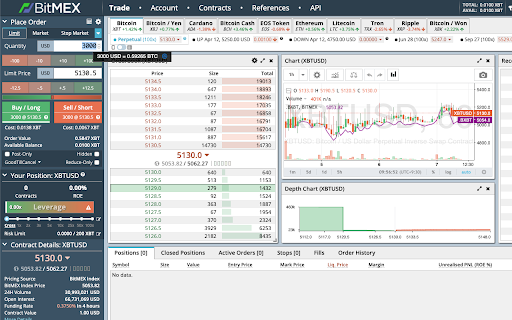
Context menu option to convert selected crypto/fiat value - displays the result in a simple tooltip. Highlight a value (or just right-click it), then select the crypto/fiat currencies to convert between. Result shown in a simple tooltip. Enter your own list of fiat and/or crypto currency symbols in the settings. You can also convert fiat to fiat or crypto to crypto. Works on any website!

HTML & CSS Design Analysis
Helps you analyze an HTML page by disabling or enabling various features. Tools for disabling CSS: - Disable external CSS (added using 'link' tag): - Disable inline CSS (added via 'style' attribute) - Disable internal CSS (added via 'style' tag) - Disable external print CSS (added using 'link' tag) - Disable internal print CSS (added via 'style' tag) - Disable internal handheld CSS (added via 'style' tag) - Disable external handheld CSS (added via 'style' tag) Tools for hiding images: - Hide all images. - Hide background images. - Make background images invisible. Image utilities: - Display image alt attribute. - Display image dimension. - Display image path. - Make all images full size or natural size. - Make all images invisible. - Replace image with alt attribute. Outline images: - Images with adjusted dimensions. - Images with empty alt attributes. - Images with oversized dimensions. - Images without alt attributes. - Images without dimensions. Miscellaneous tools - Linearize page. - Display hidden elements. - Mark all links as visited. - Mark all links as un-visited. - View source code. Tools for reloading assets, such as: - reload external CSS. - images etc. Supported elements: This software supports iframe elements and shadow dom as well. Nested shadow elements and nested iframe elements are not fully supported by this tool. This tool also does not support shadow root opened with the closed mode. Privacy notice: This software neither collects nor transmits any personally identifiable information. This software does not track your browsing behaviour. Information necessary for functioning of this software is stored on the devices of the end user, our servers do not have access to this information. For more information please read our privacy policy and terms of service.

Smart Converter
Supper easy to use currency converter extension How to use: 1. Select source currency 2. Type value 3. Get conversion for all other currencies 💵 Multiple conversions 56 currencies available for conversion.

File Guard (Encryptor | Decryptor)
Encrypt or decrypt any file with just one click inside your browser! File Guard (Encryptor | Decryptor) is an extension that helps you easily secure your file(s) with the browser's built-in crypto API. This add-on has a simple and easy-to-use UI. Simply add it to your browser and start using it without any additional plugins. (1) load your file, (2) set a password, and (3) press on the encrypt/decrypt button. File Guard uses the new encryption API (WebCryptoAPI) which is built-in to your browser by default. If you want to encrypt a file, please first browser your file (drag & drop or use the file selector), then enter a password (2 times) and finally click on the - Encrypt - button. The add-on starts the encryption process and downloads the encrypted file to your machine automatically. Please do the same procedure for decryption purposes. Note: this addon is only designed for encrypting a "single" file. If you have a folder with multiple files or folders in it, please first "compress" your files to a single ".zip" file and then encrypt the compressed file with this add-on. Please note that File Guard can encrypt any file format with any size. Note: if you forget the encryption password, you will not be able to recover (decrypt) your file with this add-on. Therefore, it is very important to keep your password in a safe place. If you see any bug or have a feature request, please fill the bug report form on the addon's homepage (https://mybrowseraddon.com/file-encryptor.html).

Crypto Currency Converter
Real-time conversion between encrypted currency and issued currency that supports scenarios This is a simple tool for exchanging virtual currency and fiat currency. The exchange rate between virtual currency and fiat currency fluctuates in real time. Through this tool, Users can quickly know the real exchange rate between them. Users can also select the right-click function of the price on the page menu to switch quickly 这是一款简洁的虚拟货币与法币兑换的小工具,虚拟货币与法币的汇率是实时波动的,通过这个工具可以快速的知道他们之间的真实转换汇率,用户还可以通过页面选中价格右键功能菜单来快捷转换 Disclaimer: The exchange rates provided by this extension are for informational purposes only. Please check the exchange rate of each exchange before trading 免责声明:此扩展提供的汇率仅供参考。在进行交易之前请已各交易所汇率为准
