
gokficnebmomagijbakglkcmhdbchbhn
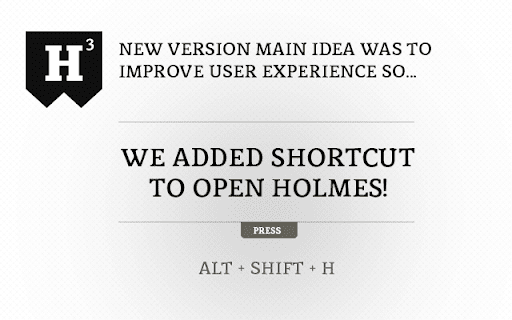
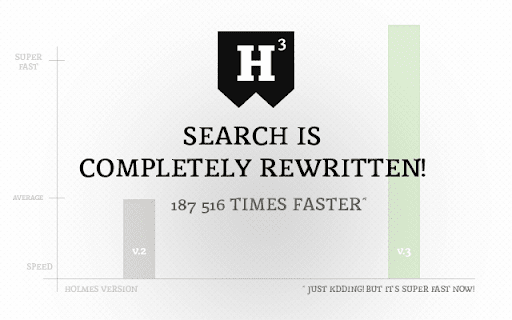
Chrome Bookmark Search Extension Got bunch of bookmarks in Chrome? Never find the bookmark you're looking for? Holmes is here to search for your bookmarks! Omnibox integration is back! You users missed Watson so bad so we thought to bring him back! And he is faster than ever! As always, you find him from url bar. Just type * and press tab and you're ready to search! Holmes also activates by keyboard shortcut! Press Alt+Shift+H and you're ready to go! You can always change the shortcut for your liking. Go to Chrome Menu > Tools > Extensions. Scroll down to bottom, press "Keyboard shortcuts" link and add custom shortcut to Holmes! * Fuzzy search implemented both Holmes and Watson - big thanks to krisk's Fuse library -> https://github.com/krisk/Fuse * Holmes website link added to extension * Default shortcut wasn't working! Now it does! * Added guide to change default shortcut. See top of this text for more info. * When bookmark was added or removed Holmes didn't recognize the changes. Now fixed. *Blog link removed from the start. *FIXED a bug from clicking bullet page navigation. Now it works properly. Compatibility update for the upcoming browser versions *NEW - Watson, the Omnibox search integration - Type asterisk(*) and press tab in url bar *NEW - Logo typography change * NEW - Options added. Toggle from seach field right corner. * Remove bookmarklets from search (bookmarks that starts with 'javascript:'). * Save last state. Continue from last point. v.1.0.1 * Ctrl+D is deprecated. Preventing Windows users to create bookmark by pressing the combination.

Chrome Notes
A simple notepad extension for Google Chrome NEW: You can now use speech to text NEW: You can now open Chrome Notes with Ctrl+Shift+X (Command+Shift+X on mac) NEW: You can now download and upload complete backups NEW: Chrome Notes adds a right click menu option to send the selected text to a new note! NEW: You can now have multiple notes! NEW: You can now customize the font size! A simple notes extension, right in your browser! Easily copy around a few words to and from different browser windows and other apps. Thank you for over 100,000 users, 100 ratings and 4.5 stars! Chrome Notes remembers your notes and mode, even after closing your browser or restarting your computer! Notes are stored in local storage, so nobody else will ever see them, not us, and not Google, Microsoft, or Apple. Features: * Resizable notepad * Shortcut buttons for cut, copy, paste, and select all * Normal keyboard shortcuts work too * Save as a .txt file * Open in new window * Speak selected text out-loud * Remembers last notepad size for you next time * Store multiple notes, and quickly create, edit, share, or delete * Focus mode for distraction free writing * Adjustable font size * Right click and send selection to new note * Download and upload full backups * Speech to text (click the mic and speak to put your words on the notepad) * Keyboard shortcut Ctrl+Shift+X (Command+Shift+X on mac) to open Chrome Notes is the smart, simple notepad built for you 😊

Search Patterns
Chrome extension for search listening on Google SearchPatterns uses Google, Youtube Autosuggest and linguistics to uncover popular and often interesting queries around a topic. It is a free search listening tool and an free alternative to AnswerThePublic.

Improved Potato
Chrome extension to manage bookmarks sanely Lets you export your bookmarks in markdown instead of the default shitty HTML format. Checkout the repo: https://github.com/patheticGeek/chrome-bookmark-exporter

Chrome Dice
A simple dice rolling extension for Google Chrome Chrome Dice is a simple dice rolling extension for Google Chrome. Simply click the button and click a die to roll, wherever and whenever. * Ad-free * Works offline * Very small (less than 0.1mb) * No permissions and no data
