
kjnippnbinaiaophckfmlbicclieefpf
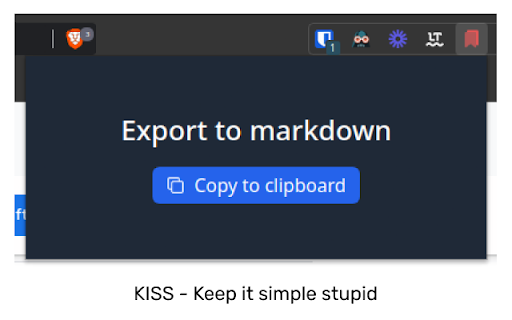
Chrome extension to manage bookmarks sanely Lets you export your bookmarks in markdown instead of the default shitty HTML format. Checkout the repo: https://github.com/patheticGeek/chrome-bookmark-exporter

Bookmarks Table
View your Chrome bookmarks by date in a sortable searchable table Search your entire Chrome bookmarks collection in a table format. Each column is sortable and searchable. To open click the icon to the right of your address bar. This is an Open Source source project, please see the website link for more info.

Obsidian Clipper
A small chrome plugin that let's you easily clip things to Obsidian This is an unofficial clipper for Obsidian that allows you to easily clip a selection to a note in Obsidian. Clip a selection in Chrome with or without markdown support to Obsidian.

Super Bookmark Desktop
Super Bookmark Desktop - the new tab page + bookmark manager that acts like your computer desktop!… Super Bookmark Desktop - the new tab page + bookmark manager that acts like your computer desktop! If you've ever wanted to treat your bookmarks like files on your desktop then give this a try! Some features: * Cool desktop backgrounds and ability to add your own. Add a subreddit source and get new backgrounds every day! * Click and Drag icons to move them around the desktop or into folders. * Create a selection of multiple items by clicking and dragging with the mouse (then try moving all of them). * Hold down Ctrl, Shift, or Command and then click an icon to multi-select icons. * Right Click the desktop create bookmarks or to change backgrounds and set background settings. * Right Click icons to edit or delete them (editing and deleting affects the actual bookmark). * Create text files that sync like a normal bookmark. Good for making quick reminders!

Bookmanize - Advanced bookmark manager
Advanced bookmark manager provides tagging, instant sorting, and filtering among all bookmarks on a full list view. Bookmark manager with a clean user interface where all bookmarks can be easily accessed in one full list view with tagging, instant sorting, and filtering. Organize your bookmarks with custom tags and faster navigates between them. We are an independent team of developers who love what they do:) If you want to improve or expand anything - email us bookmanize@gmail.com Support us with a cup of coffee - https://www.buymeacoffee.com/bookmanize ★ All bookmarks on one screen ★ Fast access to all main functions ★ Instant searching, filtering, sorting, adding, deleting bookmarks ★ Drag n drop bookmarks and folders All the features that the default bookmarks have (add, delete, sort, drag and drop bookmarks) in a more user-friendly interface with high performance for a large number of bookmarks Note: Your data (history and bookmarks) is not saved or stored anywhere else but on your computer. Hotkeys: - ctrl+shift+f or command+shift+f — focus the search field
