
godakhabdfamhehfdkmbddhlpijmiobk
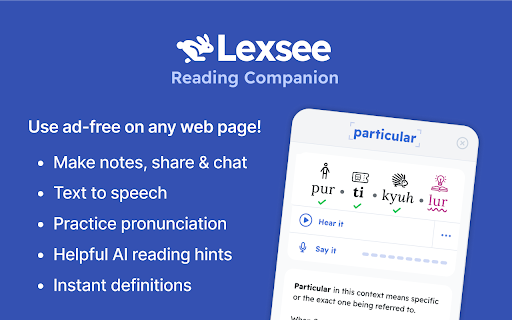


An AI companion that helps everyone read better and more fluently, with features especially for people with dyslexic brains. Lexsee is free and private for you to use. We don’t collect personal information.

Storywiz: AI Reading Assistant
Storywiz instantly converts any text articles into immersive visual Stories and bite-sized AI Summaries. Storywiz instantly converts any text articles into immersive visual Stories and bite-sized AI Summaries so you can get through the information faster, and thoroughly enjoy your reading process. Use the free Storywiz Chrome Extension to get visual stories and summaries for any text articles you read online, within seconds. ⭐ Key Features ⭐ Here are the top features offered by the Storywiz extension powered by AI: 1️⃣ Captivating Visual stories from text articles Convert any traditional text article into a visually-stunning social story format that we all enjoy. The combination of text and visuals has been proven to help retain information. We used that concept, powered by AI, to help our users read through lengthy articles within seconds with stories. Immerse into your reading with our innovative visual stories. 2️⃣ High quality AI-powered summary from stories Instead of struggling to stay focused on long paragraphs, get a bite-sized summary and gain information faster. The AI summaries will get rid of the fluff so you can focus on reading the information that really matters. It’s like your own reading assistant that summarizes articles for you so you can read faster and read more. 3️⃣ Truly enjoyable and productive reading experience Save hundreds of hours every year while reading online by absorbing information faster and more effectively through a combination of AI summaries and visual stories. The visually stunning stories allow you to immerse in the content and truly enjoy your reading experience, while also saving a lot of reading time. ⭐ Benefits of using Storywiz ⭐ ✅ Boost your reading productivity by gaining key information faster ✅ Have a more enjoyable reading experience with visual stories ✅ Efficient reading with bite-sized and high-quality AI summaries ✅ Gain productivity and save hundreds of hours every year in online reading ✅ Skip the clutter of poor website experience and focus on the content ✅ Stay ahead in your field by effortlessly consuming information faster 🏁 Steps to Get Started 1️⃣ Hit the "Add to Chrome" button at the upper right corner and Install extension 2️⃣ Signup for Storywiz account, if you haven’t already, and log in to the Storywiz site 3️⃣ Click the Storywiz bubble on the bottom-right of any article page and view AI story ℹ️ FAQ (Frequently Asked Questions): 🤔 Does Storywiz offers a free plan? 👉 Yes, you can sign up for Storywiz Starter plan without adding card details and it offers 20 story credits for free. 🤔 How do I use the Storywiz Chrome Extension? 👉 Simply install the Chrome extension and pin it on your browser toolbar. On every article page you’ll see the Storywiz bubble on bottom-right section of the page. Simply click on it and use the extension 🤔 Why is the extension asking for all websites permission? 👉 Storywiz extension processes the articles and stories in your browser to generate the visual story and AI summary. In order to do this it needs access to the page URL and content. That’s why the extension needs access to all website permission, so that it works seamlessly on any website. 🤔 Do you collect any data? 👉 No, we do not collect any user data or analytics from the Chrome extension. The extension does not have access to any of your personal data saved in your browser. 🤔 Storywiz extension is not working for me, what should I do? 👉 Storywiz extension works best on web page with articles, stories, and longer text content. Sometimes, the web page may obstruct seamless working of the extension and in most cases re-opening the webpage in your browser will solve the issue. If you face any issues while using Storywiz, feel free to write to us through feedback form on the web app or write to us at support@storywiz.io

Readel: Text to Speech — Read Aloud & TTS Voice Reader
Free Text to Speech (TTS) for any webpage. Hold Alt on any text to read aloud with natural AI voices. No sign-up required. Readel is a free Text to Speech (TTS) extension for Chrome. Hold Alt over any text on any webpage to read aloud with natural AI voices. No sign-up, no account, no limits — the simplest text to speech voice reader on the web. ▸ Hold Alt — hover over any paragraph and hold Alt (Option on Mac). Readel highlights the text and reads it aloud. Release to finish the sentence and stop. ▸ Double-tap Alt — starts reading from that paragraph straight through to the end of the article. Press Alt again to stop. That's it. No buttons. No right-click menus. No floating widgets. One key, and any webpage reads itself out loud. - Gmail — read aloud full email bodies without copy-pasting - AI Chat Apps — listen to AI assistant responses out loud - Substack, Medium — any reader-style layout - Wikipedia, news sites, blogs, documentation - Any article, anywhere on the web Readel uses high-quality AI text to speech voices that sound genuinely human. 7 voices to choose from. No robotic TTS. No awkward pauses. Just natural speech that streams in real time so you can start listening immediately — no waiting for the whole page to load. WHO READEL IS FOR ▸ Readers with dyslexia or ADHD who absorb content better by ear ▸ Accessibility users who need a lightweight screen reader for articles ▸ Students and researchers who want to listen to long papers ▸ Anyone who wants to listen to articles while cooking, walking, or commuting ▸ Writers and editors who proofread by hearing their drafts read aloud ▸ Anyone learning English who wants to hear natural pronunciation - Free Text to Speech (TTS) for any webpage - 7 natural AI voices - Adjustable reading speed and volume - Auto-scroll that follows along as it reads - Read selected text or the whole page aloud - Custom keyboard shortcut support - Subtitle mode for caption-style display - Works inside same-origin iframes (Gmail message bodies) - Streams audio in real time — start listening instantly - Press Alt to stop reading anywhere, anytime FREE AND PRIVATE Click the Readel icon in your toolbar to change voice, speed, and volume. Customize the keyboard shortcut in the same popup.

Read Aloud - Text to Speech AI Voice Generator
Text to speech (TTS) reads any text aloud using human-like, context-aware AI voices, with 30+ natural voice options. Text to speech lets you listen to docs, articles, PDFs, email, and other formats — anything you read. Convert text to audio so you can listen to your document for proofreading, for reasons of dyslexia or other learning disabilities. Features: ➤ Have 30+ lifelike spoken voices ➤ Supports 60 languages ➤ Supports webpages, Google Docs, PDF, Emails and images or text to audio The TTS model supports the following languages: Afrikaans, Arabic, Armenian, Azerbaijani, Belarusian, Bosnian, Bulgarian, Catalan, Chinese, Croatian, Czech, Danish, Dutch, English, Estonian, Finnish, French, Galician, German, Greek, Hebrew, Hindi, Hungarian, Icelandic, Indonesian, Italian, Japanese, Kannada, Kazakh, Korean, Latvian, Lithuanian, Macedonian, Malay, Marathi, Maori, Nepali, Norwegian, Persian, Polish, Portuguese, Romanian, Russian, Serbian, Slovak, Slovenian, Spanish, Swahili, Swedish, Tagalog, Tamil, Thai, Turkish, Ukrainian, Urdu, Vietnamese, and Welsh. You can generate spoken audio in these languages by providing the input text in the language of your choice.

Cascade Reading
Reimagine Reading for the Modern Age. Cascade Reading introduces a revolutionary way of presenting text that makes reading easier for everyone. This extension allows for one-click conversion of most websites into the new Cascaded Text Format which improves comprehension by providing visual cues which reveal sentence structure. The Cascade format offers the first breakthrough in text layout since the invention of the printing press. Traditional text is transformed into a dynamic visual format that cues the relationships between words. Guided by reading experts and rigorous research, the Cascade Format visualizes grammatical relationships within a sentence so that readers can more easily decode meaning. As a result, comprehension is improved! ✔ Install the Extension ✔ Sign Up for a Cascade Reading Account ✔ Enjoy a better web reading experience! For More About Cascade Reading please visit: https://cascadereading.com Cascade Reader Cascade Explorer For Teachers Cascade Publisher API Get In Touch With Us: info@cascadereading.com
