
clebbenmkbngfajknkdhjeffeilcnjgd

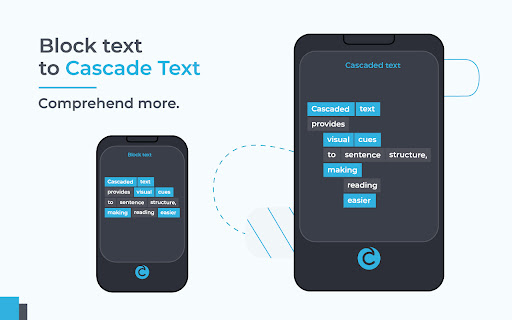
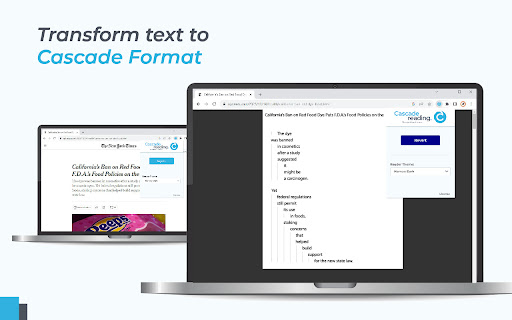
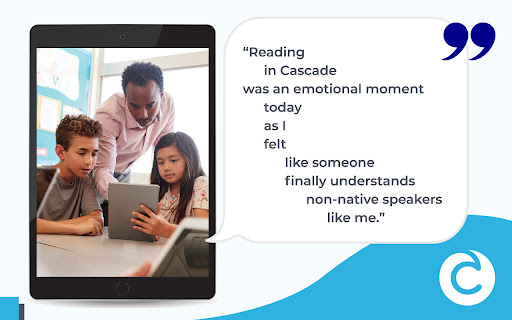
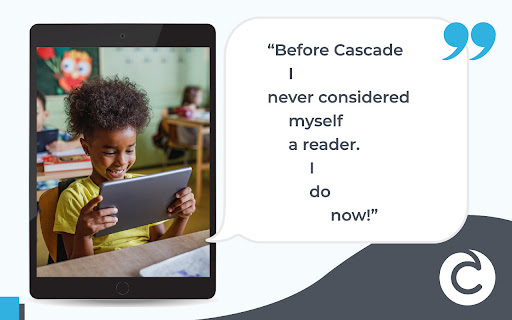
Reimagine Reading for the Modern Age. Cascade Reading introduces a revolutionary way of presenting text that makes reading easier for everyone. This extension allows for one-click conversion of most websites into the new Cascaded Text Format which improves comprehension by providing visual cues which reveal sentence structure. The Cascade format offers the first breakthrough in text layout since the invention of the printing press. Traditional text is transformed into a dynamic visual format that cues the relationships between words. Guided by reading experts and rigorous research, the Cascade Format visualizes grammatical relationships within a sentence so that readers can more easily decode meaning. As a result, comprehension is improved! ✔ Install the Extension ✔ Sign Up for a Cascade Reading Account ✔ Enjoy a better web reading experience! For More About Cascade Reading please visit: https://cascadereading.com Cascade Reader Cascade Explorer For Teachers Cascade Publisher API Get In Touch With Us: info@cascadereading.com

Explain AI - Explain anything in its context
Explains the selected text based on the context it's mentioned in. This is your AI reading companion. Highlight any text and it will give you the full explanation within the context. You can also ask also clarifying questions. Explain AI works with single words, phrases, abbreviations, technical terms and even foreign languages. Benefits: 🎯 Accurate: Uses the context to give explanations that are precise. ⏳ Saves time: No need to sift through links in a Google search. You will save at least 5 minutes per lookup, adding up to one hour per day. 💡 Enhances understanding: Don’t skip unfamiliar terms. One click with Explain AI adds clarity to readings and enhances understanding. 🧘 Stay focused: Minimize distractions and stay focused on your page. No need to open new tabs to search. Explain AI is perfect for learners (students, researchers, journalists, programmers .. etc). How to use it? 1. Highlight the text you would like to understand. 2. Do one of the following actions: - Click on the small icon that pops up next to the highlighted text - Use the key stroke (⌘ + ⇧ + E on Mac, Ctrl + Shift + E on Windows by default). - Right click and select Explain AI.

Improve Your English Vocabulary
Improve your english vocabulary with word cards every time you open a new tab. Improve your english vocabulary by learning a new word every time you open a new tab. This extension contains 5000 most frequently used words in english from A1 to C2. You can start learning by selecting your levels on settings tab. You will see a word among 20 selected words each time you open a new tab and as you learn, new words will add to your list. In this way, You will focus only 20 words in the same time and you will improve your english vocabulary step by step. Each word has multiple example sentences to be able to understand how to use that word and speech audio to learn how to pronounce. Besides, 950 suitable words have own images to learn it easily. NOTICE: This extension will customize your new tab page. Storage Permission: We need only "storage" permission to save learned-seen words and your settings. This information is saved on your local computer and when you remove this extension, all information is deleted automatically. We don't send any information to any service. The extension icon created by Amit Jain.Thank you. (https://www.iconfinder.com/search?q=classmates&designer=amit123jain)

Better Read
Use Better Read to read more quickly and efficiently! Enhance Your Web Reading Experience! Better Read bolds the first half of words on webpages. This emphasizes beginnings, boosting reading speed and focus, guiding you through content efficiently. Control your experience with adjustable settings. Choose boldness for your comfort and pace. Pick word spacing - seamless or gapped - refining comprehension and speed. You can even personalize text color to suit your taste. 1. Quicker Reading: Bolded starts hasten text scanning, enhancing reading speed. 2. Tailored Experience: Adjust boldness, spacing, and text color to your style. 3. Accessibility: Beneficial for speed and reading challenges. 4. Effortless Integration: Enhances all pages without manual activation. Unleash accelerated reading with Better Read. Install now for an elevated reading experience!

myReach Web Clipper
Save the things that matter on the web in an interconnected network Introducing myReach: Unleash Your Productivity with AI-Powered Superpowers Discover the browser extension that revolutionizes how you save, organize, and access your digital knowledge. myReach is your second brain, seamlessly integrating with your browser to empower you with AI-driven intelligence and effortless retrieval of information. 📚 Save Anything, Find Everything: Capture websites, files, images, notes, and contacts effortlessly, and connect them to relevant tags. No more struggling to remember where you saved that important document or the name of a website – myReach lets you search based on your personal context, empowering you to find what you need quickly and effortlessly. 💡 AI-Assistant at Your Fingertips: Meet your smart AI-Assistant powered by myReach. Simply ask any question about your saved items, and it will instantly provide answers. Whether you need contract details, summarized articles, or reminders from your past conversations, it has the knowledge to assist you effortlessly. No more tedious searching or reading through endless pages – just ask and get instant answers. 🗂️ Organize Your Way: Say goodbye to traditional folders and embrace the freedom of myReach’s flexible workspaces. Create customized workspaces to separate business and personal matters, ensuring efficient organization and effortless collaboration for teams. With myReach, everyone can find the same document using their own context, eliminating the need for extensive training or navigating complex folder structures. 🔍 Intelligent Search, Even in Images: Extracted text from images and files makes every piece of content searchable, delivering unparalleled convenience and efficiency. Locate information buried within images effortlessly, saving you time and frustration. ⚡️ Enhance and Integrate: Customize your saved items with properties like rating, description, cost, and more, allowing for deeper organization and personalization. Seamlessly integrate myReach with your favorite tools, including Evernote, Zapier, Twitter, Google Maps, and more, expanding its capabilities and streamlining your workflow. Welcome to your personal knowledge hub, designed to boost productivity and streamline information retrieval. With myReach, your browser gains superpowers, empowering you to save, connect, and access your digital world effortlessly. Embrace the future of intelligent organization and download myReach today. Get myReach, and unlock a world of limitless knowledge at your fingertips
