
gnphfcibcphlpedmaccolafjonmckcdn
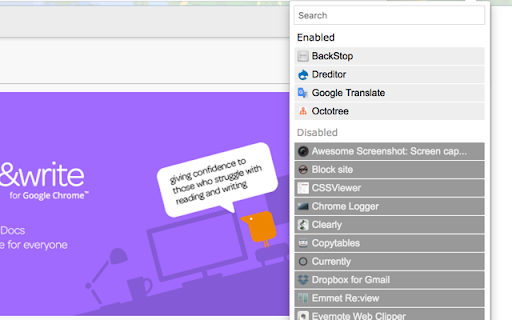

This is an extension to switch on/off installed extensions quickly. You just have to click the name of the extension you want to switch. This extension has that simple function and is as small as possible. This is useful especially for developers and people who make use of many extensions. Thank you for kind reviews. The developer reads all the reviews :)

Extension Manager
Extension that manages other extensions If you have tons of extensions but don't want to leave them all on at the same time - this extension is for you. You can use this to turn them on and off. Ctrl+L is the default keybinding to open the popup Move with arrow keys Press enter to turn toggle extensions on and off This is mostly for personal use but if you find it useful as well then great :)

Extension Manager with Profiles
Disable unused extensions according to different profiles to free up their resource usage and to improve your privacy. The "Extension Manager with profiles" enables the user to have control over all the installed extensions in one place. You can define multiple profiles to disable or enable browser extensions in bulk to either free up space in the toolbar area or reduce background usage of the browser. It is even possible to improve your privacy by not running unnecessary extensions when visiting sensitive websites such as your bank account. Features: 1. Enable all extensions at once 2. Disable all extensions at once 3. Enable a set of extensions with just a single click (profile) 4. Has as many profiles as you would like to 5. Copy extensions information into the clipboard 6. Export profiles to a JSON file and import from it later or on a different machine Use Cases: [untrusted web] This extension can be used to browser, for instance, unsecured pages. In this case, popup blockers and adblocker extensions must be enabled. [trusted web] For normal web browsing, the CPU-intensive extensions (mainly content blocker extensions) can be switched off to improve the browser's speed. Note that each extension especially those dealing with adblocking, uses at least one network observer and by nature network observation makes your web browsing experience a bit slow.

Awesome Button Bar
Button bar, combining downloads, bookmarks, extensions, history, view source, print, and more from a single button. Awesome! Extensions, history, downloads, bookmarks, view source, options, new window, and print are all here. Recently added buttons are duplicate tab, second home, and refresh all tabs. Showing each button on the bar is optional so you don’t have to have them all if you don’t want them all. Also, each button can be configured to open either in the current window or in a new window. Note: print to a new window now works too!

Right Click Tab Navigation
Adds these useful tab navigation options to the right click context menu:
