
gmmonfphegngpcbcapfbgembkjeookik
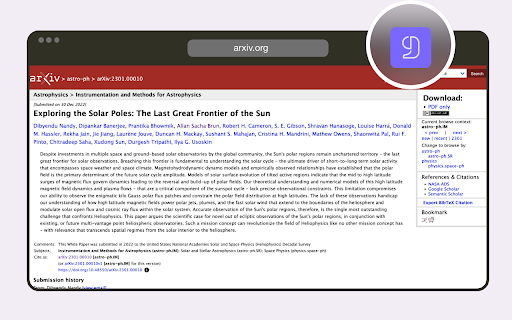
Cite websites, articles to BibTeX / Sync. with Overleaf Effortlessly collect, organize, and generate in-text citations for your BibTeX and BibLaTeX bibliographies. Whether you're working in Overleaf or RStudio (Posit), seamlessly integrate references into your LaTeX, Quarto, or R Markdown documents without ever leaving your project! CiteDrive is built from the ground up to stay out of your way and help you focus on writing. Collecting references for your paper has never been easier. With the CiteDrive Companion browser add-on, discover articles, books, or websites through your regular sources– Google Scholar, Pubmed, and many others– and simply click the CiteDrive icon on your toolbar to add the reference directly to your CiteDrive project. Unlike many other reference managers, CiteDrive is Bib[La]TeX native and gives you complete control to customize your BibTeX reference snippets as you collect them. Better yet, your customizations carry through as you connect your CiteDrive and Overleaf (or other LaTeX editors) projects or RStudio (Quarto and R Markdown) so you can take full advantage of custom field extensions. Inserting in-text citations to your Overleaf paper from your CiteDrive project is a snap with the browser add-on. Simply look for the new “Insert Citation” button at the top of the Overleaf screen, select the reference of interest, and the appropriate in-text citation will be generated and inserted for you.

Overleaf Copilot
Seamlessly incorporate ChatGPT to power and accelerate academic writing in Overleaf. Features: 1) Deeply integrated with Overleaf editor, providing a fluid, uninterrupted scholar writing experience. Paper polishing without this extension: Open ChatGPT ->Start new chat ->Find a prompt ->Copy & paste prompt ->Copy & paste draft paragraphs ->Copy & replace ChatGPT generation Paper polishing steps with the extension: Select draft paragraphs -> One click to finish polishing using ChatGPT 2) Build-in high-quality prompts, facilitating the success of your next publication. 3) Highly customizable prompts to fit your writing styles. See more features in the demo video in our website: https://overleafcopilot.github.io/

Shortleaf
Custom keyboard shortcuts for Overleaf. This extension adds keyboard shortcuts to the popular Overleaf online latex editor. Examples include: - alt+a for \alpha - alt+\ for \frac{selected text here}{} - alt-` for ``selected text here'' These shortcuts are fully customizable.

open-in-overleaf
Access the LaTeX source code of arXiv papers on Overleaf Our browser extension adds a "Open in Overleaf" button to the research papers on arxiv.org. This allows you to access the LaTex source code of the research paper and edit them directly on Overleaf. How it works: - You click the "Open in Overleaf" button on the page - The latex tar file from arxiv.org is sent to an API to convert it into a zip file - The zip file is sent to overleaf and we redirect the user to the overleaf edit page

Bibcitation Bibliography & Citation Generator
Cite websites and journal articles, bibliographies with our free citation and bibliography creator. MLA, APA, Chicago, and more. Automatically create MLA, APA & Chicago citations and generate bibliographies in one click with our add-on for Chrome. ✓ Navigate to the website or the journal article you want to cite and activate the extension to create a citation for that source. ✓ Copy website citations directly into your paper or add them to your selected citation list on Bibcitation.com. ✓ Visit Bibcitation.com to automatically cite books and journal articles or manually create citations for additional sources, such as videos, images, artwork and more. ✓ Copy and paste citations into your paper or export your citation lists in MLA, APA, Chicago and more than 9,000 other citation styles. Bibcitation is a simple alternative to citation generators such as EasyBib, Mendeley, Endnote, MyBib, Zotero, Cite This For Me and other bib citation tools.
