
glhbnnmcnindhfaebnckcfdblggpjlog
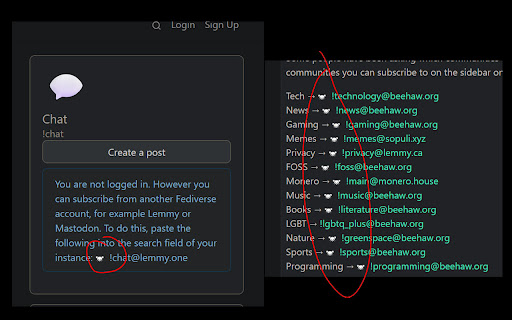
Extension to make it easy to interact with different Lemmy communities Extension to make it easy to interact with different Lemmy communities. https://github.com/FackJox/lemmy-link

Lemmy Enhanced Overlay (LEO)
Quickly show images from page, they're overlayed on current page and eliminate the need to open tabs or scrolling to open links. Lemmy Enhanced Overlay (LEO) is a UI overlay for making lemmy easier to browse your Home Page (personal account view coming soon). Opening images through keyboard keys, images showing over layed on the page automatically on traversal. To activate and de-active the extension in the old.lemmy.world site press the ESCAPE key on keyboard. Once in an active state, the W, S, SpaceBar, and Shift keys become control keys. W : Go to next image in page, will be displayed in an image overlay on page. S : Go to previous image in page, will be displayed in an image overlay on page. SpaceBar : Go to the next lemmy page, loads first image of this page automatically. Shift : Go to previous lemmy page, loads first image of this page automatically. Pressing escape will disable the extension. If the extension was paused, pressing it again will load the last image that was displayed.

graze
Graze is 1-click follow, favorite, boost, bookmark, and reply for Mastodon, no matter what instance you call home. Graze makes it easy to follow, favorite, boost, bookmark, and reply on Mastodon. You don't need to copy & paste links or search for content from other instances. With Graze, you can discover new people and interact with posts instantly! Say goodbye to the federation frustrations and start using Graze today! • Use multiple accounts across instances • Switch which account you take actions from • See notifications and Direct Messaged across accounts • Get to your to Home feeds quickly • Automatic themes match Mastodon's look & feel This release is all about Discovery! See how popular posts in your feed are with boost and reply counts visible without clicking. Discover Mastodon account as you browse the web, get alerted to instances you're not federated with, and quickly access profile highlights and actions with Hovercards, start conversations quicker with linkified profiles names. Link Previews now render off screen for less timeline jittering. 📈 Show boosts, and replies on main timeline 💡Federation suggestions on remote instance 🔗 Linkify Mastodon usernames with Hovercards across the web #️⃣ Hashtag Hovercards for quick stats, follow, and mute 🔎 Discover accounts of people & publishers across the web 🧈 Smoother link preview loading, and deduped link images ⚡ Quick add of logged-in Mastodon Accounts 🏠 Remap feed links to users' home instance ⚫ Round avatars 🦟 More bugs squished You can now enable Graze only on specific sites via your browser's extension settings, this somewhat defeats the purpose of Graze, but hey, do what you like...

Simplify Mastodon
Simplify Mastodon FEATURES: * Centers content (puts posts into cards with space between them, dims actions until hover, hides title bar on scroll, puts left and right columns at edge of window) * Puts compose and search on right, minimized to an icon unless in use * Puts nav on left and minimizes to icons unless you hover * Hides trends and nav items I don't think are useful (Local, Federated, Favorites, Bookmarks, and Lists) -- might add a way to expand or customize this in future DISCLAIMERS: * Works on top ~300 Mastodon servers (but it may not work on yours; I'm trying to find a better way to make this work on a product that could be on thousands of different domains) * Does NOT currently do anything on the multiple column view (aka Advanced Web View) * Does NOT currently do anything if your window is

Roam with Mastodon
Share interesting links and sites. Follow anyone on any instance. Boost and favorite posts with one click Schedule posts. And with added features like quote posts, threading, scheduling, and screenshots: • Share a page and Roam will pre-fill the URL, title, and image for you • Highlight text or image and right-click "Share to Mastodon" • Take a screenshot of the current page with a single click • Thread like a pro — Roam will help you compose and publish thread with multiple posts • Schedule for later — spread your posts through the day or over multiple days • Quote post — share and remark on Mastodon posts, also works with Twitter posts • Upload images and video, drag & drop to change order • Draft multiple posts in separate windows With Roam you can follow, boost, favorite, bookmark, reply, and quote from any instance: • Look for the "Roaming" badge at the top of the page • All actions work as if you're on the home instance • Use the quote action to share and comment on posts Roam works with most Mastodon instances. Supports Elk. Available for Chrome, Firefox, and all compatible browsers. To learn more: https://fo.llow.social/roam For questions/feedback: https://mas.to/@assaf
