
dgbbcmkahpogmnkpoddlgfjbogogiakp


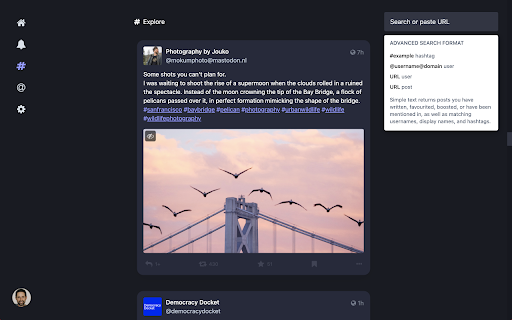
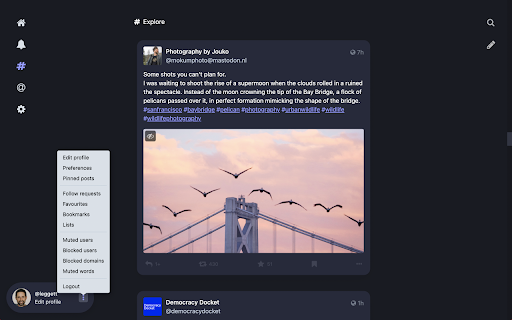
Simplify Mastodon FEATURES: * Centers content (puts posts into cards with space between them, dims actions until hover, hides title bar on scroll, puts left and right columns at edge of window) * Puts compose and search on right, minimized to an icon unless in use * Puts nav on left and minimizes to icons unless you hover * Hides trends and nav items I don't think are useful (Local, Federated, Favorites, Bookmarks, and Lists) -- might add a way to expand or customize this in future DISCLAIMERS: * Works on top ~300 Mastodon servers (but it may not work on yours; I'm trying to find a better way to make this work on a product that could be on thousands of different domains) * Does NOT currently do anything on the multiple column view (aka Advanced Web View) * Does NOT currently do anything if your window is

Simplify X (Twitter)
Reduces X (Twitter) interface to the bare minimum Only simplifies the main feed and messages right now... more to do.

FediAct
Simplifies interactions on other Mastodon instances than your own. Visit https://github.com/lartsch/FediAct for more. A Chrome/Firefox extension that simplifies following and post interactions on other Mastodon instances than your own. All data is processed on your machine locally! Visit the Github page to read up-to-date information on: - Supported features - Setup steps - Screenshots/GIFs - Additional usage notes If you like this addon, consider donating: https://paypal.me/lartsch

lemmy Link
Extension to make it easy to interact with different Lemmy communities Extension to make it easy to interact with different Lemmy communities. https://github.com/FackJox/lemmy-link

Share to Mastodon
Share to Mastodon is a browser extension for quickly sharing links and tabs to the Mastodon social network. You can click the Mastodon button in the top bar (or the keyboard shortcut) to share the current tab, or right-click a link on any page. You can also select text and pick Mastodon in the context (right-click) menu to share a snippet. The browser extension can store multiple server options, and synchronize them with your browser's settings. It uses the share dialog hosted by the selected server, so no API access or account permissions are required. Share to Mastodon is compatible with any Mastodon server, as well as platforms that have implemented Mastodon's share URL scheme, such as Calckey and Misskey. It also works with the Elk Mastodon web client. This project is not affiliated with the Mastodon project or Mastodon gGmbH. The code is open-source on GitHub: https://github.com/corbindavenport/share-to-mastodon
