
gkkdmjjodidppndkbkhhknakbeflbomf


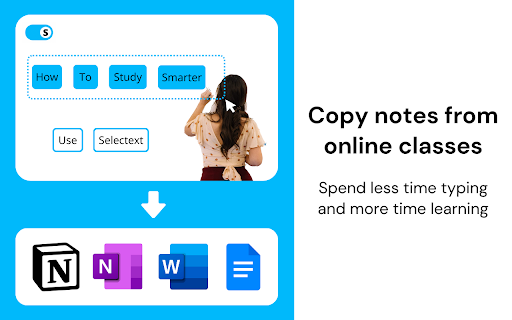

Copy text directly from videos on YouTube and any website. Tired of typing out text trapped inside of videos? Selectext lets you easily copy on-screen text directly from any video. Selectext is designed to speed up your workflow without getting in the way. The video you are watching will be seamlessly enhanced with the ability to copy text - even in full screen. It’s the fastest way to grab the text you want without any unnecessary steps. ➤ How it works Simply pause the video and click the Selectext toggle button that comes up in the top left corner. You can then select the text you want from the video and it will be automatically copied to your clipboard. Paste the text anywhere like your favourite note taking app or code editor. ➤ Extra tips Use the keyboard shortcut instead of clicking the toggle and pausing the video to speed up the process even further - Alt+S on Windows or Option+S on Mac. Selectext has a customisable menu that allows you to personalise the extension to suit your needs. You can change how the text is displayed, or change how the text is copied to the clipboard. Indentation mode for copying code will preserve the indentation of the code. This is important for programming languages such as Python. ➤ Supported languages and sites Selectext uses the latest AI Computer Vision (OCR) technology to detect the text in the video. It supports detecting text in 50+ languages including English, Hindi, Turkish, French, Spanish and many more. Selectext works on all video sites including Youtube, Udemy, Coursera, Sharepoint, as well as social media sites and university / college lecture recordings. ➤ Need help? Check out the tutorial at: https://selectext.app/tutorial If Selectext isn't working on a video site you use, or if you want a feature to be added, reach out via support@selectext.app.

Copy Text Easily
Extension that lets you view and reuse clipboard history with drag and drop, and copy text with one click 𝐶𝑜𝑝𝑦 𝑇𝑒𝑥𝑡 𝐸𝑎𝑠𝑖𝑙𝑦 — highlight, extract, and reuse text anywhere ⚡ Grab paragraphs, sentences, or custom selections from any webpage in one click. Turn it on, hover, click—done. Power users get regex extraction, system‑wide clipboard, per‑site controls, link‑click copy, and drag‑and‑drop into any field. 𝗪𝗛𝗔𝗧 𝗬𝗢𝗨 𝗖𝗔𝗡 𝗖𝗢𝗣𝗬 ✂️ - Paragraphs: Hover a paragraph and click to copy it. - Sentences: Skim with live preview, click to copy the exact sentence. - Custom selection: Select any text; it copies instantly—no Ctrl/Cmd+C. 𝗣𝗢𝗪𝗘𝗥 𝗙𝗘𝗔𝗧𝗨𝗥𝗘𝗦 🚀 - Regex extraction: Copy only what matches your pattern (emails, IDs, codes). Works with all modes. - Copy link text on click: Turn on link‑copy behavior so clicks (with your chosen keys) copy link text instead of opening it. - Quiet mode: Hide the preview bubble; show a subtle border only. - Per‑site enable: Precisely control where the extension runs. - Instant highlight: Press your key combo to preview exactly what will be copied under your cursor. 𝗞𝗘𝗬𝗕𝗢𝗔𝗥𝗗 𝗖𝗢𝗡𝗧𝗥𝗢𝗟 ⌨️ - Enable on keypress: Hold any combo of Ctrl, Shift, Alt to activate. - Multi‑key combos supported (e.g., Ctrl+Shift). - Shortcuts: Open Clipboard (Ctrl+Shift+H) and Settings (Ctrl+Shift+S). Customize in Chrome shortcuts. 𝗖𝗟𝗜𝗣𝗕𝗢𝗔𝗥𝗗 𝗛𝗜𝗦𝗧𝗢𝗥𝗬 𝗬𝗢𝗨’𝗟𝗟 𝗔𝗖𝗧𝗨𝗔𝗟𝗟𝗬 𝗨𝗦𝗘 📋 - On‑page Clipboard: A floating, distraction‑free overlay available on any site. - Drag & drop: Drop items from history directly into inputs, textareas, or contenteditable fields. - Smart capture: Automatically saves items you copy via the extension; reduces duplicates and noise. - Power users: System‑wide history—optionally listen to your OS clipboard so everything you copy, inside or outside the browser, stays in one place. 𝗦𝗜𝗧𝗘‑𝗔𝗪𝗔𝗥𝗘, 𝗙𝗔𝗦𝗧, 𝗔𝗡𝗗 𝗣𝗥𝗜𝗩𝗔𝗧𝗘 🛡️ - Global toggle: Turn the extension on/off for all sites from the popup. - Power users: Per‑site controls—enable only where you want it (docs, tools, notes). - Privacy‑first: Your content is processed locally. No account. No uploads. Lightweight by design. 𝗤𝗨𝗜𝗖𝗞 𝗦𝗧𝗔𝗥𝗧 🧭 1) Install and open the popup. 2) Choose a mode: Paragraphs, Sentences, or Custom selection. 3) Optional: Enable “Activate on keypress” and pick your Ctrl/Shift/Alt combo. 4) Hover and click to copy. That’s it. 𝗧𝗥𝗢𝗨𝗕𝗟𝗘𝗦𝗛𝗢𝗢𝗧𝗜𝗡𝗚 🛠️ - Reload the page after changing settings. - Ensure the extension is enabled in the popup. - Using keypress mode? Hold your chosen combo. If Shift/Alt conflicts with a site, try Ctrl. - See the guide for tips and visuals: https://devapt.com/copy-text-easily/how-to-use 𝗪𝗛𝗔𝗧’𝗦 𝗡𝗘𝗪 🎉 v2.7.1: - Adds option to Hide Copy Notifications - Adds text paste feature using middle click or modifier + click - Updates copy link text to copy only the visible text in preview instead of all v2.7.0: - Adds option to view Full Text in the preview bubble - Supports Click & Hold to Copy Links without keypress - Pin preview buble for reading long text - Organized settings layout v2.6.0: - Adds option to copy anchor text or URL on Link Click - Updates preview bubble to display mid and end sections of large text - Adds Word count display in the preview bubble v2.5.0: - Custom key option in keypress selection - Real time sync of changes/settings across all tabs v2.4.0: - Open floating window as a popup window to access clipboard outside webpage v2.3.2: - Supports manual addition to clipboard history. Prevents extension activation in input fields v2.3.1: - Adds context menu option to enable/disable the extension v2.3.0: - System‑wide clipboard history, revamped floating windows, drag‑and‑drop from history, clipboard access from any page. v2.2.0: - Clipboard history for free users plus more controls. v2.1.1: - Adds "How to use" guide in the popup and removes key icon v2.1.0: - Adds "How to use" guide v2.0.1: - Fixes preview bubble blinking issue on Windows OS v2.0.0: - Adds PRO features: history, site based controls and advanced settings v1.2.2: - Fixes link click issues due to "Copy link text on click" feature v1.2.1: - Adds dedicated option to opt-in/out link click to copy text v1.2.0: - Adds link click support to copy text - Adds twitter post click support to copy text - Adds direct keypress to highlight the element v1.1.0: - Adds multi key combination support for keypress function v1.0.0: - Complete revamp of the extension fixing bugs and making it work smoothly across all tabs

Clip AI - Copy text from vidoes and pdfs | Created by Svalync
Clip AI helps you copy text from image, vidoes, pdfs and more Introducing the ultimate tool for extracting text from any type of media – the ClipAI Chrome Extension, created by Svalync! Whether you're dealing with an image, a video, or a PDF, our extension makes it easy to extract the text you need. With a simple click, you can quickly and easily select the text you want to extract and copy it to your clipboard. The extension is perfect for students and professionals alike. Students can use it to effortlessly pull quotes from research articles and PDFs, while professionals can extract text from images and videos for use in presentations and reports. The ClipAI Chrome Extension is lightweight, user-friendly, and offers lightning-fast text extraction. It’s compatible with all major browsers and works seamlessly with other apps and software. Don’t waste time manually typing out text from images, videos, and PDFs – download the ClipAI Chrome Extension now and start extracting text in seconds! Now, it supports multiple languages as well. Thank you for trying it out.

Copy Text from Picture
Copy text from picture is your ocr software. Use it if you want to extract text from image for free. Introducing the ultimate Chrome extension 📸 Take your productivity to the next level with Copy text from picture, a powerful tool to effortlessly convert images. Whether you're dealing with screenshots, photos, or any other type of image, this extension uses advanced OCR software to turn picture to text in a matter of seconds. With copy text from picture, you can convert pic to text easily and quickly, saving you time and effort. 1️⃣ Install the extension by clicking "Add to Chrome". 2️⃣ Open the image you want to extract text from. 3️⃣ Click the extension copy text from picture icon in your browser. 4️⃣ Choose the area you want to convert to text and watch as the OCR software extracts the text and displays it for you. - Get text from image: Easily retrieve text from any image, be it a screenshot, photo, or scanned document. - OCR extract: Our advanced OCR software ensures high accuracy and fast processing times. - Image to text converter: Convert images to text with just a few clicks, simplifying your workflow. - Screenshot to text: Perfect for capturing text from online articles, social media posts, and more. - Translate text from picture: Supports multiple languages, making it easy to translate text directly from images. 🔧 Practical Uses for copy text from picture: 1️⃣ Students and Researchers: Quickly extract text from books, articles, or notes, making study sessions more efficient. 2️⃣ Professionals: Save time by converting business cards, receipts, and documents into editable text. 3️⃣ Content Creators: Capture text from online content for easier editing and repurposing. 4️⃣ Travelers: Translate signs, menus, and other printed materials on the go. 5️⃣ Accessibility: Make printed content accessible to visually impaired users by converting it to digital text. - Fast and Accurate: Advanced OCR extract technology ensures you get the text you need quickly and accurately. - User-Friendly Interface: Simple and intuitive design makes copy text from picture tool easy for anyone to use. - Supports Multiple Formats: Works with JPEG, PNG, BMP, and other common image formats. - Secure: Your images and text are processed locally, ensuring your data remains private. - Multi-Language Support: Translate text from picture to multiple languages, making it a versatile copy text from picture tool for global users. copy text from picture is a Chrome extension that uses OCR (optical character recognition) software to convert text from images into editable text. Simply upload an image, and the software does the rest. You can use it to turn picture to text effortlessly. Can I use it for free? Yes, copy text from picture is free to use with all its features available to you at no cost. Whether you need to get text from image or translate it from picture, it's all free. Click "Add to Chrome" to install the extension. Once installed, it will appear as an icon in your browser toolbar, you just have to pin it. Is it safe for my privacy? Absolutely. The extension processes images locally in your browser, ensuring your data is not collected or stored. This means your text from picture and other data remain private. Are there any limitations on the number of images I can process? No, you can use the extension to process as many images as you need, with no restrictions on quantity. Whether you need to convert picture to text for long documents or multiple files, this tool handles it all. Currently, it is available for Chrome. We are working on expanding compatibility to other platforms soon, so you can use it as an image to text converter across all your devices. Have questions or suggestions about copy text from picture tool? Reach out to us at devbycores@gmail.com. If you need to get text from image, we’re here for you.

Vidnoz Flex - Video recorder & Video share
Easily record your screen and webcam, share your video with a link anytime, and track video performance timely. Vidnoz Flex is a powerful online screen recorder to create stunning videos for driving meaningful messages at all level. It is also an effective video recording tool to record your screen, edit, share, and track your videos at one place, and provide a simple way to communicate your ideas faster and better. With Vidnoz Flex screen recorder, you can record your screen quickly and share your content visually. After recording, your video is automatically uploaded to Vidnoz Flex Library where you can trim your video with advanced editing options and add interactive CTAs to drive conversion for every business purpose. Once the video is ready, you can simply share a link of your video by email, or on social platforms where your audience can watch it without login. Furthermore, Vidnoz Flex screen recorder provides top-notch insights of videos in Analytics, which makes it easy to track your video performance with instant analysis and make effective improvement for better outcome. Features of Vidnoz Flex Screen Recorder 1.Record your screen, camera, or both directly from your browser 2.Ensure a smooth and professional presentation with the help of teleprompter 3.Automatically save videos to the video library for quick access 4.Easily share your video link through email, social media and embed code 5.Trim videos with advanced editing options to make perfect and unique content 6.Add interactive and persuasive CTAs to drive commission and close deals 7.Get notified when any audience views, reacts, or comments on your video 8.Track key video metrics and measure video performance for in-depth insights Main Cases of Vidnoz Flex Screen Recorder Video for Sales Vidnoz Flex screen recorder makes it easy to close deals and increase sales with persuasive CTAS. It helps grow business by creating personalized videos with outstanding and massive sales templates. Video for Marketing Vidnoz Flex screen recorder is an innovative video marketing tool. It assists you to convert more leads, understand customers better, and expand brands worldwide. Video for Communication Vidnoz Flex screen recorder allows you to create videos to communicate synchronously & visually. It delivers clear video messages to communicate with ease, collaborate easily, and save valuable time. Video for Support Vidnoz Flex screen recorder helps create interactive support videos, reduce communication costs and increase customer satisfaction in all aspects. In summary, Vidnoz Flex is your perfect screen recorder that offers the fastest way to record creative videos, stay connected with your audience, know their thoughts, give feedback timely, boost involvement, and close deals for your business. Explore more possibilities with it now!
