
cplhlgabfijoiabgkigdafklbhhdkahj
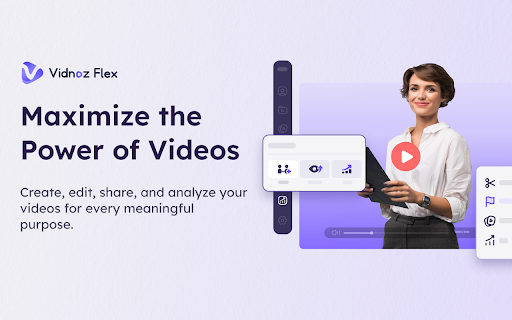


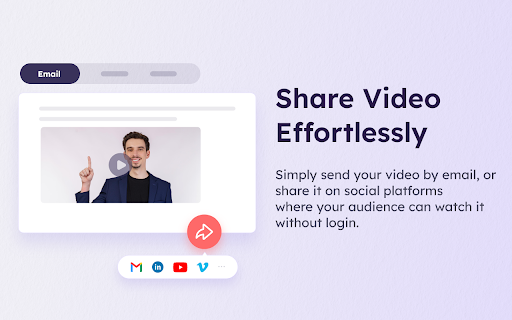
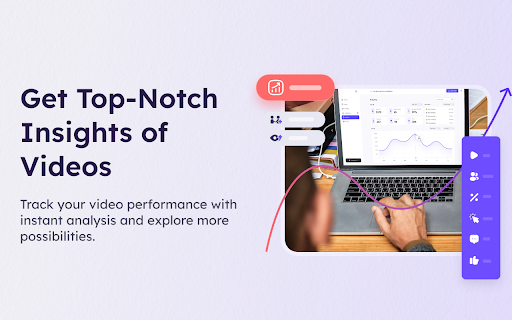
Easily record your screen and webcam, share your video with a link anytime, and track video performance timely. Vidnoz Flex is a powerful online screen recorder to create stunning videos for driving meaningful messages at all level. It is also an effective video recording tool to record your screen, edit, share, and track your videos at one place, and provide a simple way to communicate your ideas faster and better. With Vidnoz Flex screen recorder, you can record your screen quickly and share your content visually. After recording, your video is automatically uploaded to Vidnoz Flex Library where you can trim your video with advanced editing options and add interactive CTAs to drive conversion for every business purpose. Once the video is ready, you can simply share a link of your video by email, or on social platforms where your audience can watch it without login. Furthermore, Vidnoz Flex screen recorder provides top-notch insights of videos in Analytics, which makes it easy to track your video performance with instant analysis and make effective improvement for better outcome. Features of Vidnoz Flex Screen Recorder 1.Record your screen, camera, or both directly from your browser 2.Ensure a smooth and professional presentation with the help of teleprompter 3.Automatically save videos to the video library for quick access 4.Easily share your video link through email, social media and embed code 5.Trim videos with advanced editing options to make perfect and unique content 6.Add interactive and persuasive CTAs to drive commission and close deals 7.Get notified when any audience views, reacts, or comments on your video 8.Track key video metrics and measure video performance for in-depth insights Main Cases of Vidnoz Flex Screen Recorder Video for Sales Vidnoz Flex screen recorder makes it easy to close deals and increase sales with persuasive CTAS. It helps grow business by creating personalized videos with outstanding and massive sales templates. Video for Marketing Vidnoz Flex screen recorder is an innovative video marketing tool. It assists you to convert more leads, understand customers better, and expand brands worldwide. Video for Communication Vidnoz Flex screen recorder allows you to create videos to communicate synchronously & visually. It delivers clear video messages to communicate with ease, collaborate easily, and save valuable time. Video for Support Vidnoz Flex screen recorder helps create interactive support videos, reduce communication costs and increase customer satisfaction in all aspects. In summary, Vidnoz Flex is your perfect screen recorder that offers the fastest way to record creative videos, stay connected with your audience, know their thoughts, give feedback timely, boost involvement, and close deals for your business. Explore more possibilities with it now!

Fonts Ninja
Speed up your design workflow! Identify fonts from any website, bookmark and organize them. Font DNA Our proprietary algorithm analyses font files to get more accurate results. Rollover any text to get the font name and CSS properties. The main extension window will also display a summary of all font used on a website. BTW, we dramatically improved the processing speed (this could change depending on websites). Font Details You can get more information about fonts. Check how many styles are available, their foundry, and price. Font Bookmarks Bookmark fonts and manage your font bookmarks right within the extension. You can also share them with your friends or the people you work with. Similar Fonts We help you get inspired and find similar or complementary fonts. Search You can also search fonts using multiple parameters and filters (characters shape, license type, price...) Feedback and support: contact@fonts.ninja

Screen Recorder
Screen recorder - simple, tiny, user-friendly and full-featured! Free Screen recorder for Windows PC, Mac, Chromebook and Linux 🔥Our screen and audio recorder captures screen, webcamera, microphone and system sound, and autosaves recordings to your computer in MP4 format. ⭐️Key Features Capture screen in three modes: whole desktop, separate window or chrome tab Record screen with system sound, microphone, both of them or no audio at all. Our Screen recorder extension is free, without watermark, limits and sign ups! Looking for the best screen recorder for PC? Reasons to choose our Screen recorder: 🎬 Record unlimited videos — all free, no sign ups! 🚀 Recordings are automatically and instantly saved to your computer in MP4 format. 🎥 Record screen with audio from microphone and system sound. 👍 Easy, compact and draggable interface — it saves your screen space in full screen mode 🛡️ We respect your privacy — you always know exactly what sources (video and audio) are being recorded, the extension does not collect or store any of your data. 💡 How to make a screen recording? 1. Install the extension by clicking the "Add to Chrome" button 2. Open a new browser page or reload the current page 3. Click the extension icon 4. Grant access to your microphone if you want to record your voice 5. Select video and audio sources in the pop-up dialog 6. Record your video 7. Once you click Stop, the recording will be automatically downloaded to your Downloads directory ⭐️Top Use cases ▸ Record simple tutorial videos: how to use any website or application. ▸ Save time when discussing a problem or bug: create steps to reproduce a video that helps the developer understand the context and find the problem. ▸ Capture system sound: recording system sound works for Chrome tab option, so you can share your game play with all the details. ▸ Eliminate work meetings in favor of more effective, asynchronous communication.

Live Screen Recorder
Effortlessly Record Your Screen with the Live Screen Recorder Browser Extension Are you looking for an easy way to record your screen and create engaging videos? Look no further than the Live Screen Recorder browser extension! With the Live Screen Recorder, you can easily record your desktop screen or a single tab in your browser. You can also add your webcam video and microphone audio to your recordings, making them more personalized and engaging. And if you only need to record your webcam and microphone, the Live Screen Recorder has got you covered! We support both mp4 and webm formats, making it easy for you to share your recordings with others. And the best part? The Live Screen Recorder is available for free, so you can start using it right away without any hassle. Features: * Record a desktop screen or a single tab * Add webcam video and microphone audio * Record just webcam and microphone * Supports mp4 and webm formats * (Beta) Blur sensitive fields while recording For whom: * Teachers: Can easily record online lectures, tutorials, and presentations with the Live Screen Recorder, making it easier to connect with students and provide more engaging learning experiences. * Developers: Can record their screen to create tutorials and share their expertise with other developers, helping to improve the quality of their work and facilitate collaboration with others. * Designers: Can record their screen to showcase their design process and share their ideas with others, making it easier to collaborate with clients and colleagues. * Video professionals: Can use the Live Screen Recorder to create high-quality videos with screen recordings, webcam video, and microphone audio, helping to improve the production value of their work. So why wait? Try the Live Screen Recorder browser extension today and take your content creation to the next level!

Scalenut: AI powered writer
Write, Command, Rephrase, Simplify and multiple other use cases using Content AI from Scalenut Create and write content about anything & everything in a single click. Save time, increase your productivity, and never be stuck for ideas again. Writer’s block? Never again. Scalenut chrome extension provides a powerful AI assistant to enable powerful writing in your browser and help you write excellent, plagiarism-free content at flash speed. Our AI-powered writing assistant generates superior content across applications (Gmail, Facebook, LinkedIn, Quora, Twitter and more). Use it to write social media posts, blogs, emails, ad copy, and so much more. AI Copywriter gives you quality copy, saved time, and peace of mind all in a few clicks! Write emails, social media posts, responses to reviews, google ads copy or even answers to questions in just a couple of clicks with ‘Templates’. AI Copywriter understands your inputs and generates killer copy to match. Don’t like how it sounds? Choose the ‘Rephrase’ option. AI Copywriter rewrites your sentence and offers you multiple, plagiarism-free options to choose from. Never settle for underwhelming copy anymore. Your real-life genie, the ‘Command’ function elaborates on your selected phrase or sentence. Get quick, relevant paragraphs on just about anything in a single click. Your wish is its command. Writing a block of text and unsure how to complete it? As the name suggests, ‘Complete’ does just that for you. It uses AI to comprehend the context and presents you with the perfect words to create a flawless piece of copy. Finding it hard to KISS it? Leave it to AI. ‘Simplify’ analyzes your long, complex sentences and transforms them into easy-to-read ones. One-click to on-point, simplified sentences that create an effortless reading experience. Scalenut’s AI Writer uses a deep learning model to write like humans. The tool knows words and sentences after reading through hundreds of billions of words. It develops exceptional content that reads, communicates, and engages just like a human. Made for and used by Content Writers, Marketing Managers, Content Strategists, and other professionals to produce outstanding content, every time. → Install now and get started in under a minute. Generate up to 2,000 short-form AI words for free. ⇧ Upgrade to the full version on the Scalenut website. Access 40+ use cases, create long-form content, get 24𝗑7 support, and so much more. Want to know more? Find out here: https://www.scalenut.com/chrome-extension
