
gipfccehicidcgiagolfcoahfgjlkdoe

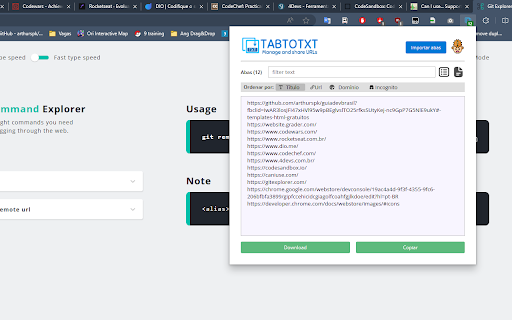
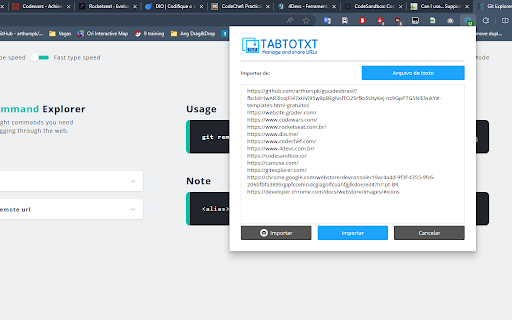

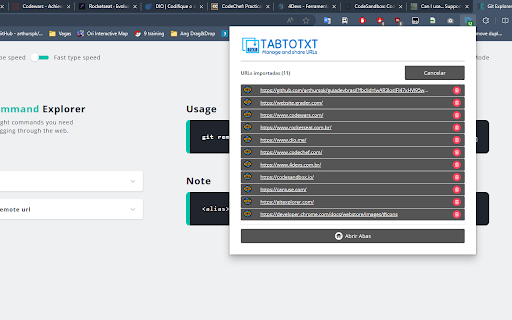
Manage, copy, restore or download the URLs from opened tabs to text files Manage researches or sessions, by copying, importing or exporting the links of opened URLs as text files. Filter URLs before export, to restore the session later os just share with friends links from a research. Sort the list of links, find the missing tab that is playing some background sound or video. Note: If you want list or import tabs to restore in Incognito mode. You should enable the option to extension work in private mode. DISCLAIMER: This extension does not analyze or persist your information in any way. Donations are not mandatory, but your support is valuable in helping me to implement new features and ensure software stability. https://www.buymeacoffee.com/gmatos88

Tab Saver Pro - Export & Backup Tabs
Save all your open tabs as an HTML file. Perfect for freeing up memory, backing up research, and organizing browsing sessions. Tab Saver Pro is the ultimate solution for managing your browser tabs and preserving your research. With just one click, save all your open tabs across all windows as a beautifully organized, interactive HTML file. 🚀 KEY FEATURES: • Export all tabs from all windows instantly • Interactive HTML output with search and filtering • Multiple view options: Recent, Alphabetical, URL-based, and Domain-grouped • Preserve favicons, titles, and last access times • Bulk tab reopening • No account required, works offline • Zero data collection - everything stays on your device Perfect for: 📚 Researchers collecting reference materials 💻 Developers managing documentation 🎓 Students organizing study resources 👩💼 Professionals handling multiple projects 🔍 Anyone who keeps too many tabs open! Use cases: • Free up system memory without losing your tabs • Create shareable collections of resources • Backup tabs before system updates • Transfer browsing sessions between devices • Organize research materials by project • Archive important browsing sessions Privacy First: • No data collection • No cloud storage • Everything stays on your device • No tracking or analytics Installation is quick and simple. Just click "Add to Chrome" and you're ready to start saving your tabs!

Export Tabs
Export all open tabs in the current window to a .txt text file. "Export Tabs" is a productivity-focused Chrome extension that enables users to export all open tabs in their current browser window into a convenient `.txt` file. Designed to streamline your browsing experience, "Export Tabs" is perfect for saving your browsing sessions, managing large numbers of tabs, and keeping track of important information. It's as simple as clicking the extension's icon - instantly, you'll have a text file with the URLs of all your open tabs. Download "Export Tabs" today and revolutionize the way you manage your browsing sessions. This utility is a must-have for researchers, multitaskers, and anyone who values organization and time management. "Export Tabs" - keeping your browsing organized with just a click.

Tablist
List and copy all opened tab URLs, or open multiple URLs at once Browser extension for listing all opened tab URLs and copying them to clipboard. This is an open-source project - https://github.com/mufasa159/tablist

Tab organizer
Select multiple tabs and close them together. Group tabs. Remove duplicate tabs. Goto specific tab. Too many tabs and tired of having to close them one by one to find the one you want? This extension lets you select multiple tabs and close them all at once. Tabs auto grouped/ordered.
