
joogamjgdedceohkbghdljlmpohnlded
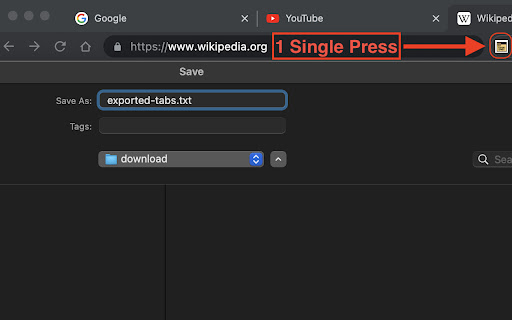

Export all open tabs in the current window to a .txt text file. "Export Tabs" is a productivity-focused Chrome extension that enables users to export all open tabs in their current browser window into a convenient `.txt` file. Designed to streamline your browsing experience, "Export Tabs" is perfect for saving your browsing sessions, managing large numbers of tabs, and keeping track of important information. It's as simple as clicking the extension's icon - instantly, you'll have a text file with the URLs of all your open tabs. Download "Export Tabs" today and revolutionize the way you manage your browsing sessions. This utility is a must-have for researchers, multitaskers, and anyone who values organization and time management. "Export Tabs" - keeping your browsing organized with just a click.

Active Tab Exporter for Chrome
Export currently open Chrome tab URLs to the clipboard or download the list as a file. Active Tab Exporter for Chrome gives you the ability to quickly export all of your open Chrome tab URLs to clipboard or to a file. This saves you all the effort of having to go through each tab you have open and click into the URL bar, copy the URL, and finally paste it wherever you need it to go. With this extension, you can do everything with a single button click. • Option to include all open Chrome windows or just the tabs in the currently active window • Option to sort the output (enabled by default) • Copy the list of URLs to your clipboard with 1 button • Export the list of URLs to a file (TXT, CSV, JSON). * This extension requests the 'tabs' permission - which it needs in order to fetch all of your open tab URLs so it can export them to you.

Tab Groups/Bookmarks Export/Import
Exports/imports tab groups and bookmarks to and from file

Export Tabs URLs
List the URLs of all the open tabs and copy that list to clipboard or export it to a file.

Tablist
List and copy all opened tab URLs, or open multiple URLs at once Browser extension for listing all opened tab URLs and copying them to clipboard. This is an open-source project - https://github.com/mufasa159/tablist
