
ggogkfmajefhbgecjpnamfaackpdeiaf

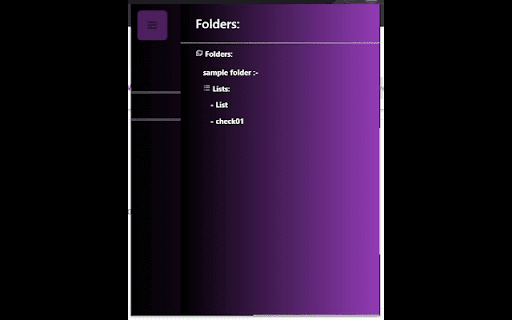
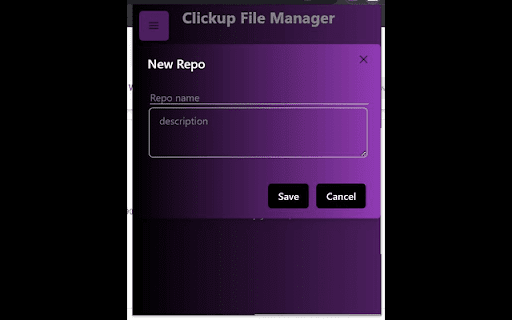
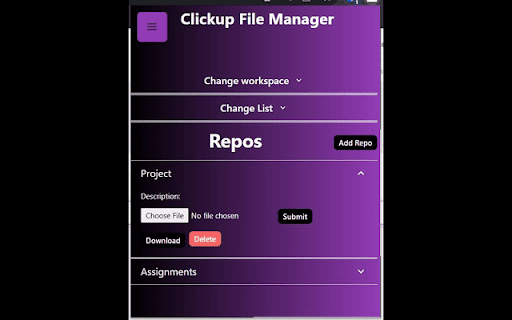
A simple Extension that allows you to manage files on ClickUp A Simple Chrome Extension that allows users to manage their documents on Clickup, users can upload, download, create and delete folders/documents accordingly which helps in saving them tons of time. This extension also serves as a record keeper, easy to share and simple UI for faster usability.

GearUp
Giving wings to ClickUp, with extended features! Features: #1 Calculate grand total automatically for formula column See the auto calculated sum of formula field values at bottom of column in realtime #2 Graphical representation of status progress for status column See the auto generated graphical representation of status progress for benchmarking at granular level #3 Graphical representation of usage for dropdown column See the auto generated graphical representation of usage for dropdown option for insights Use cases: To have better insights at bottom of ListView while managing your various processes like Project management, Payroll, Inventory, Task monitoring, Budgeting, Planning, Sprints and anything you do with your ClickUp. If you have some suggestions, please feel free to reach out on contact@digicians.com.

Task Manager for ClickUp
Task Manager for ClickUp An easy task management tool for ClickUp. Users can easily see their tasks color coded according to due date and can make changes to them.

DW File Manager
Simple file manager/explorer to browse your local folders and files, preview and open right in your web browser. A web-based HTML offline file manager to browse/preview/open your local folders and files right in your browser. It works in your browser completely offline without any internet connection needed. It has basic keyboard navigation support. What you can do with DW File Manager Browse your local folders and files. Play your audio files. Play your video files. View your image files. View your text/pdf files.

ClickUp copy link
ClickUp one button copying - save your time and nerves for the more important things in your life! Keeping everyone in context when you are discussing a project task can be time-consuming, considering how many stories one might be sharing and how much time it takes to share ClickUp task in a human readable format! In hopes of saving everyone's time we've developed a free forever extension to allow you to share your project's tasks in a human readable format in a single click. 1. Select ClickUp task(s) 2. Press extension button 3. Have a task(s) ID and task's name topped of with a hyperlink in your clipboard.
