
pkmiajkoeblokidcibhcgjbbgobchaln
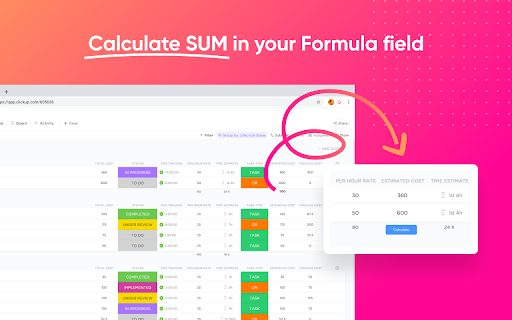
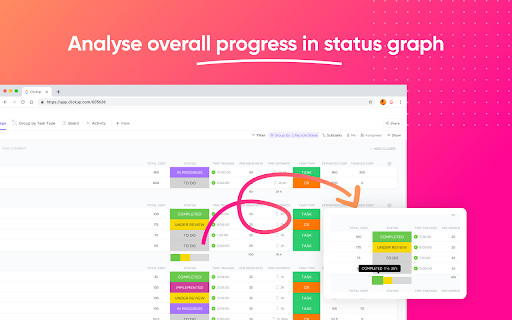
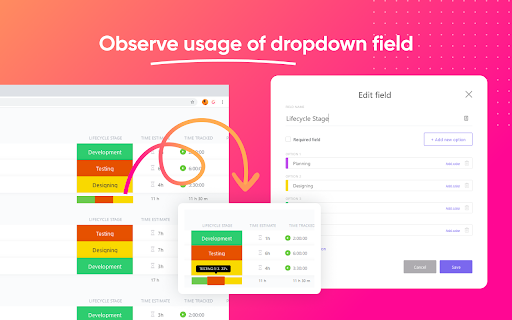
Giving wings to ClickUp, with extended features! Features: #1 Calculate grand total automatically for formula column See the auto calculated sum of formula field values at bottom of column in realtime #2 Graphical representation of status progress for status column See the auto generated graphical representation of status progress for benchmarking at granular level #3 Graphical representation of usage for dropdown column See the auto generated graphical representation of usage for dropdown option for insights Use cases: To have better insights at bottom of ListView while managing your various processes like Project management, Payroll, Inventory, Task monitoring, Budgeting, Planning, Sprints and anything you do with your ClickUp. If you have some suggestions, please feel free to reach out on contact@digicians.com.

To-Doist for ClickUp
Building an extension To-Doist for Click Up, is a task manager made on the API's for Click Up. Main features include having track of your spaces, teams, folders and tasks. CRUD operations for tasks on Click Up have been implemented. So have a go at managing your tasks without having to visit Click Up. All you need to do is connect your Workspaces.

Productivity Tracker - ClickUp
Productivity Tracker for ClickUp Productivity Tracker helps you keep a check on yourself, It gives you crisp analytics of your browsing time on different platforms with the help of ClickUp API. We have tried to keep UI simple as well as to the point, so the User should only see their web browsing analytics. How to use:- i)Login/Signup to Clickup.com ii)generate personal token and copy it. iii)open the extension ,paste the token iv)click save. v) continue browsing.. Hurray 🎊 you are set to major your productivity Tracker

ClickUp Git Task Title Formatter
This extension will format ClickUp task name without losing any character Are you having trouble about task name including unicode when creating git branch in Clickup? This extension will format it to make the task name friendly, readable. Just open Create Branch modal in ClickUp and click Format it on this extension. => Task name will be format to friendly, readable form. => You will never to confuse about your task. * Currently support for Vietnamese characters only.

Save to ClickUp
Save any webpage to ClickUp in two clicks. Auto-tracks time the moment you open a task. Cleans up the ClickUp interface. An ultra fast alternative to the official ClickUp extension, now with AI ✨: → Reads the task you are on: Open any task, list, or doc. Type a prompt or speak one. AI reads the page and proposes the action. You approve before anything changes. → Bulk edit with AI Filter a list, multi-select rows, describe the change. Brain proposes the exact field updates, status, assignee, due date, custom fields, across every selected row. → Save a webpage: Captures the full article body, not just the URL. Capture the visible area or scroll the entire page. Attached directly to the task. Read it later on your phone or tablet straight from ClickUp, even after the source goes behind a paywall. → Create a task in two clicks Name, description, comment, and screenshot. Pick the workspace and list. Submit. Five clicks with the official extension becomes two. → Track time from any tab Stopwatch with a billable toggle. The timer keeps running if you close the popup. → Auto time tracking Open a ClickUp task. Timer starts. Leave the task. Timer stops. You do not have to remember to click play. → ClickUp Boosters: Toggles that run inside ClickUp across every workspace and list to declutter your UI. UpSys is a ClickUp Verified Consulting Partner. Save to ClickUp started as our internal toolkit. Every feature in it solves a friction we hit on real client projects. We use it before anything ships to you. The extension is free, except for AI - Task AI ($9/seat/month): Perform any AI action on tasks - Workspace AI ($19/seat/month): Perform any AI action on ClickUp lists and docs. A 20-person team pays $180/month for ClickUp Brain. Two power users on our plan pay $18. Works on Chrome, Firefox, and Edge. Install in two clicks. Free.
