
gcmkhojblfbdnaldkbnneddnanbjgmbi


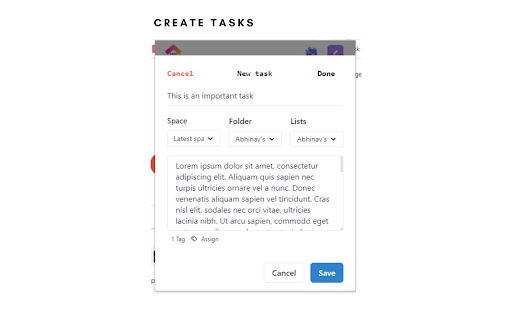
Building an extension To-Doist for Click Up, is a task manager made on the API's for Click Up. Main features include having track of your spaces, teams, folders and tasks. CRUD operations for tasks on Click Up have been implemented. So have a go at managing your tasks without having to visit Click Up. All you need to do is connect your Workspaces.

Productivity Tracker - ClickUp
Productivity Tracker for ClickUp Productivity Tracker helps you keep a check on yourself, It gives you crisp analytics of your browsing time on different platforms with the help of ClickUp API. We have tried to keep UI simple as well as to the point, so the User should only see their web browsing analytics. How to use:- i)Login/Signup to Clickup.com ii)generate personal token and copy it. iii)open the extension ,paste the token iv)click save. v) continue browsing.. Hurray 🎊 you are set to major your productivity Tracker

Clickup File Manager
A simple Extension that allows you to manage files on ClickUp A Simple Chrome Extension that allows users to manage their documents on Clickup, users can upload, download, create and delete folders/documents accordingly which helps in saving them tons of time. This extension also serves as a record keeper, easy to share and simple UI for faster usability.

TaskUp for ClickUp
View from and add tasks to all of your ClickUp workspaces in just one place in one click. This extension safe, simple and yet so useful for the click Up users, the way clickUp takes out user's pressure to manage too many productivity apps and lets one work in more organized and well structured manner. This extension is build upon CLickUp official API and maintaing all the purpose the ClickUp should serve. The TaskUp for ClickUp extension extends the productivity and usefullness of the ClickUp app. How ? - say, if you want to take a quick glance at your pending tasks, now you don't have to got to ClickUp.com and look where the task is, with the help of TaskUp you can just do it by one click on the extension and you can continue surfing the browser. - A task is completed ? you can simply delete it from here. - Can look upto all the workspaces > spaces > folders > lists > tasks you have and also the folderless lists as well - say, you remembered something that you need to add as a task to your clickUp well no worries you can just do it from the extension. - Also you can view the available tasks in sorted manner, by priority and by due date. *This extension is in its starting phases, any feedbacks will be welcomed and considered

Clickup Automatic Time Tracking
This extension automatically starts the time tracking notifications and tasks and provides some additional shortcuts for clickup. After installing, make sure to RELOAD CLICKUP for the extension to start working :). This extension is new and free - if you find any bugs, have any feedback or simply want to support its development, please submit them to us at https://forms.clickup.com/9004103430/f/8cazdr6-85675/U45IJBL4PQ0BUALBTN . 🕑 The Clickup time tracking extension starts a timer automatically when a task is opened. 📝 Activating the timer is also linked to clicking through notifications. 📣 You have an option to hide the clickup notification bubble - so you don't get distracted from your focus. ⚙️ Features (like automatically stopping the timer) can be toggled on or off in extension settings. ⌘⇧ Y & ⌘⇧ X are shortcuts for completing/uncompleting tasks and stopping/starting the timer. ➕ More shortcuts and features are planned for future updates. 📦 Check the extension settings regularly for new options.
