
ggegaebgnbgochogdllpmaejhdcoohlh
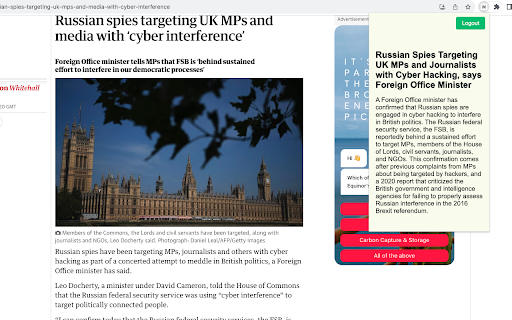

AI generated news summaries. Removes biases and opinions from news articles. Browse news without views. Transform the way you consume news with our AI News Summarizer Chrome Plugin. Designed for the modern, fast-paced world, this innovative tool uses cutting-edge AI technology to provide quick, unbiased summaries of news articles. Say goodbye to sifting through opinionated content and embrace a streamlined approach to staying informed. AI-Driven Summaries: Get to the heart of the story fast with AI-generated, factual briefs. Bias-Free News: Enjoy news as it should be - free from personal opinions and slants. Effortless Browsing: Navigate through news efficiently, saving time while remaining well-informed. User-Friendly: Easy to install and use, this plugin is a must-have for anyone seeking a neutral, fact-focused news experience. Whether you're a professional on the go, a student, or just someone keen on staying updated without the clutter of biases, our AI News Summarizer is your perfect news companion. Install now and start experiencing news in a smarter, more efficient way!

The News Tab
A new tab extension for chrome that allows you to view the latest news Want to view the news while browsing the web, or love the Microsoft News Tab but hate the adverts or weird articles it recommends? Then The News Tab extension is for you! A simple new tab that provides you with the news you want to see! The News Tab extension was inspired by the new tab page for Microsoft Edge and their extension, Microsoft News Page. However this extension allows you to choose what RSS feeds are shown and doesn't display adverts! This projects is in constant development and updates will keep coming. If there is a feature you would like to see don't hesitate to get in contact.

News Storyline
Know Thy History and Be Notified About Future A Chrome sidebar extension and companion newsletter that gives you an unbiased, context-rich timeline of any news story and quietly watches for what happens next—so you never miss a beat (or waste time scrolling). 📖 On-Demand Timelines in Your Sidebar • One-click access while you’re reading any article: hit the extension icon to slide open a concise, chronological view of past reports on that story. • Facts, not opinions: we aggregate across dozens of reputable outlets, stripping out commentary bias so you see the unvarnished sequence of events. • Top highlights only: instead of drowning you in every mention, we surface a handful of the most relevant milestones—headlines, timestamps, and sources—so you instantly understand “what led here.” 🤖 Background Story Scanning & Positive Alerts • Hands-free monitoring: once you’ve opened a timeline, our service continues scanning in the background for new developments on that very story. • Positive-only notifications: you decide what matters—receive alerts only when something significant (and positive) happens, so your inbox isn’t full of noise. • Peace of mind: no more endless manual refreshes or fear of overlooking a breaking update. 📰 Daily Newsletter & “New Developments” Bulletin • Daily digest delivered each morning: a simple roll-up of every event we tracked across your subscribed stories in the past 24 hours—no grouping, no spin. • On-demand “New Developments” email: when fresh updates arrive mid-day (for critical beats), we’ll ping you separately so you stay in the loop around the clock. 🔔 Story Subscriptions & Future Tracking • Subscribe in one click: any timeline can be turned into a “watched” story. From that moment on, we’ll keep you posted on each follow-up report. • Tailored alerts: choose your stories—finance, politics, tech, climate—and we do the rest, surfacing only the most impactful next chapters. 🔧 Platform & Integration • Chrome-based browsers supported (Chrome, Edge, Brave, Opera). • Privacy-first: minimal permissions, no tracking beyond the stories you opt in to follow. • Lightweight: sits quietly in your toolbar, loading only when you ask. Who It’s For • Journalists & analysts who need quick, neutral context before filing next headlines. • Researchers & students chasing down backstory and evolution of key events. • Curious readers who want more than a single outlet’s perspective—and zero surprises when the story moves on. Why Know Thy History? • Context at your fingertips—instantly see what happened before. • Stop missing updates—positive alerts mean you’ll always catch the next big development. • Save time & mental bandwidth—no more endless feeds or biased roundups. Install now and start each story with the past in view—and the future on your radar.

The World News
Extension that scrapes Reddit and displays the titles of the latest world news. TheWorldNews scrapes the most popular news from the subreddit "/u/worldnews" and presents them to you in a simple list. If you want, and only if you want, you can click on any title to jump to the thread and join the conversation in Reddit. Designed for simplicity and privacy, no sign-ups or data storage required. Just get the most relevant current news without unnecessary clutter.

News Hub kiosk
Google News, Google Play Newsstand and BuzzFeed. News aggregator for every country. Weather forecast for Chrome. MSN News. ★★★★★ Stay updated with the latest News 📰 with this extension. Google News give you a summary updated to the minute of the most recent news in your country 🌍 Buzzfeed on the other side will give you the most trending 🔥 news and hot topics for the day. As extra you will also have access to MSN News from Microsoft, available in over 10 languages 😵 This is the very best extension for your Browser 💻 FEATURES ★ Notifications 📣 let you stay updated with the latest news. ★ Google News provides the latest news for all over the world and available to many countries 🌍 ★ Buzzfeed is the Internet trending news source 🚨 ★ MSN is the very best Microsoft News service updated with local TV news from each country 📺 ✔ Small window well positioned for texting. ✔ Auto-Start when Browser starts. ✔ Configurations in a Options 🔧 section. ✔ Quickly see your profile and news feed. ✔ Very Low CPU/RAM/Bandwidth consumption 📌 ANDROID APP 📱 Also available as a Android App for Smarthphone/Tablet devices. Get it on Google Play: https://jitt.wwevents.fun/project/hub-for-google-news-buzzfeed/#download 💎 Building Apps and Extensions for Google Chrome and Android 🔥📣 📔 Available on the product page: https://jitt.wwevents.fun/project/hub-for-google-news-buzzfeed/#changelog Google News™, Buzzfeed™ and™ MSN are a trademark of Google Inc., MSN Inc. and Buzzfeed Inc., registered in the U.S. and other countries. This is an independent project developed by WWevents and has no relationship to Google News™, Google Inc., MSN™, MSN Inc., Buzzfedd™ or Buzzfeed Inc. By installing this product you agree to our privacy policy & terms of service: https://jitt.wwevents.fun/privacy-policy/ You may consult the list of permissions and the reason why they are required on the product page: https://jitt.wwevents.fun/project/hub-for-google-news-buzzfeed/#permissions “notifications” – Used to send desktop notification. For example when a new message arrive or App is updated. “contextMenus” – Allow to add more settings when right click in the App icon in the browser toolbar and browser context menu. “storage” – Used to save settings on your local computer. “scripting” – Used to be able to insert JS or CSS on the required host/domains. “system.display” – Used to detect the display size and position the Extension window. “unlimitedStorage” – Storage is limited to 5MB of data that may not be enough to store all configs. “host_permissions” – Permission to access to some hosts/domains that we must modify in order to provide the desired functionality detailed in the functionality. It also allows that you can share content (links or text) from other pages directly to inside the App and send it as a SMS/Android message to a friend for example. Also used to allow intercommunication with other WWEvents Apps (i.e. Emojis). “activeTab” – Permission to access the window that the extension is running and is show to the user. “all_urls” – Permission required for users be able to take screenshots of the current window – captureVisibleTab. “declarativeNetRequestWithHostAccess” - Used to get the mobile version of the websites. Only impact the Extension Window. “declarativeNetRequestFeedback” - Used to get the mobile version of the website by changing the User-Agent. This information is also available inside the App: Options -> About
