
gfdjjjhdogfaimkelnipmflcmooenmji



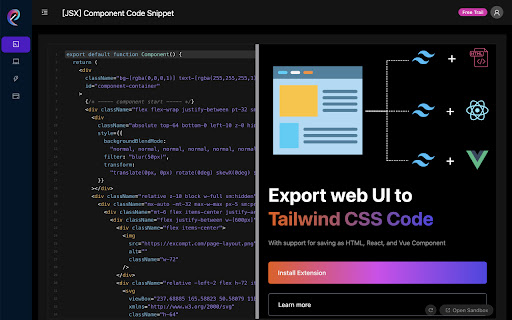
Free to scan tailwind css and export tailwind CSS component in any website page Transform Web Design with Excompt: The Ultimate Tailwind CSS Extension for Chrome Struggling to craft beautiful UI designs? Simplify your workflow with Excompt – the Chrome extension that revolutionizes the way developers work with UI components. Seamless Tailwind CSS Integration: Excompt empowers you to effortlessly export any webpage's UI elements directly into Tailwind CSS-styled components. Compatible with HTML, React, and Vue, it's the perfect tool for developers seeking efficiency and precision. User-Friendly Interface: With just a click, Excompt allows you to select and extract UI components from any webpage. It's designed to make your development process faster and your code more maintainable, giving you more time to focus on creating stunning interfaces. Free Developer Tools: Excompt goes beyond just exporting components. Our free developer functions enable you to scan and identify Tailwind CSS class names within elements, streamlining the process of converting them into reusable components. Optimize Your Development Process: Whether you're a seasoned developer or just starting out, Excompt is the tool you need to enhance your productivity and bring your web designs to life with Tailwind CSS. Add Excompt to Chrome today and experience the future of web development!

PageRip (HTML + CSS Extract)
Rip HTML + CSS snippets from any element on any web page with an element selector. Convert full webpages to single file HTML and JSX Create components from websites. Use an element picker to get a single element, or extract the full page to HTML source code. PageRip can generate HTML with inline styles, CSS classes, or JSX, so you can easily copy and paste the code into your project. Or live edit in PageRip. Don't waste any more time struggling with manual HTML and CSS extracting. Try PageRip and experience the ease and convenience of snipping and exporting HTML like never before. Note: This extension is still a work in progress and is still being actively improved.

CopyCss - Copy css scan from any website.
This browser add-on enables you to extract CSS from any website and also allows you to clone the code as components for JSX or Tailwind CSS. Increase your productivity and reduce development time to lightning speed. 【changelog on March 21th:】 Toggles selection of parent, child or sibling elements of the selected element 【changelog on March 18th:】 1. Fixed the display issue during JSX preview 2. Fixed the issue that the style is missing when the class form is in the class form 3. Fixed the removal of some redundant styles -Features- Copying the CSS of this element manually is a hassle. With CopyCss, you can simply click to obtain it. Design your perfect page effortlessly. You can get the code for any element on any website and rapidly copy it as HTML/JSX, CSS/Tailwind CSS, or any other format of your choice. Save the HTML and CSS code of individual elements along with their child elements as complete components. You can store these Codepen snippets in the cloud and build a library of attractive elements for your projects starting today.

CSS To Tailwind
Easy as: 1. Click the extension icon 2. Hover on the element you want to convert 3. Right click to copy the class names to clipboard Features: 1. Hover an element to view its converted TailwindCSS Classes 2. Shows you which styles are missing from TailwindCSS 3. Copy just the class names or grab the entire element CSS styles Short-comings: 1. Uses Document.styleSheets behind the scenes and stylesheets on different domains will not be taken into account

Supertweak
Visual editor for Tailwind CSS Supertweak is visual editor for Tailwind CSS to quickly tweak your website live, preview instantly and copy classes or html to use in your project. You can try it free for 7 days. Continued use requires activation key. You can purchase your copy of the extension at https://supertweak.dev 🎨 Tailwind editor Quickly modify property values for Tailwind classes, add or edit variants, manually add, edit or remove classes etc. right inside your browser. You can then copy the classes or html code from the elements with one click. Supports adding arbitrary values and variants and custom Tailwind config as well. 📱 Responsive Switcher You can quickly resize the window to responsive device widths. Since this resizes window, you will be able to use the editor in small screen widths too unlike the Devtools responsive mode. 📷 Quick Capture Supertweak lets you quickly take screenshot of visible screen or a selected area, which you can later download or copy to clipboard. This makes it easier to share the changes you made with your team and get feedback. 🪟 Children Editor You can easily re-arrange, remove or duplicate elements. Adding elements and text nodes are also supported. ⌨️ Edit Mode In Edit mode, you can edit the text in the page quickly without other distractions.
