
gefbgfmdacpikggkopbjdjlpfcmgmkop
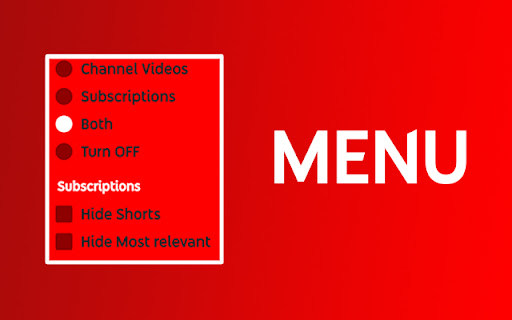
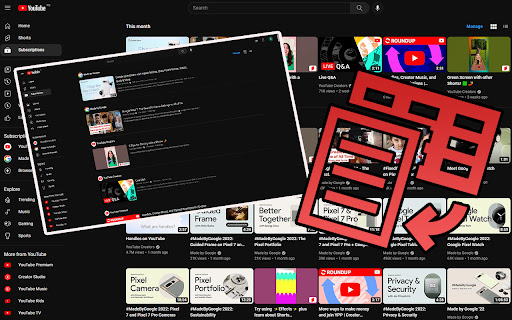
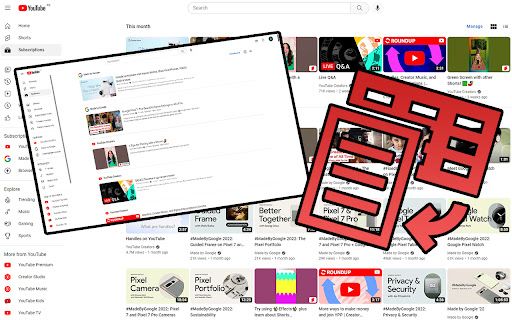
Keep YouTube Subscriptions/Channel Videos in List View. Click on the Extension Icon to Open the Menu. Stay Organized with YouTube List View Extension Tired of switching back to List View every time you browse YouTube Subscriptions? This extension is here to make your experience seamless and hassle-free by locking your subscriptions and channel videos in List View mode. ## Key Features: ✅ Subscriptions List View - Easily switch to List View for your subscriptions. - Prevents YouTube from reverting to Grid View, even after reloading the page. - Hide Shorts and Hide Most relevant options ✅ Channel Videos List View - Browse channel videos in List View for a cleaner and more organized layout. - Simple reload applies your preferred view instantly. ✅ Customizable Preferences - Use the intuitive menu to choose whether to apply List View to subscriptions, channel videos, or both. ## Why You'll Love It Struggling to save the default view for subscriptions? Prefer channel videos in an organized format? This extension is the solution you've been waiting for. We’re dedicated to making your YouTube experience as seamless as possible. If you encounter any issues or have ideas for improvements, don’t hesitate to reach out. Thank you for choosing the YouTube List View Extension – your support and feedback mean the world to us! Try it now and enjoy a clutter-free YouTube experience!

PocketTube: Youtube Subscription Manager
Group YouTube subscriptions into YouTube folder. Video Deck for Youtube. Mark as watched videos. Filter YouTube video. Youtube mode You can create collections that seamlessly fit into the layout using this Youtube extension. This is an easy way to manage your subscriptions. This extension enables you to: ★ Create groups / sub-groups with subscriptions based on topic ★ Group YouTube subscriptions / channels to collections / groups. One subscription/channel can have a few collections ★ Add custom icons for any collection. Set icons from prepared icon packs or upload your own. ★ Show the latest videos feed by collections / group. Play all videos by collections using the auto-generated playlist on YouTube ★ Auto-sync your collections on Android, iOS or other browsers using Google Drive or your Chrome profile ★ Integration on the main page ★ Integration in the left sidebar ★ Ability to video filter by topic on the subscriptions page ★ Filter and sort videos by duration, activity, and date on feed mode and channel page ★ Auto Youtube Tags ★ Enable Youtube Deck mode - special mode like TweetDeck ★ Notification about new videos on group ★ Health status for your subscriptions and bulk unsubscribing channels without activity ★ Mark as watched which sync with history ★ Remove shorts or watched videos on subscriptions or channel page ★ Export subscriptions to CSV Install an extension to organize your subscriptions. After installing, please reload all tabs for the extension to take effect. For issues/suggestions, please get in touch with us via email: hello@pockettube.io 250,000+ users trust us with more than 4,000 5-stars reviews. --- Become a Patreon to help support the continued development of this plugin if you enjoy it! It takes time to update the extension every time: Patreon https://www.patreon.com/join/ysub Please buy me a coffee https://www.buymeacoffee.com/ysub Android https://play.google.com/store/apps/details?id=com.youtubesubscriptionmanager iOS https://apps.apple.com/us/app/pockettube-for-youtube/id1475688814 --- ⓘThis Chrome extension is about Subscription Manager and has no affiliations with the popular video hoster Youtube™. All copyrights belong to their respective owners. PocketTube: PocketTube is not owned by, licensed by, and is not a subsidiary of Google Inc.

YouTube Playlist Length - Duration Display
A Lightweight extension that displays the length of the current YouTube playlist A Lightweight extension that displays the length of the YouTube playlist you are viewing or watching. It works on both the Playlist viewing page, and the watching page, blending in with YouTube's existing stats. The display can be customized to your preference - these options are accessible from the extension's popup (as shown in the video above). Please leave your feedback and suggestions for any extra options you would like! For playlists longer than 100 videos, you will need to scroll to the final video on the Playlist view page for a full calculation. Unfortunately this will not work on the watch page as YouTube only loads up to 400 videos. Hover on the length displayed to view how many videos have been counted. If you like the extension please submit a review! Future plans: - More complex displays, showing progress through playlist in a more visual way etc. - More options (leave suggestions in your reviews!) - Display on the YouTube mini player. Known Bugs: - The duration display sometimes 'flashes' a few times when going into playlist view. Please report any issues via my email listed below in the Details section! Update Log: 0.1.11.3: HOTFIX for duration not displaying on Playlist view page due to YouTube update (again...). 0.1.11.2: HOTFIX for duration not displaying on Playlist view pages due to YouTube update. 0.1.11.1: HOTFIX for playback speed showing "(1x)" when not saved. 0.1.11: Added a setting to calculate playlist time based on playback speed (Thank you Noah W for the suggestion in your review!) Added a missing 'dot' separator in Custom Playlist view. Fixed 'Watch Later' playlist view not showing length until refresh. Fixed warning on playlists with 1000+ videos. 0.1.10: Fix duration not showing in Private Playlist viewing pages. 0.1.9: Fix broken length display on Watch Page (was showing 00:00:00). Fix Playlist Page not calculating the full length until scrolled for short playlists, only those longer than 100 require a scroll now - this cannot be changed due to YouTube's loading behavior. Fix console errors when watching a video with no active playlist/ queue. Fix wrong value being displayed when queue started while watching a video. Fix wrong video index being used after rearranging active playlist (for remaining time after current video). Add an indicator to show that the full playlist's length has not been calculate (and further details on hover. 0.1.8: Update 'YT' to 'YouTube' in listing name for better visibility. More concise listing Description. 0.1.7: Add Promo Video. Add Customization options: Hide seconds, Colon time format, Show duration remaining after/including current video (only on watch page). Fully style the extension Pop-up. 0.1.6: Add a basic popup UI, in preparation for new settings. Slight change to listing name for improved reach. New Store Images and Promo Tiles. 0.1.5: Fix NaN bug caused by Live and Premiere Videos. Fix bug where length was not being displayed after navigating from regular watch page. Add tooltip on hover to display how many videos have been counted in length. Some display adjustments. 0.1.4: Implement Support for YouTube's new UI update. Fix longstanding problem where page needs to be refreshed to display. Sleeker appearance to blend in with existing stats. Faster updating. 0.1.3: Add duration display to playlist viewing page. Some further optimizations. 0.1.2: Fix bug where duration is displayed twice. Duration displays more reliably without having to refresh. 0.1.1: Improve reliability when switching between playlists. 0.1.0: Initial version.

Floating Video Player for Youtube™ Videos
Floating Video Player for Youtube™ Videos allows you to watch videos while browsing the web with Picture-in-Picture mode. Watch videos in a floating window while browsing other sites and applications with our software extension. Features: - Resume watching from the last stopped position - Videos are always on top - Supports Youtube playlist How to use the extension: Open the video on the video site and start playing the video Click the extension icon and activate floating mode. A miniplayer appears and you can continue watching the video. Please note that the original tab with the video stream should remain open while you browse the Internet. We are not affiliated with YouTube or an official extension. This extension is independently developed for use with Youtube YouTube is a trademark of Google Inc. Use of this trademark is subject to Google Permissions.

YouTube Watch Thumbnails
Display a thumbnail of the video next to the channel icon on the YouTube video playback page. Click once on the extension icon and the thumbnail image hops up. Clicking on an image opens the largest thumbnail image in a new tab.
