
aobeafpjgdgakpagffmlkfeognaiigci
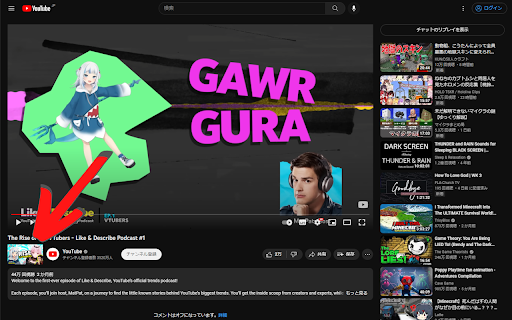
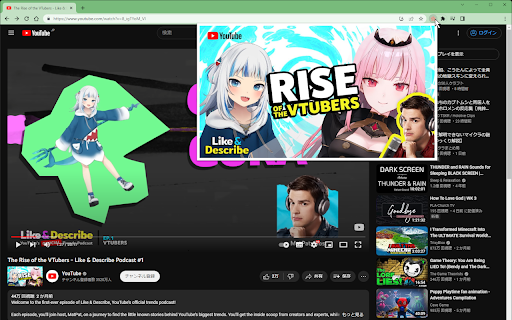
Display a thumbnail of the video next to the channel icon on the YouTube video playback page. Click once on the extension icon and the thumbnail image hops up. Clicking on an image opens the largest thumbnail image in a new tab.

OutsideBar
YouTubeの操作バーを画面外に出すやつ ◆どんな機能? YouTubeの再生ボタンなどを動画の外に表示します。 一時停止してじっくり見たい時やスクリーンショットを撮りたい時に邪魔なボタンや影が無くなります。 ◆注意事項 ※他のYouTube拡張機能とは競合して上手く動作しないことがあります。 ◆他の機能 YouTube用の自作拡張まとめ https://null.style/app ◆不具合を見つけたら 作者Twitter(@nulltypo)までご連絡お願いします。レビューには回答できません。 ◆免責事項 このChrome拡張によりいかなる損失や損害などが発生しても責任を負いかねます。ご了承ください。

prevent timestamp scrolling for YouTube
This extension prevents scrolling to the top of the page when you click on a timestamp in a comment. The browser version of YouTube automatically scrolls to the top of the page when you press the timestamp of a video comment, description box or chapter. This extension prevents that. Note that this extension is not related to screen splitting. If you find any bugs or improvements, please report them to me via review or issue on the support site.

Flow Chat for YouTube Live
Chrome Extension for Flow Chat Messages on YouTube Live. - Flow messages over the video. - Change color, size and speed for messages. - Show author and avatar on messages. - Show super chats and super stickers. - Filter banned words. - Add helper menu buttons on the chat list.

YCS - YouTube Comment Search
Search comments, replies, chat replay, video transcript for the current video on YouTube by contents, authors, time. The YCS (YouTube Comment Search) is a chrome extension. Search comments, replies, chat replay, video transcript for the current video on YouTube by contents, authors, time. Features: ✅ Quick search by timestamp, author, content ✅ Export comments, replies, chat replay, video transcript ✅ Flexible (fuzzy) search ✅ Multilingual search ✅ Search by Emoji ✅ Works in incognito mode ✅ Unlimited load comments ✅ Time stamps - show comments, replies with time stamps ✅ Author - show comments, replies and chat comments from the author ✅ Likes - show comments, replies by number of likes (sort largest to smallest) ✅ Replied - show comments by number of replies (sort largest to smallest) ✅ Members - show comments, replies and chat comments from channel members ✅ Donated - show chat comments from users who have donated ✅ Show random comment ✅ Small size, low use CPU and memory Instructions: 1. Open video on YouTube 2. Find the YCS extension under the current video and click the button "Load all" or choose to load the categories 3. Write the search query, press Enter or click the button Search 1) How to like, reply to a comment? In the search results, click on the date (like, "2 months ago") of the comment, reply and will open a new window with an active comment or reply under the video, where you can do any action. 2) How do I find all timestamped comments and replies on a video? Click on the "Time stamps" button under the search bar. 3) How can I find addressed to user's comments, replies? Write " @ " in the input field. 4) How can I view the contents of the video transcript at a specific minute? You can write a search query for Trp. Video, in the " mm:ss " format. For example: " : " - all the text of the video transcript. " 15: " - all the text in the 15th minute. And etc. 5) How can I view the comment for a found reply? Click on the " ▼ " button. 6) How can I see the all replies to the found comment? In the header of the found comment, you can find the reply icon and the count, to see the replies click on the " + " button. 7) How to use search in YouTube shorts? Open a YouTube video short. Click badge YCS (right of the address bar) and click on the button Open YT short. You can use the search engine (YCS), while loading comments, chat, transcript video.
