
elfdpkmfllnhhgnicaaeacbilcallpbd
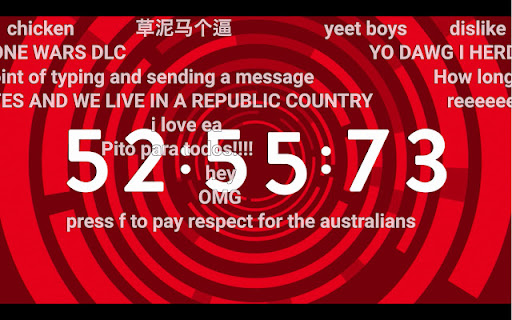
Chrome Extension for Flow Chat Messages on YouTube Live. - Flow messages over the video. - Change color, size and speed for messages. - Show author and avatar on messages. - Show super chats and super stickers. - Filter banned words. - Add helper menu buttons on the chat list.

MaxChat
Wide chat area for YouTube Live ◆features This extension spread YouTube Live chat area to the bottom of the browser. You can also press the refresh button to reload the comments. ◆If you find a problem Please contact me on Twitter (@nulltypo). I can't respond to reviews. ◆Disclaimer I'm not responsible for any loss or damage caused by this extension.

DetailedTime
YouTube動画の公開時刻を表示するやつ ◆どんな機能? YouTube動画の公開時刻を表示します。 ◆使い方 動画タイトルの横に「詳細」の文字が出るのでそれをクリックしてください。 ◆注意事項 ※ライブ配信の場合は配信開始時刻になります。 ※完璧な動作保証はできません。ご利用は自己責任で。 ※ブラウザの横幅が狭い場合・動画タイトルが長すぎる場合には「詳細」の文字が出ないことがあります。 ◆他の機能 YouTube用の自作拡張まとめ https://null.style/app ◆不具合を見つけたら 作者Twitter(@nulltypo)までご連絡お願いします。レビューには回答できません。 ◆免責事項 このChrome拡張によりいかなる損失や損害などが発生しても責任を負いかねます。ご了承ください。

YouTube Live Chat Fullscreen
Watch YouTube Live in fullscreen without losing chat. Post comments, send Super Chats, and style the overlay your way. YouTube's fullscreen mode hides the chat. This extension brings it back — as a transparent, draggable overlay right on your video. Features: 💬 Chat in fullscreen — Post comments and Super Chats directly from the overlay. 🖱️ Drag, resize, reposition — Put the chat window exactly where you want it. 🎨 Style it your way — Background, text color, font size, blur, spacing. 📋 Save presets — One-click switch between styles for different streams. 🌗 Light and dark themes — Follows your system, or set it manually. 📼 Archive support — Works with chat replay on archived streams too. 🌐 50+ languages supported. How to use: 1. Install the extension. 2. Open a YouTube live stream or archive with chat replay. 3. Go fullscreen — flip the switch at the bottom-right. 4. Drag, resize, and make it yours. Questions, ideas, or bug reports? We'd love to hear from you on GitHub. Source code: https://github.com/daichan132/Youtube-Live-Chat-Fullscreen Support the developer: https://ko-fi.com/daichan132

nicopip
【非公式】ニコニコ動画・ニコニコ生放送をPinPで再生します ニコニコ動画およびニコニコ生放送( https://www.nicovideo.jp )の動画をコメント付きでPinP(ピクチャーインピクチャー)表示する非公式拡張機能です。 動画プレイヤーのツールバーに、ピクチャーインピクチャーのボタンを追加します。 拡張の設定画面から、ニコニコ動画・ニコニコ生放送の必要なほうだけを有効にすることもできます。 <注意> ・コメントを動画に合成する処理が挟まるため、通常の動画再生より処理が重いです
