
dlnjcbkmomenmieechnmgglgcljhoepd

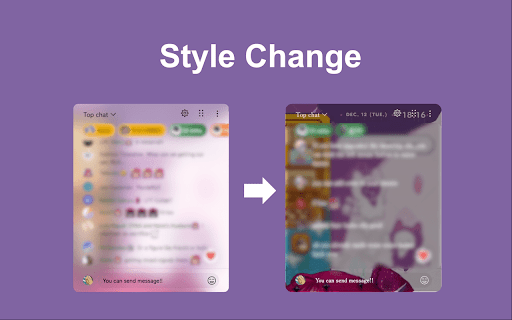
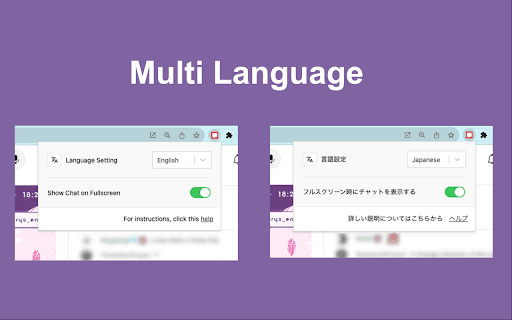
Watch YouTube Live in fullscreen without losing chat. Post comments, send Super Chats, and style the overlay your way. YouTube's fullscreen mode hides the chat. This extension brings it back — as a transparent, draggable overlay right on your video. Features: 💬 Chat in fullscreen — Post comments and Super Chats directly from the overlay. 🖱️ Drag, resize, reposition — Put the chat window exactly where you want it. 🎨 Style it your way — Background, text color, font size, blur, spacing. 📋 Save presets — One-click switch between styles for different streams. 🌗 Light and dark themes — Follows your system, or set it manually. 📼 Archive support — Works with chat replay on archived streams too. 🌐 50+ languages supported. How to use: 1. Install the extension. 2. Open a YouTube live stream or archive with chat replay. 3. Go fullscreen — flip the switch at the bottom-right. 4. Drag, resize, and make it yours. Questions, ideas, or bug reports? We'd love to hear from you on GitHub. Source code: https://github.com/daichan132/Youtube-Live-Chat-Fullscreen Support the developer: https://ko-fi.com/daichan132

YouTube To Transcript: AI Summarizer & Chat
Get instant YouTube transcripts with AI summaries, insights, and chat features. Ideal for faster learning and note-taking. YouTube to Transcript instantly turns any YouTube video into text you can use. Get accurate transcripts, AI-generated summaries, key insights, timestamps, and even chat with the video’s content. Perfect for learners, researchers, and creators who want to save time and understand videos faster. ⚡ Instant transcripts for any YouTube video 🧠 AI summaries, key points & takeaways 💬 Chat with the video to ask questions or clarify content ⭐ Works directly on YouTube or via popup 📘 Great for studying, note-taking, and research

Anu Twitch Chat Overlay
Show Twitch chat on top of the stream player. Read chat, send messages, claim points, and more, without leaving fullscreen mode *Now open source and looking for collaborators* Show Twitch chat on top of the stream player (live and VOD). Keep up with chat, send messages, automatically claim channel points, and more, without leaving fullscreen mode (or expanding sidebar chat). Customize position, font, background on a per stream basis and sync and store your preferences across your devices. Twitch dark and light themes supported by default. Once installed, a Chat Overlay button will be added to the bottom right buttons panel of the Twitch video player which you can click to toggle the chat overlay on/off. Choose the perfect position, font size, color and that's it!

Sidesy: Your Comments Sidebar For YouTube
Bring YouTube comments to the side. Dive into the comments without scrolling past the video. Features - 1. Easy toggle via keyboard shortcut or the button integrated right into the comments section to easily switch between default and sidebar views. 2. Built for convenience with an eye for aesthetics. Unlike other similar options in the market, the sidebar comments don't feel out of place. They look nice and work well. 3. Dark & light modes depending on your YouTube settings. If you enjoyed using Sidesy, please consider leaving a review - it really helps a lot! And if you’re feeling extra generous, you can buy me a coffee here: https://buymeacoffee.com/abin.john

Turn Off YouTube Comments & Live Chat
Turn off YouTube comments and hide YouTube live chat on videos. Hide YouTube comments and/or live chat. To hide comments while being able to add comments, uncheck "Hide Add Comment Box" and check "Hide Comments". Compatible with mobile YouTube, m.youtube.com. For more features including removing recommendations, comments, and more: https://chrome.google.com/webstore/detail/unhook-remove-youtube-rec/khncfooichmfjbepaaaebmommgaepoid
