
mlceikceecooilkgiikkopipedhjjech
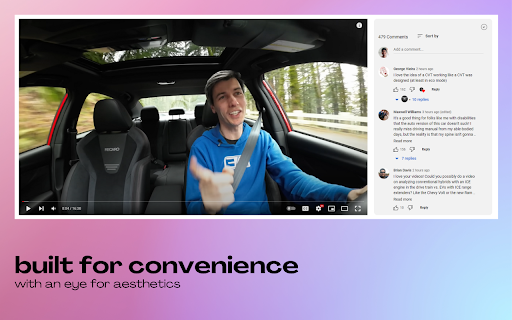


Bring YouTube comments to the side. Dive into the comments without scrolling past the video. Features - 1. Easy toggle via keyboard shortcut or the button integrated right into the comments section to easily switch between default and sidebar views. 2. Built for convenience with an eye for aesthetics. Unlike other similar options in the market, the sidebar comments don't feel out of place. They look nice and work well. 3. Dark & light modes depending on your YouTube settings. If you enjoyed using Sidesy, please consider leaving a review - it really helps a lot! And if you’re feeling extra generous, you can buy me a coffee here: https://buymeacoffee.com/abin.john

Youtube Show Comments Overlay
Watch YouTube videos while reading the comments. Introduces a comments overlay for YouTube videos, enabling you to read comments while watching videos seamlessly. • Features a button on the video player for toggling the comments. • Works in default view, theatre mode and fullscreen. • Dark/Light mode

YouTube Timestamp Comments
An extension that lists timestamp comments on YouTube. This is a Google Chrome extension that displays timestamp comments on YouTube. The main features are:

Timestamped YouTube Comments
See timestamped comments as you watch Contact support at 0kennywong@gmail.com or leave a review if you like it!

Youtube Comment Viewer
Watch the video with comments on full screen! Enjoy viewing comments on all types of screens without scrolling down! ---- Features ➡️ View comments with all video types (fullscreen, theater, general mode) ➡️ Drag to resize the comment window ➡️ Automatically resize the video based on the size of the comment window ➡️ Support Dark mode 🆕 NEW UPDATES: ✨ Your preferred comment window size is now remembered between sessions ✨ Type comments freely without triggering YouTube shortcuts (fixed bug with space bar and other keys) ✨ NEW keyboard shortcut 'v' to quickly toggle comment viewer ✨ Added helpful tooltips to the comment viewer toggle button ---- Why YouTube Comment Viewer is needed: Traditional YouTube requires scrolling down to read comments, which is very cumbersome. With 'YouTube Comment Viewer', you can easily display comments on the right side of the video, and the size of the window can be customized to your preference. ---- 💬Bug reports and inquiries - tonymkcv93@gmail.com ----
