
gecagpecilkplgfkfpbpfhjkfelfdocd

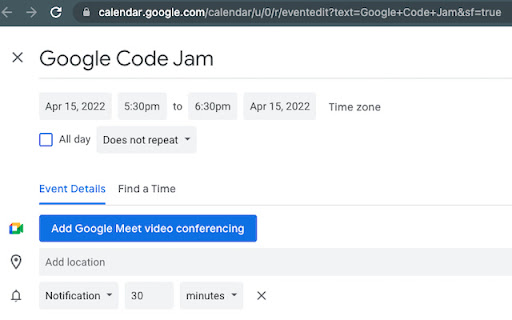
create Google Calendar event with Title or Description from Right Click Menu you can create Google Calendar Event with 3 step

Save to Google Calendar
Effortlessly schedule events with our smart Google Calendar integration. Select a date or natural language phrases like 'next 3 days,' 'tomorrow,' or similar directly from any webpage and save them instantly to your Google Calendar. No more manual entry or switching tabs—stay organized with ease!

Text to Google Calendar
😡 Fed up with the hassle of manually creating a google calendar event? 'Text to Google Calendar' 🌟 is here to turn highlighted text into Google Calendar events in a single click - whether it's from an email or a webpage. No more copying and pasting. What else can 'Text to Google Calendar' do? 🧹 Create multiple calendar events at once and recurring calendar events! 🔑 Auto-populate important information like timezones, locations, and event details 🔗 Save time, headache, and avoid manual entry errors 👀 Ready to Revolutionize Your Calendar Management? Add 'Text to Calendar' to Chrome now and experience the future of scheduling! 🌟📆

Highlight TODAY
Highlight TODAY in your Google Calendar Highlight TODAY in your Google Calendar

toCalendar
Add new events to Google Calendar from every websites you visit. Add new events to Google Calendar from every websites you visit. When you click this extension's botton, extension is creating new tab and open Google Calendar's "create new event" page. ★New (ver.1.2) Select sentence and right-click, you can add selection text into the description. If the selection text has a Date, extension will use the date. For example, if you use it on Gmail, the extension will set below: Title : "Mail title - your gmail address" (*"Gmail - " prefix is deleted by the extension) Description : Mail URI Date : today and... - Adding Manifest Version in the manifest file.(ver.1.3.0) - Fixed end-date bug.(ver.1.2.6) - Changing icon's detail.(ver.1.2.5)
