
gdmkcblhddhhfejpfbjomilpgpbpjhhg


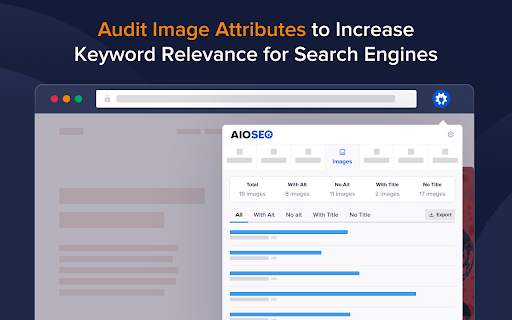
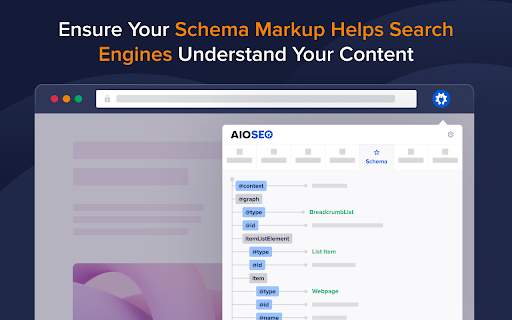

The All in One SEO Analyzer is a free SEO tool that helps analyze your website and optimize it for search engines. The All in One SEO Analyzer by AIOSEO scrutinizes your site from top to bottom, analyzing elements like meta descriptions, titles, keywords, and content structure. This tool provides an SEO score analysis, reflecting your website's effectiveness in optimization. A higher score implies a better-optimized website, making it more likely to rank higher in search engine results. Beyond just improving your SEO score, it helps to drive more organic traffic to your site. The tool is an asset for anyone, from small business owners to SEO professionals, looking to enhance their website's SEO performance, user experience, and online visibility.

Website Ranking and SEO Checker by Semalt
Semalt SEO Extension is a free SEO tool to track websites’ Google rankings and spot issues that keep you from attracting traffic. Click just once to find out how your website ranks and what keywords it’s ranking for. View ranking changes over time. Identify and analyze your competitors. Discover the website’s best-performing pages as those that have the most Google Top positions. All you need to put your SEO effort into where it needs to be. Besides giving you in-depth data on Google SERPs, Semalt SEO Extension can be used to check your website for SEO issues that cause your traffic and conversions to dwindle. Please Note: Semalt collects ranking data on 53 million websites for 100 million keywords in over 1000 location-specific Google search results. This data is updated every day and fed into Extension for you to analyze for free and without restrictions. You don’t even need to have a Semalt account or the API key to use the extension. ➊ Ranking data and features ➣ Number of keywords in TOP See how many keywords your competitor’s or your own website ranks for in Google TOP 1-100 results. Check whether there are more or fewer keywords than the website ranked for days or months ago. ➣ Keywords Distribution by TOP Crunch some more keyword-related numbers while analyzing the changes in TOP-1, TOP-3, TOP-10, TOP-50, and TOP-100 over time. ➣ Rankings by Keywords View a list of the most popular keywords the website ranks for. Compare their SERP positions for any dates and start detecting trends. ➣ TOP-100 Competitors by Keywords Get to know your competition with the TOP-100 Competitors list. It can be generated for any keyword your website ranks for once you click on this keyword in the Rankings by Keywords chart. Bonus: you can then scan a competitor’s website from the list on semalt.net. ➣ Number of pages in TOP Check how many of your website’s pages rank in TOP 1-100 Google search results. Use the chart to track changes over time. ➣ Page distribution by TOP rankings Analyze how your website’s pages are distributed throughout TOP-1, TOP-3, TOP-10, TOP-50, and TOP-100 search results by position and compare it to where they were earlier. ➣ Pages in TOP Get to know which of your website’s pages generate the most Google traffic. Each page comes with the number of keywords it’s ranking for. You can scrutinize the spots it takes up for these keywords in search results in a few clicks. You can then download a complete report or just a list of keywords the page’s ranking for. ➣ Keywords for selected pages Track how the number of keywords a selected page is ranking for has changed over time. ➣ Competitors in Google TOP Identify competitors for the website you’re analyzing. The list of competitors is based on the shared keywords that your website and your competitors’ websites rank for on Google. ➣ Shared keyword changes Check how the competition and the number of keywords you share with each of your biggest competitors have changed over time. Get a comprehensive SEO Audit report for your website. Pinpoint technical errors and other issues that stand in your website’s way to ranking higher in the SERPs and attracting more visitors. Check your website for as many as 47 performance indicators and find out where it stands in terms of today’s SEO. Each performance indicator comes with a detailed description and expert tips on making your website Google-friendlier and improving the user experience. Webpage Analyzer looks into your website’s performance from the following perspectives: - On-page SEO - Indexing - Structured Data - Mobile Adaptability - Performance and Page Speed - Domain - Server & Security - Social Media Presence - Analytics and Counters ➣ Reports You can download a complete or customized report in PDF/CSV/TXT format for any data type you can find in the extension. ➣ User-friendly configurations Configure extension to analyze SEO data more conveniently by selecting: - location for Google search results - date - advanced filtering and sorting options ➋ Who can benefit from extension? ➣ SEO specialists Whether you do SEO for your own website or work at an SEO agency, your daily routine certainly includes Google ranking monitoring. With Semalt Extension, you can save time and money by tracking the rankings of any website quickly and effortlessly. ➣ Marketing specialists The Semalt SERP tracking SEO tool can help you monitor website visibility trends on Google. This can give you a goldmine of insightful data for conducting market analysis or tracking SEO KPIs. ➣ Website owners As a website owner, you want your rankings to be high and your traffic to be massive. Semalt Extension is a good starting point to achieve your goals. It provides precise analytics that you need to see the big picture and make a go of SEO. ➌ How to install extension? It takes 5 (literally) seconds to install extension in just 2 clicks: Click #1 — Hit the Add to Chrome button Click #2 — Add the extension And now it’s there. ➍ How to get started with extension? Go to a website you’d like to scan and left-click the Semalt Extension icon in your Chrome Extensions menu. You’ll get analytics data for this website in a heartbeat. ➎ About Semalt Semalt has been providing SEO analytics data and SEO services since 2013. We’ve helped over 600,000 businesses grow so far and are ready to help yours. Learn more about Semalt at semalt.com/about. ➏ Privacy Policy Your privacy means everything to us. Semalt Extension does NOT collect data on how you use Chrome, search, or navigate websites. It only uses the URL of the web page you enable it on, as well as additional elements associated with this page. Learn more about Semalt’s Privacy Policy at semalt.com/privacy-policy. ➐ Support If you have any questions, comments, or suggestions, contact us at extension@semalt.com or go to our Support page - semalt.com/support.

Keyword Surfer
Keyword Surfer allows you to generate keyword ideas and see search volumes directly in Google search results. Keyword Surfer generates fresh keyword ideas and search volumes, right from your Google search results. Each time you search in Google, you'll uncover valuable insights on search volume, CPC, keyword suggestions, related terms, visibility metrics, and on-page data. Download the extension and add it to any Chromium-based search engine. Once added, make sure to grant the extension any required access and you’re good to go. Then, start by Googling a term—Keyword Surfer will appear on the side panel of your Google results page, however, you may be required to scroll down the page to see it. With Keyword Surfer, you can also store keywords for quick access, without having to google them separately every time. Plus, you can conveniently export collections as a .csv file whenever you need to. Streamline your whole content creation research process without ever leaving Google results page. NEW! Keyword Surfer can now be used in ChatGPT to humanize the written content. It also shows you how likely your content is to be detected as human-like. Check more in our [Keyword Surfer in ChatGPT article](https://docs.surferseo.com/en/articles/9956100-keyword-surfer-in-chatgpt). Looking for our Google Docs extension for effortless writing with SEO optimization in mind? [You can find it here!](https://chromewebstore.google.com/detail/surfer-for-google-docs/faapilcgnafanfcdhlkjijhoimmlhmjn) ______________________________ Data for the extension are provided by Surfer: surferseo.com. Surfer transforms SEO into a clear, predictable path for business growth by offering smart solutions that boost organic traffic. We pave the way for simpler, smarter SEO for agencies, teams, and marketers. Our toolkit empowers these groups to automate content management tasks and increase traffic without breaking the bank. Crafted by a dedicated team of engineers, marketers, and SEO specialists, our platform is designed to simplify the SEO content creation process, making it efficient and user-friendly. Thanks to our reliance on reverse-engineering algorithms, users have come to trust our advice. Our Content Score sets the industry standard, removing uncertainty from on-page SEO. Count on our tool for relevant, data-supported recommendations. We make SEO straightforward.

SEO Search Simulator by Nightwatch
Simulate search engine queries from any location on Google and easily check and track your website or your competitor's rankings. Simulate unbiased search engine queries from any location on Google and effortlessly check the rankings of your website or your competitors'. Nightwatch's search simulator is an indispensable tool for SEO professionals seeking a straightforward and effective solution for rank tracking, enabling you to monitor website positions in SERPs (search engine results pages). For those conducting numerous searches, encountering rate limits or captchas can be a challenge. For a more robust solution that surpasses browser and extension limitations, explore the Nightwatch app (https://nightwatch.io).

Detailed SEO Extension
Get SEO insights at the click of a button to any website you're currently on. Built by full-time SEO's for daily analysis. Get SEO-related insights at the click of a button to any website you're currently on. Pull back their title tag, meta description, meta robots tag and much more. Save hours of time looking through the source code of this page with our SEO analysis extension.
