
gaojaekjdcfbdfiiggmklaocglaknnkd
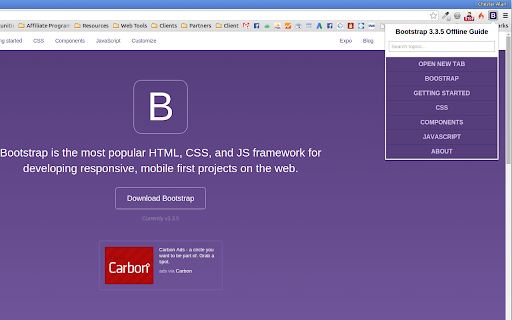


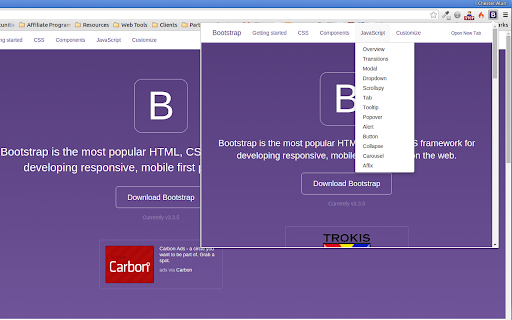
A made-easy offline documentation of Bootstrap 3.3.5 for Web designers and Web developers. This is an offline version of Bootstrap 3 documentation website. It is made-easy for users to navigate its contents and you can browse it on a separate tab if you want. v3.3.5.2 - Added Options Page

var_masterpiece
Turn a PHP var_dump into a readable, collapsible piece of art! JSONView for var_dump's Turns ugly var_dumps into something much, much better: collapsible, syntax aware, and readable! If you want to make PHP debugging easier, this extension is for you. It is JSONView for php var_dumps. Reading var_dumps without formatting is very difficult. This is a chrome extension to make var_dumps more user friendly. It works great to debug WordPress, Yii, Laravel, and any other PHP framework! This extension is like JSONView for PHP

Baseliner
Baseliner adds horizontal & vertical lines to help you align your grid to any website. Adds a horizontal and/or vertical lines on top of any website. The Baseliner extension adds a fully customisable CSS layer on top of any website to help you align your design and ensure the grid is in place. -------------------- The best place for support is not in the reviews section below, but on the Baseliner GitHub repo: Check out full set of features and how to contribute on our GitHub page:

Quick source viewer
View current page sources: HTML + Javascript + CSS Displays HTML, Javascript and CSS sources of a page in a fast and compact way. Source code is syntax colorized and beautified for easy reading. Badge in the toolbar shows Javascript node counts. File size and cache header is displayed. Display onclick handlers with inline javascript. Look and feel can be modified with custom CSS. Selected urls can be hilighted in the list of source files.

PixelParallel by htmlBurger
PixelParallel by htmlBurger - Pixel perfect HTML vs Design tool for developers PixelParallel is a completely free, super handy and light HTML vs Design comparison tool for front-end developers that will help you code pixel perfect websites with ease. Built from developers to developers, PixelParallel is a tool working in favor of the ultimate precision in front-end coding. How it works: 1. Simply upload your image and compare the semi-transparent overlay with the web page below. 2. Customize the opacity, scale and position of the image as you wish. You can also hide it or lock it. 3. Perform color difference for a strong pixel perfect precision. 4. Use the vertical and horizontal grids to achieve a pixel perfect web design. - Bootstrap grid with customizable width, number of columns, gutter and opacity - Horizontal lines with customizable space between - Draggable rulers (Photoshop-like) + Reset option - Inversion (Color difference) - Separate overlays for each web page - Overlay scaling - Customizable overlay opacity - Saving overlays between sessions - All image sizes supported - Draggable overlay - Quick hide / show image - Shortcuts + customizable keyboard hotkeys - Works with local files - Intuitive UI: clean and simple; draggable; minimizable PixelParallel does not collect any personal data. Uploaded images are saved locally in the browser storage.
