
fobaamfiblkoobhjpiigemmdegbmpohd

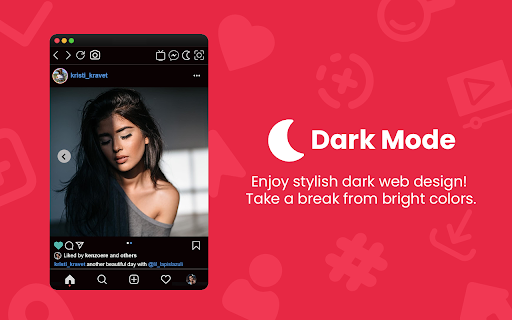

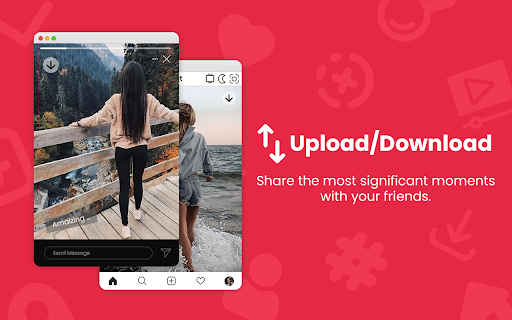

Fastest way to use Instagram with all functions right from your browser. Upload/download stories or IGTV and more. InSaverify a simple and powerful tool with many features to make your social user experience even better. With one click in your browser, you will be taken to the popular social network - Instagram, where you can share photos and videos, view the news feed and chat with friends. Private messages (DM) work completely, so it is easier for you to communicate with loved ones. You will love the user-friendly InSaverify | Web layout for Instagram. Based on many reviews and experiences, the perfect Chrome app has been created with an intuitive design and a beautiful interface, as well as many useful features. With this app for Instagram you can now: - Upload photos or videos - Direct Messages (DM) are fully supported for Desktop version Instagram - Open / Download photos and videos in full HD - Everything you can do normally on your phone on the Instagram mobile website (like, follow, comment, browse, ..) This app for Instagram requires only the minimal permissions required to work to improve your security. IGTV download is also supported. Now you can shoot fresh videos without time limits and share them on Instagram directly from your computer. Upload photos and videos, browse the news feed just like classic Instagram app for mobile phones, download IG Stories or any post (photo or video) directly on your PC - all this and much more - useful features of the Web for Instagram extension. Important: InSaverify is not belong or connected to the official Instagram application or website in any way. It is an independent, unofficial app developed and maintained separately. The InSaverify browser extension acts as a wrapper for the original Instagram web application, enhancing usability with various improvements and styling adjustments. This Chrome extension is neither endorsed nor certified by any third party. All third-party logos and trademarks displayed within the extension remain the property of their respective owners. InSaverify is provided "AS IS." For more information, including our privacy policy and terms of service, please visit: https://socwebpig.com/privacy-policy.html. Leave feedback and ask questions of interest about our product Web for Instagram ! We develop new features and always listen to feedback.

FastSave & Repost for Instagram
Download Instagram stories, save any IG video and photo. Make repost instagram reels to your feed. InSave is the ultimate tool designed to simplify and enhance your Instagram experience. With its comprehensive set of features, InSave empowers you to download and repost Instagram content seamlessly, all within a single platform. Download Feature: With powerful downloading functionality, you can effortlessly save videos, photos, and stories from Instagram. Repost Feature: Makes reposting Instagram content a breeze, allowing you to share your favorite posts with your audience while giving credit to the original creators. User-Friendly Interface: InSave features a user-friendly interface that prioritizes simplicity and ease of use. Seamlessly navigate between the download and repost functionalities, ensuring a smooth experience throughout. Organize your downloaded content, schedule reposts, and manage your Instagram library efficiently, all with InSave's intuitive interface. Created with love Kurluk

image video download
The tool currently supports images and video downloads from Instagram ; note: This tool don't collect your data.

InstaNote: Video Downloader for Instagram™
Download Instagram™ videos, reels, and photos. Summary with ChatGPT from OpenAI. InstaNote - The best video downloader allows you to download videos, reels, and photos on Instagram™, enabling you to save your favorite content anytime, anywhere. Additionally, you can obtain summaries of Instagram™ videos, saving time and accelerating learning. Features: ● Easy to use: Save videos, reels, and photos from Instagram™ with one click. ● Powerful functions: Download the highest definition photo and video resources to your machine, so that you have the best viewing experience. ● Get the summaries of Instagram™ videos without watching the videos. ● Super Safe: We only provide you with convenient and efficient download functions, you can rest assured to save any videos and pictures. Quickly understand the content of the Instagram™ videos. How to use: ● Visit instagram.com. ● Find the Video, Reels or Picture you want to save. ● Click the download button to save video or image. ● Your favorite photos and videos are automatically downloaded to your computer. ● Click the View Chat GPT Open AI Icon. If you already logged in chat.openai.com, we will get the video summary. Q&A Q1: What is ChatGPT? A1: ChatGPT is an OpenAI-developed language model that utilizes a large pre-trained Transformer-based neural network to generate human-like text in response to user prompts. With its diverse range of training on internet text, ChatGPT can provide responses on various topics, such as general knowledge, conversations, and creative writing. Q2: What is an Instagram™ video summary? A2: It is a summary generator to write an overview of the content in a video. The summary tries to provide a quick way to understand the video's topic and important information. Q3: Why did I choose this video downloader? A3: If you are looking for an extension that can conveniently and efficiently download Instagram™ reels videos, InstaNote Extension is your best choice. This downloader can download all the videos or pictures you are interested in, and you can review these videos at any time. Or you can download some videos to kill boredom and protect yourself from network fluctuations or outages. Q4: Is this extension free? A4: Although our extension is currently free, we are exploring the possibility of introducing a small paywall to sustain the service in the future. By upgrading to the paid service, you will enjoy faster response times, unrestricted access, and high-priority customer support. Our ultimate goal is to provide you with the best possible service in a way that is affordable and accessible to everyone. Q5: Do I need to create a ChatGPT account to use this extension? A5: Yes, to access the summary feature, you must create a ChatGPT account at chat.openai.com.

Turbo Downloader for Instagram
Download photos, videos and Reels from Instagram. Turbo Downloader for Instagram adds a button to every Instagram post, Reel, and Story so you can quickly and easily download anything while browsing Instagram. The “Download All” button added to Instagram accounts lets you bulk download all their posts in one click. NOTE: Please reload your Instagram tabs after installing or updating to load the extension. While browsing Instagram, just hover over a post preview and click the download button to save it. If there are multiple images/videos in the post, they’ll all be saved. If you’re looking at a post or Reel, check next to the bookmark and share icons for the download button, or try the hotkey Ctrl + Shift + D or Cmd + Shift + D. A story can be saved with the download button in the top right corner. When downloading an entire Instagram account, you’ll be prompted to choose a folder. A new folder will be created inside that folder with the name of the account being downloaded. Images and videos will appear in that folder as soon as they get downloaded. For future account downloads, files with the same name in that folder will be skipped. As of February 21, 2026, version 4.12.16 of Turbo Downloader is up and running. Feel free to reach out to igdownload2023@gmail.com if you have questions. Version 4.12.16 changes: -Fixed download icon not appearing on posts with multiple images/videos. Version 4.12.15 changes: -Fixed download icon not appearing on stories from the home page Version 4.12.14 changes: -Added a download all button for stories and highlights -Fixed "Could not find post" for stories and highlights -Fixed "Download all" button not appearing on profiles Version 4.12.11 changes: -Fixed "Could not find post" in some cases -Fixed download icon not appearing beside the bookmark icon on some posts -Fixed download icon not appearing in some places when not signed in -Fixed some images being cropped or downloaded in a lower resolution than available Version 4.12.9 changes: -Fixed download icon not appearing while hovering Instagram posts in a grid -Added a tip for Brave users who are unable to select an accounts download folder Version 4.12.5 changes: -Account download folder is now saved. -Added option to change your account download folder -Fixed "Could not find post" for some users. Version 4.12.4 changes: -Added options page. -Posts with multiple images/videos now show a download icon by default. Please use the options page if you would like to change this behavior. -Fixed download icon sometimes appearing in places it shouldn't. -Fixed "Could not find post" for some users. Version 4.12.1 changes: -Fixed download icon over carousel media for some users -Fixed “Could not find post” for most users Version 4.11.2 changes: -Download icon on posts with multiple images/videos now downloads everything -Added a download icon when hovering the image/video of a carousel for only that item -Fixed “Could not find account” for some users Version 4.11.1 changes: -Fixed download icon for some users with dark mode off -Fixed “Could not find post” for some users Version 4.11.0 changes: -New bulk account download now saves files as they're downloaded instead of all at the end -Fixes bulk account downloads sometimes failing to start -Fixes bulk account downloads sometimes failing to complete Version 4.10.5 changes: -Fixes Reels downloads sometimes downloading a profile picture -Fixes for smaller screen sizes Version 4.10.4 changes: -Fixes "Cannot find post" for some users -Fixes for some Stories Version 4.10.0 changes: -Adds hover downloader -Fixes for feed downloads Version 4.9.0 changes: -Migrated to MV3 -Fixed Feed post downloads -Updated progress bar for bulk downloads -Added progress bar for reel/video post downloads
