
obbbkmiljligknepdoianolkmkbcnkdd
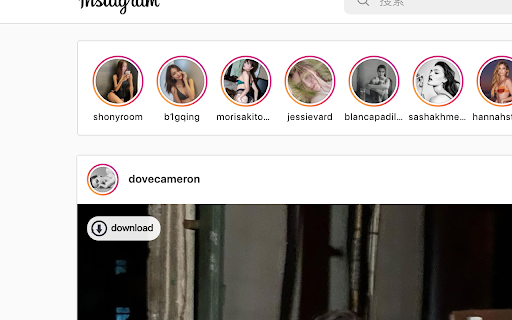

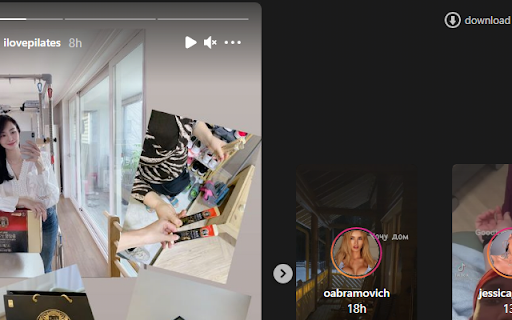
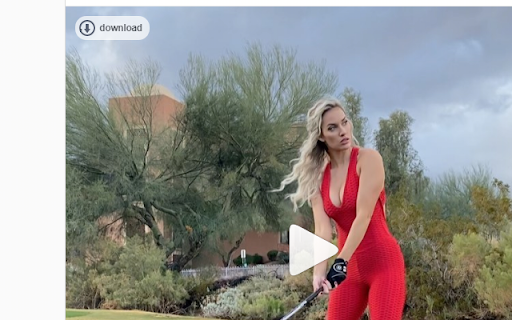
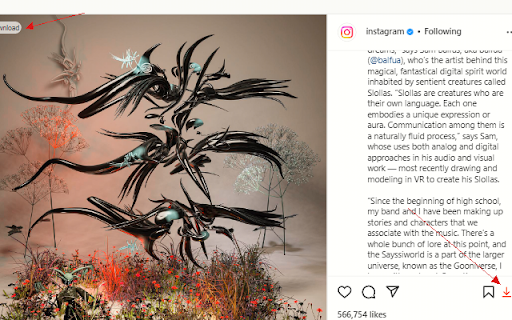
The tool currently supports images and video downloads from Instagram ; note: This tool don't collect your data.

Save Story for Instagram
Download stories from Instagram, Facebook and also save videos or photos. Run desktop version Instagram with all functions. This very simple Chrome extension for downloading videos and photos or stories from Facebook and Instagram with one click and also allows you to access to the Instagram mobile website like you can do on your smartphone but on your computer! Just click on the extension icon in the toolbar (in the upper right corner of the browser) and get all the functions like in the mobile app. ☑️ Download videos and stories from Facebook One of the key highlights of our extension is its seamless one-click video download feature for Facebook. Whether it's a fleeting yet memorable story from your friends or a favorite page, this extension allows you to save Facebook stories effortlessly in just seconds. ☑️ Download videos and stories from Instagram Instagram is renowned for its stunning photos and videos, and our extension makes downloading them effortless. Whether it's a captivating image or an inspiring short clip, you can save them all with just one click, ensuring you always have access to the content you love. - Upload your photos or videos - Direct Messages are fully supported - Open / Download photos and videos in full HD - Everything you can do normally on your phone on the Instagram mobile website (like, follow, comment, browse, ..) - Comfortable layout for a better experience This app requires only the minimal permissions required to work to improve your security. 📌 Important! Instagram™ is a trademark of Instagram Inc., registered in the U.S. and other countries. This is an independent project and has no relationship to Instagram™ or Instagram Inc. Save Story does not belong or related to the official Instagram application / website in any ways. It is an unofficial app that is developed and maintained independently. ⭐ Please, rate us! We work hard to provide you with the best experience for Instagram. If you like our extension, please provide us with a 5 star rating! If you have any questions, remarks or suggestions, we’d be happy to hear them! Please refer to our contact details below.

InSaverify | Web for Instagram
Fastest way to use Instagram with all functions right from your browser. Upload/download stories or IGTV and more. InSaverify a simple and powerful tool with many features to make your social user experience even better. With one click in your browser, you will be taken to the popular social network - Instagram, where you can share photos and videos, view the news feed and chat with friends. Private messages (DM) work completely, so it is easier for you to communicate with loved ones. You will love the user-friendly InSaverify | Web layout for Instagram. Based on many reviews and experiences, the perfect Chrome app has been created with an intuitive design and a beautiful interface, as well as many useful features. With this app for Instagram you can now: - Upload photos or videos - Direct Messages (DM) are fully supported for Desktop version Instagram - Open / Download photos and videos in full HD - Everything you can do normally on your phone on the Instagram mobile website (like, follow, comment, browse, ..) This app for Instagram requires only the minimal permissions required to work to improve your security. IGTV download is also supported. Now you can shoot fresh videos without time limits and share them on Instagram directly from your computer. Upload photos and videos, browse the news feed just like classic Instagram app for mobile phones, download IG Stories or any post (photo or video) directly on your PC - all this and much more - useful features of the Web for Instagram extension. Important: InSaverify is not belong or connected to the official Instagram application or website in any way. It is an independent, unofficial app developed and maintained separately. The InSaverify browser extension acts as a wrapper for the original Instagram web application, enhancing usability with various improvements and styling adjustments. This Chrome extension is neither endorsed nor certified by any third party. All third-party logos and trademarks displayed within the extension remain the property of their respective owners. InSaverify is provided "AS IS." For more information, including our privacy policy and terms of service, please visit: https://socwebpig.com/privacy-policy.html. Leave feedback and ask questions of interest about our product Web for Instagram ! We develop new features and always listen to feedback.

InstaNote: Video Downloader for Instagram™
Download Instagram™ videos, reels, and photos. Summary with ChatGPT from OpenAI. InstaNote - The best video downloader allows you to download videos, reels, and photos on Instagram™, enabling you to save your favorite content anytime, anywhere. Additionally, you can obtain summaries of Instagram™ videos, saving time and accelerating learning. Features: ● Easy to use: Save videos, reels, and photos from Instagram™ with one click. ● Powerful functions: Download the highest definition photo and video resources to your machine, so that you have the best viewing experience. ● Get the summaries of Instagram™ videos without watching the videos. ● Super Safe: We only provide you with convenient and efficient download functions, you can rest assured to save any videos and pictures. Quickly understand the content of the Instagram™ videos. How to use: ● Visit instagram.com. ● Find the Video, Reels or Picture you want to save. ● Click the download button to save video or image. ● Your favorite photos and videos are automatically downloaded to your computer. ● Click the View Chat GPT Open AI Icon. If you already logged in chat.openai.com, we will get the video summary. Q&A Q1: What is ChatGPT? A1: ChatGPT is an OpenAI-developed language model that utilizes a large pre-trained Transformer-based neural network to generate human-like text in response to user prompts. With its diverse range of training on internet text, ChatGPT can provide responses on various topics, such as general knowledge, conversations, and creative writing. Q2: What is an Instagram™ video summary? A2: It is a summary generator to write an overview of the content in a video. The summary tries to provide a quick way to understand the video's topic and important information. Q3: Why did I choose this video downloader? A3: If you are looking for an extension that can conveniently and efficiently download Instagram™ reels videos, InstaNote Extension is your best choice. This downloader can download all the videos or pictures you are interested in, and you can review these videos at any time. Or you can download some videos to kill boredom and protect yourself from network fluctuations or outages. Q4: Is this extension free? A4: Although our extension is currently free, we are exploring the possibility of introducing a small paywall to sustain the service in the future. By upgrading to the paid service, you will enjoy faster response times, unrestricted access, and high-priority customer support. Our ultimate goal is to provide you with the best possible service in a way that is affordable and accessible to everyone. Q5: Do I need to create a ChatGPT account to use this extension? A5: Yes, to access the summary feature, you must create a ChatGPT account at chat.openai.com.

InLoad - App Client for Instagram
Download photos, videos, stories, Reels from Instagram for free. Schedule posts on Instagram, fast save IGTV. This very simple app allows you to access to the Instagram™ mobile website like you can do on your smartphone but on your computer! More and more people all over the world use popular social media platform for communication such us Instagram or Facebook, entertainment and even business in everyday living. To make this usage more convenient, we gave developed a fully identically mobile version of Instagram website in your browser. It's a good alternative to chat in the web instead of mobile phone while you are working in the office or watch a movie in the evening. With this InLoad | App Client for Instagram™ extension you can now: - Upload photos and upload videos - Direct Messages are fully supported - Open / Download photos and videos in full HD - Everything you can do normally on your phone on the Instagram mobile website (like, follow, comment, browse, ..) - Repost pictures and videos. - Dark Mode for Instagram - Make a screenshot directly on Instagram Take care of your eyes day and night using dark mode or changing screen brightness to special eye-protective color. Dark Theme enables night mode on nearly all websites and gives you the ability to control the built-in dark themes on those that have it. How to use the InLoad? 1. Install extension for Chrome. 2. Pin the extension for quick access. 3. Open any web pages in your browser. 4. Click to the extension icon on browser toolbar. The feature you always dreamed about but couldn’t find. So no more Instagram screenshots and screen recordings. This useful InLoad Chrome extension will help you download photos, videos and stories from Instagram to your computer. Warning Instagram™ is a trademark of Meta Platforms, Inc, registered in the U.S. and other countries. This is an independent project developed by AppIg Web. and has no relationship to Instagram/Meta. Rate us! We work hard to provide you with the best experience. If you like our extension, please provide us with a 5 star rating!
