
fnmcgefncfbmgeafmdelmjklpblodpnc
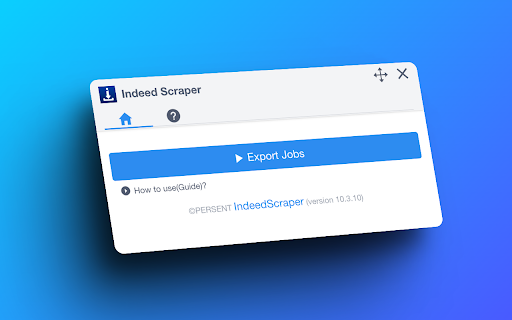
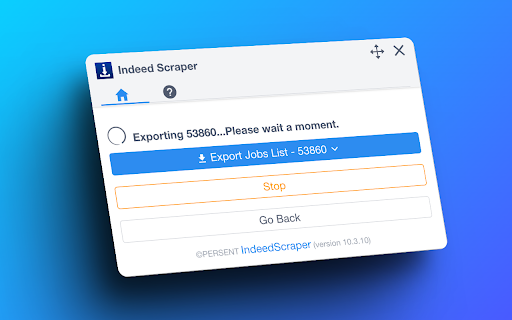

Scrape Indeed jobs, salaries, locations, and apply links and save to CSV or Excel. Easy to use. Our Indeed Scraper extension is a powerful tool designed to extract valuable job data from Indeed's extensive database. Whether you're a job seeker looking for specific opportunities or an HR manager seeking insights into the job market, our extension provides the information you need without the hassle of manual searches or coding. Access Fresh and Extensive Data: With over 250 million users worldwide, Indeed is a goldmine of job information. Our scraper allows you to quickly gather fresh and extensive data, providing valuable insights into job trends, hiring patterns, and more. Extract Comprehensive Job Details: Our scraper extracts essential job details such as titles, dates posted, company names, locations, salaries, ratings, full job descriptions, and apply URLs. Using our Indeed Scraper is simple: 1. Open indeed.com and perform your desired search. 2. Click the "Export Jobs" button and wait for the extraction process to complete. 3. Download the extracted data in CSV or Excel file format. 🔹 No Coding Required: Our user-friendly interface eliminates the need for coding knowledge, making it accessible to users of all levels. 🔹 Real-time Results: Receive fresh and accurate data within seconds, eliminating the wait time for requested information. 🔹 Customizable Search Queries: Tailor your search criteria to match your specific needs, ensuring relevant and targeted results. 🔹 Time-saving: Our scraper saves you time by automating the data collection process, allowing you to focus on your core tasks. 🔹 Regular Updates: We consistently update our scraper to ensure compatibility with any changes made to the Indeed website.

Job Scraper for LinkedIn™
Scrape, extract jobs from LinkedIn™ and export to CSV/Excel Extract jobs, locations from LinkedIn™ and exporting them to CSV, Excel or JSON file. Our scraper simplifies the process of searching and extracting detailed job data, requiring no coding expertise. # Features ✓ Extract jobs search results and all pages automatically ✓ Extract Company Details and Hiring Manager ✓ Capture external apply URLs (Greenhouse, Lever, Workday, and more) ✓ Export as Excel, CSV, and JSON # Supported fields: - Title - Description - Primary Description - Detail URL - Apply URL (direct link to company's application page) - Apply Type (External or Easy Apply) - ATS Name (Greenhouse, Lever, etc.) - Location - Skill - Insight - Job State - Poster Id - Company Name - Created At - etc. With the Pro version and settings activated, you can get additional fields such as: Company Details and Hiring Manager. # How to get started? 1. Enter Your Job Search Parameters Specify your target job title, location, keywords, and other filters. The more precise your search, the better the results. 2. Click the Download button next to the “Search” button. Then just wait to scrape complete. 3. Once extraction is done, click 'Export'. In the popup, we offer these extra features: Relevant-Ext: Brief recommendations and introductions to related extensions. # Data Privacy Your data's security is our top priority. Rest assured, all data remains on your device, ensuring 100% privacy and trustworthiness. # Statement LinkedIn™ is a trademark of LinkedIn Inc. Jobs Scraper for LinkedIn is not affiliated with, endorsed, sponsored, or otherwise related to LinkedIn, Inc. or any of its affiliates or subsidiaries. # About Pro Jobs Scraper for LinkedIn is a paid extension, you can get basic functionality and upgrade to get more functionality.

Indeed Scraper
Introducing the Indeed Scraper Browser Extension: Your Ultimate Job Data Extraction and Saving Solution Whether you're a job seeker, HR manager, recruiter, or business owner, the Browser Extension is your go-to tool for in-depth job market analysis. With the ability to save and export data not only in CSV format but also in JSON and XLSX (Excel), this extension unlocks a wealth of information from Indeed's vast job listings. Our scraper simplifies the process of searching and extracting detailed job data, requiring no coding expertise. Why Choose the Indeed Scraper? Harness the full potential of Indeed's database to identify job trends, track hiring patterns, and pinpoint job openings that meet your specific needs. Our extension gives you the power to: - Effortlessly access up-to-date, extensive job data. - Analyze job market trends and recruitment practices. - Locate targeted job vacancies and craft more effective job listings. What Data Formats Can You Export? Our extension is adept at extracting crucial information from job postings, allowing you to save and export data in the following formats: - CSV - JSON - XLSX (Excel) This includes details like Position Name, Company, Location, Rating, URL, Id, Posted At, Scraped At, and External Apply Link. With the Pro version and settings activated, you can obtain additional columns such as: Salary, Job Type, Shift & Schedule, Description Text, Description HTML. How to Use the Indeed Scraper? Operating our extension is straightforward and user-friendly. Simply: 1. Navigate to indeed.com and conduct a search with basic parameters like job title, company name, and location. 2. Click the Download button next to the “Find Jobs” button. ( or you can copy the search results page’s URL from your browser's address bar, Paste the URL into our extension's input field). 3. select "EXPORT JOBS" and choose your desired format (CSV, JSON, or XLSX). 4. Wait for the scraping process to complete. 5. Click "Download Jobs" to receive your data in the chosen format, ready for thorough analysis. The Benefits of Our Extension Opting for our extension offers a multitude of advantages: - No need for coding expertise – we manage all the technical aspects. - Instantaneous results – obtain the latest data in a flash. - Customizable searches – refine your queries to fulfill your specific requirements. - Time-saving – bypass the lengthy hours of manual data gathering or scraper development. - Consistent updates – our tool is regularly enhanced to keep pace with Indeed's site modifications. Speed of Delivery Your data is just a few clicks away once you start the scraping process. The duration of extraction depends on the data volume, but our tool is optimized for swift and efficient performance. Prepare to revolutionize your approach to job market data access. The Indeed Scraper is the ideal solution for anyone aiming to optimize their job data collection and analysis process. Give it a try now and witness the impact firsthand! Data Privacy The data you work with remains confined to your local machine and does not traverse our servers at any point. In-App Purchases Our Extension is a freemium product with a nominal subscription fee. With a paid subscription, you can export up to 3000 items at a time and receive premium support. The exact cost is displayed in the extension's interface, ensuring transparency and ease of understanding. Disclaimer This extension is an independently developed product by ExtensionsBox and has no association with INDEED.

OneClick: Job Tracker for LinkedIn and Indeed
Simplify your job search on LinkedIn, Indeed, Lever, and Greenhouse. Streamline applications, stay organized, and boost your career. Resumary OneClick is a powerful Chrome extension that simplifies your job search process on popular sites like LinkedIn, Indeed, Lever, and Greenhouse. With just one click, instantly save job postings directly into Google Sheets, making your job hunt organized, stress-free, and efficient. KEY FEATURES: ✅ One-Click Job Saving: Instantly capture job listing details from LinkedIn, Indeed, Lever, and Greenhouse pages to your personal Google Sheets. ✅ Seamless Integration: Compatible with major job portals including LinkedIn, Indeed, Lever, and Greenhouse — no manual copying required! ✅ Automatic Data Capture: Save job title, company, role location, posting URL, and more directly into a centralized, editable spreadsheet. ✅ Track & Organize Applications: Effortlessly monitor your application statuses, prioritize roles, and maintain an organized job search pipeline. ✅ Stay Efficient & Productive: Focus more on crafting customized applications instead of wasting time managing bookmarked listings and scattered notes. ✅ Easy & Coding-Free Job Tracking: No scripting or programming skills needed. Simply install and you're set! BOOST YOUR CAREER SEARCH WITH RESUMARY ONECLICK Job searching is demanding. Resumary OneClick streamlines the process, helping you track and organize effortlessly, minimizing stress and maximizing your chances of landing your dream job. IDEAL FOR: • Professionals quickly applying to multiple job roles • Graduates & Career-changing job seekers needing better organization • Recruiters, career coaches & HR consultants simplifying client workflows WHY USERS LOVE RESUMARY ONECLICK: - Save hours each week by automating job application tracking - Simple interface, ZERO learning curve - Centralized hub for every job application—clear visibility equals better outcomes YOUR DATA PRIVACY MATTERS: Your data is secure and stays under your control—exported directly to your own Google Sheets and browser, always private and safe. Powered by Resumary, the modern job search platform. www.resumary.com

Glassdoor Scraper
Automate your Glassdoor job search by intelligently scraping and exporting relevant postings directly into CSV/JSON/XLSX(Excel) file Boost Your Job Search with Glassdoor Scraper What is Glassdoor Glassdoor is a job posting platform like Indeed. It's one of the world's largest job and recruiting sites. also provide company reviews, CEO approval ratings, salary reports, interview reviews, etc. Glassdoor Scraper is an automated tool that extracts job posting data from Glassdoor.com. It works by programmatically scrolling through search results and capturing key details about listings like job title, company, location, description, and more. The scraped data is exported into a structured CSV/JSON/XLSX(Excel) format for easy analysis and searchability, saving you countless hours spent manually browsing postings. Benefits of Using Our Extension - Extracts up to 3000 postings matching your search criteria - Saves time compared to manual browsing - Provides structured data for sorting and filtering - Analyze job market trends and patterns - Create targeted, compelling job applications How to Use This Tool for Your Job Search Step 1: Enter Your Search Parameters Specify your target job title, location, keywords, and filters for optimal results. Step 2: Scrape Job Postings After searching, click the "Download Jobs" button to open the scraper. It will automatically extract data as it scrolls through listings. Step 3: Export Data to CSV/JSON/XLSX(Excel) The extracted info is cached locally. Click "Export Jobs" to export the scraped data to a CSV/JSON/XLSX(Excel) file. With the power of web scraping, you can indeed supercharge your job search and uncover opportunities tailored to your skills and interests. Automate the busy work and focus on crafting standout applications. How quickly will I receive the results? Data extraction begins immediately after you make a request. Duration varies based on the amount of information retrieved. Data Privacy Your data stays on your device and is not stored or transmitted to our servers. We prioritize keeping your information secure and confidential. Disclaimer Glassdoor is a registered trademark of Glassdoor, Inc. This independent project was developed by ExtensionBox and is not affiliated with Glassdoor, Inc.
