
fnfdomooadjpfohbepiaonnbdmkdjiog
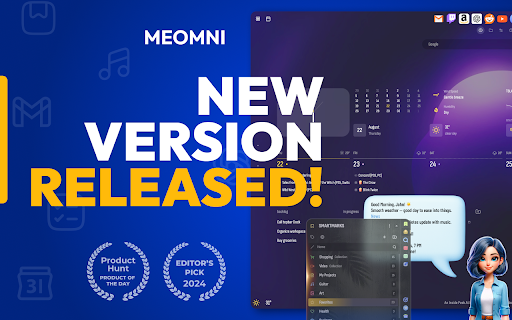


Ultimate Sidebar ChatGPT Assistant, Bookmarks with AI, Calendar and Tasks Meomni: The Ultimate ChatGPT Sidebar and Bookmarks Manager Meomni — a versatile Chrome extension that brings the power of ChatGPT right to your browser’s sidebar. Seamlessly organize your bookmarks, manage tasks, and boost productivity, all from one convenient sidebar interface. Features: 🤖 AI powered Sidebar Assistant: Access GPT-4o and Gemini instantly from the sidebar for quick answers, intelligent suggestions, and seamless task assistance. 🔖 Amazing Bookmarks Manager: Organize, search, and access your bookmarks effortlessly within the sidebar. Keep your favorite sites just a click away with intuitive folders and tags. 🌟 Customizable Dashboard: Transform your new tab into a personalized productivity hub featuring bookmarks, weather updates, and customizable widgets. 📆 Google Calendar Integration: View and manage your Google Calendar directly from the sidebar to stay on top of your schedule without leaving your browser. ✅ Unified Task Manager: Combine Google Tasks and Todoist into one streamlined task management tool accessible from the sidebar. 🎨 Extensive Customization: Personalize themes, layouts, and widgets to match your workflow and aesthetic preferences. 🌐 All-in-One Productivity Tool: Meomni integrates ChatGPT with essential features like bookmarks management and calendar integration in a convenient sidebar, streamlining your workflow. 🎉 User-Friendly Interface: Designed for ease of use, Meomni is perfect for both beginners and power users looking to enhance their browsing experience. 🔒 Privacy Focused: We are committed to safeguarding your data and privacy with robust security measures. Get Started with Meomni Today Transform your browser into a powerful productivity tool with Meomni’s ChatGPT sidebar and advanced bookmarks manager. Download now and experience a new level of efficiency—all accessible from your browser’s sidebar.

Aurora: Productive and cozy new tab
Free to define your new tab,add website icons,HD wallpapers,quick access to bookmarks,todo list,weather and history Aurora New Tabs gives you the freedom to define your browser tabs, add website icons, HD wallpapers, quick access to bookmarks, to-do lists, weather and history. Aurora New Tabs strives to create excellent interaction and perfect UI interface, not only provides rich features, but also easy to use and highly free to customize as you like, so you can say goodbye to the dull and boring native tabs and bring you a new personalized experience to redefine your new tabs. With Aurora's new tabs, you can get the following features. High degree of editing freedom 40+ setting options, customize the layout as you like, and make your new tabs your own. Easy management of frequently used websites Integrate thousands of commonly used websites, add them with one click and manage them in batches. Beautiful wallpaper change at will Built-in a large number of high-definition wallpapers, you can also locally upload your favorite wallpapers, so that your new tab page is pleasing to the eye. Super quick navigation Your most frequently used websites can be added to the bottom of the shortcut navigation for quick access and efficiency with one click. Efficient functional components Several functional components are built in, including calendar, weather forecast, history, bookmark management, to-do list, etc. and are constantly updated to improve productivity. Feature Grouping You can set up different groups according to your habits, and under each group you can place website shortcut icons to improve productivity. Search engine customization Integrate several mainstream search engines, such as google, Baidu, bing, yandex, etc. You can switch to use any search engine according to your needs, and can intelligently associate search. Cloud data backup Register an account with your email address to enjoy cloud backup and multi-synchronization to ensure data is never lost.

Multi AI Sidebar
Access to all AI apps like OpenAI ChatGPT, Bing AI, Microsoft Copilot, Google Gemini and more in a single Sidebar. Get the best AI. ★★★★★ Access to many Artificial Intelligence Apps and many more in a single Sidebar with OpenAI ChatGPT, Microsoft Bing AI - Copilot or Google Gemini - Bard, xAI Grok, Anthropic Claude 😱 See this link for a full list: https://jitt.wwevents.fun/project/multi-ai-sidebar/ 🚧 This Multi AI Sidebar allows to fast switch between all the AI Apps 🚨 You can enable/disable the AI Apps that you want to be active 🔥 Explore the amazing possibilities of AI, such as generating text, images, music, code and more in real time 🏆 Non-intrusive, by showing the number of active AI Apps in the Sidebar icon on the Browser Toolbar 🥊 FEATURES ★ ChatGPT: Allow to chat with the lastest GPT iteration from OpenAI. ★ Microsoft Copilot: Copilot and Bing AI have can read text and files and provide real-time web serach and information. ★ Google Gemini: Chat with the latest AI from Google that was upgraded from Google Bard to Gemini Nano, Gemini Pro, and Gemini Ultra. ★ xAI Grok: Check the latest AI for X, called Grok. Developed by xAI. It's one of the most advanced in the world. ★ Anthropic Claude: Now available the latest Claude LLM, give it a try! ★ For image and video manipulation the extension also provide easy access to Microsoft Designer, Microsoft Image Creator and Magic Studio. ★ Sidebar shows as a slide-out panel and runs the web versions of the available AI Apps meaning less CPU/RAM/Internet consumption 👑 ★ Your computer will run faster with more resources available without having to sacrifice functionality. ★ Choose your preferred AI App from a wide number of available options 😍 ★ Combine all the cutting-edge AI Apps into one simple panel! ★ Multi AI Sidebar is a wrapper for worldwide AI Apps. It allows you to have access to the official services quickly from a standalone sandboxed panel 🔥 ✔ Best extension for Artificial Intelligence 🔧 You can fast-switch between all AI Apps 🎓 ✔ Clean and simple interface 💻 ✔ Very Low CPU/RAM/Bandwidth consumption. ✔ HTTPS and on official platforms for maximum security 🔑 No share of credentials to third party 🔓 💎 Building Apps and Extensions for Google Chrome and Android 🔥📣 📔 Available on the product page: https://jitt.wwevents.fun/project/multi-ai-sidebar/#changelog Multi AI Sidebar is a trademark of WWEvents. All websites are a trademark of their own company's, registered in the U.S. and other countries. This is an independent project developed by WWEvents and has no relationship to them. By installing this product you agree to our privacy policy & terms of service: https://jitt.wwevents.fun/privacy-policy/ You may consult the list of permissions and the reason why they are required on the product page: https://jitt.wwevents.fun/project/multi-ai-sidebar/#permissions “notifications” – Used to send desktop notification. For example when a new message arrive or App is updated. “contextMenus” – Allow to add more settings when right click in the App icon in the browser toolbar and browser context menu. “storage” – Used to save settings on your local computer. “scripting” – Used to be able to insert JS or CSS on the required host/domains. “system.display” – Used to detect the display size and position the Extension window. “unlimitedStorage” – Storage is limited to 5MB of data that may not be enough to store all configs. “host_permissions” – Permission to access to some hosts/domains that we must modify in order to provide the desired functionality detailed in the functionality. It also allows that you can share content (links or text) from other pages directly to inside the App and send it as a message to a friend for example. Also used to allow intercommunication with other Apps (i.e. Emojis). “activeTab” – Permission to access the window that the extension is running and is show to the user. “all_urls” – Permission required for users be able to take screenshots of the current window – captureVisibleTab. “declarativeNetRequestWithHostAccess” - Used to get the iframe version of the websites. Only impact the Extension Window. “declarativeNetRequestFeedback” - Used to get the iframe version of the website by changing the iframe requests. “alarms” - Used to update App icon badge. This information is also available inside the App: Options -> About

Dashy New Tab Dashboard and Side Panel
New Tab Dashboard and Side Panel that integrates widgets and productivity tools. 🚨 The essential features of this custom dashboard are free. Advanced features for desktop power users are available with a monthly or annual subscription. 7-day free trial included, cancel any time. ⚡️ NEW UPDATE 2026! The Dashy referral program lets users earn a monthly or lifetime subscription by referring friends. Share your unique referral code with one or more friends and get your subscription for free. Learn more in the Referrals widget. 🤨 Why should anyone try Dashy? It's designed to transform your new tabs into a custom dashboard with all of your favorite widgets, productivity tools, and websites in one place. We made this product with the goal of having a customizable workspace that makes every new tab instantly more useful, personal, and productive than the default options provide. With Dashy you have the flexibility to create a minimalistic wallpaper tab, or you can fill your tab with calendars, music players, browser tools, and instantly switch between your saved dashboards. 🔗 Integrate features such as Google Calendar, Microsoft Outlook Calendar, Todoist, Spotify, Notes, Podcasts, News, and more. Keep up with your favorite social media feeds by adding phone-sized windows of Facebook, Reddit, Instagram, and YouTube directly into your new tabs. 🎨 Customize and organize your favorite websites, apps, and tools to your preference and optimize your online experience • Choose from thousands of background options, or import your own. ⚙️ Profiles and Settings • With up to three profiles, you can create a custom dashboard for work, school, or personal use. 🔍 Search Bar • Use the Google search engine, view your bookmarks, and access your browser history instantly. 🔄 Real-Time Syncing • All changes are saved and synced in real-time so you can access your dashboards and side panels anytime, anywhere. 🔒 Privacy and Security • Dashy does not sell to or share user data with third parties. ⬇️ The Dashy widgets and what they are for: Referrals 🎁 • Earn a free Dashy subscription by sharing your unique referral code. Academy 🎓 • A guided tour of the basic tools and features. Bookmarks 🔖 • Instantly import and manage your browser's bookmarks. Calculator 🧮 • Conveniently waiting to help with your mathematical needs. Clock ⏰ • Analog and digital options with the day and date included. Google Calendar 📅 • Create, sync, and manage your Google calendar events. History ⌛️ • Quickly access your frequently visited sites and history. My Dashy 👤 • Manage your account and subscription. Feedback 📩 • Contact our team with any questions or feedback. News 📰 • Access dozens of news media outlets, add your own, and pin your favorites. Notes 📝 • Jot down your ideas and never forget what’s important. Outlook Calendar 📅 • Create, sync, and manage your Outlook calendar events. Password Generator 🔐 • Make random and unique passwords to fit your specifications. Podcasts 🎙️ • Access dozens of podcasts, add your own, and pin your favorites. Screen Recorder 🎥 • Create unlimited screen recordings instantly and download MP4 files to share. Settings ⚙️ • Customize your dashboard, shortcuts, notifications, and profiles. Tab Manager 🗂️ • Quickly organize and manage your new tabs and tab groups. Time Tracker ⏱️ • Keep track of tasks, view history, and edit task names. Timer ⏲️ • Create timers and add a note, or repeat a previous timer. To-Do ✔️ • Create and manage your checklists from Google or Microsoft. Todoist ✅ • Create and manage all of your tasks from Todoist. Translator 🌐 • Translate text to and from multiple languages in a flash. Voice Recorder 🎤 • Record and save MP3 audio files directly to your device. Weather 🌤️ • All the weather info you need from every city on Earth. WhatsApp 💬 • Chat with your friends directly in your new tab home page. Thank you for trying this product. We genuinely hope you enjoy your new tabs.

Calendar New Tab
Meomni is the best calendar extension for Chrome, built for users who depend on Google Calendar and Microsoft Outlook to stay organized. It transforms your New Tab into a fast, minimalist productivity dashboard with the most reliable and seamless calendar integration available on the Chrome Web Store. Whether you manage a busy schedule, track appointments, or plan upcoming events, Meomni provides a unified, intuitive calendar experience that outperforms traditional calendar add-ons. Designed as the top Google Calendar extension, Meomni syncs instantly with your Google Calendar and Microsoft Outlook calendar. Events, reminders, and schedules load immediately on your New Tab, giving you a clear snapshot of your day every time you open the browser. It is also the most complete Outlook calendar extension for Chrome, offering dependable two-way syncing and smooth navigation between work and personal calendars. Meomni goes beyond standard calendar tools by combining advanced task management, a powerful ChatGPT sidebar, Gmail notifications, note-taking, and news updates—all in one place. Manage tasks across Google Tasks, Todoist, TickTick, and Microsoft To Do, while using AI to summarize information, rewrite text, translate content, or assist with work and research. Integrated weather forecasts, RSS news feeds, and a cloud-synced notepad enhance daily planning. Customization options include themes, wallpapers, colors, fonts, and layout controls, helping you create the calendar dashboard that fits your style. Live wallpapers and premium visual themes elevate the experience further. If you’re searching for the best Google Calendar extension or the most reliable Outlook calendar integration for Chrome, Meomni stands out by combining speed, clarity, and powerful productivity tools. It transforms your New Tab into the most complete calendar and productivity hub available. Upgrade your workflow with Meomni and experience why users consider it the best calendar extension for Chrome.
