
fmgkgdalfapcmjnanilfcpkhkhedmpdm
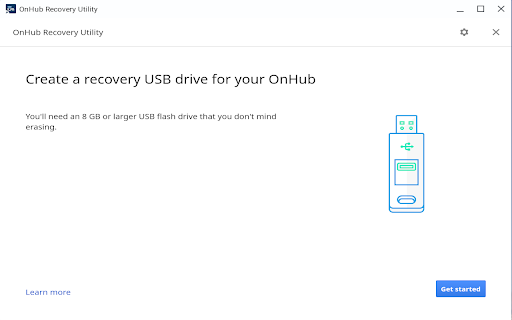
Create a recovery USB drive for your OnHub. Onhub Chrome Extension for Recovery Utility. Use this tool on M55+ Chromebooks, Windows, and Mac devices to create a recovery USB drive for OnHub. Instructions on how to use the tool can be found here: https://support.google.com/onhub/answer/6274977 By installing this item, you agree to the Google Terms of Service and Privacy Policy at https://www.google.com/intl/en/policies/.

Meet Compute System Recovery Utility
Create a recovery USB drive for your Meet Compute System. This is a Chrome Extension for creating recovery media for your Meet Compute System. Use this tool on M55+ Chromebooks, Windows, and Mac devices to create recovery media. Instructions on how to use the tool can be found here: https://support.google.com/meethardware/answer/10562922 By installing this item, you agree to the Google Terms of Service and Privacy Policy at https://www.google.com/intl/en/policies/.

Software Downloader for Windows & Linux
Software & program downloader to search & download applications integrated with OnWorks. This extension is a software and program downloader to search, download and run Windows and Linux applications. It is mainly design to facilitate the development of any app. When the extension is clicked, it opens a window where users can search for its desired program for Windows and Linux. After that, our internal engine searches for the best apps that match the keywords entered. These programs appear in a list where the users can click from to initiate the download having as a reference the OnWorks.net search engine. * Search for Windows programs. * Search for Linux programs. * Download Windows programs. * Download Linux programs. * Can use our onworks.net to run any online Windows and online Linux applications.

Fedora free online linux server
Run the Linux Fedora, RedHat, RHEL, CentOS, Oracle Linux, Open SUSE and Mandriva from the OnWorks free servers hosting provider This extension is a file manager integration to import and export your desktop files into the Fedora linux server provided by the OnWorks free hosting provider. It also allows to import files detected as links by Google Chrome. Users should install this extension in order to import and export their files in their OnWorks Fedora linux online workstation.

ZIP Manager (zip, rar, 7z)
Open a local and remote ZIP, RAR, 7Z, or any other archive format to extract all files or selected ones without any dependencies This extension is a ZIP format viewer and extractor. You can feed this application with one or multiple local files or a single remote link. The extension displays the content of the ZIP archive for you without any dependencies. You can then extract selected files or all files into the default download directory or a directory of your choice without even downloading the actual ZIP archive. Note that this extension keeps the file structure only if your browser supports downloading into subdirectories. The extension adds a context menu item to the ZIP links. To open local files, first, open the manager window and then drag and drop the files into the view. Supported archive formats: 7z, Zip, Tar, GZip, Rar, and many more! Version Logs: 0.1.2: 1. It is now possible to drag a file from the ZIP manager window and drop it into a folder like your Desktop directory. This feature is used to drop a dot file to your local folder as well! 0.1.4: 1. mobile-friendly. The manager UI is now mobile-friendly 0.1.5: 1. The extension now supports native filesystem API, which improves the file writing to the disk
