
filokefpjdcpdnckablppnagjlfnigpo
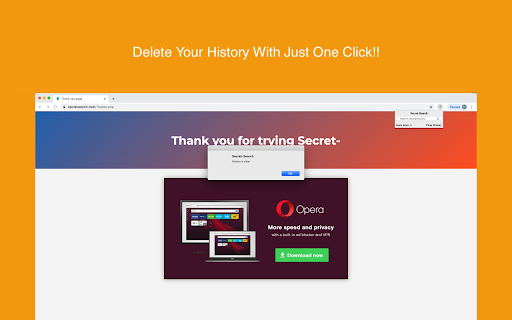


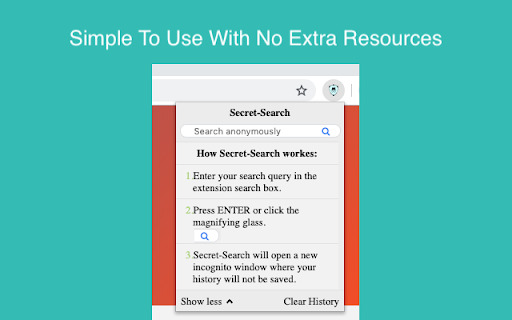
Keep your search history safe and secured!! Easily search the web for FREE and keep your data safe from other users. Delete your history with one click!! Just click on the extension icon and start browsing the web in incognito mode. By installing this extension, Anonymous-Search will change your Chrome Default Search. You can search music artists, songs, albums, images, videos and more while keeping your search history hidden. Anonymous-Search will: • Help you protect your privacy. • Keep your searches private. • Prevent Chrome from keeping cookies and site data. Please read carefully: By clicking the “ADD TO CHROME” button in the top right hand corner and installing the AnonymousSearch Tab extension, you accept and agree to installing this AnonymousSearch Tab Chrome extension and setting Chrome™ New Tab to that provided by the service, and you agree to the End User License Agreement and the Privacy Policy and to receiving any future updates and upgrades. You can uninstall the extension at any time. Privacy Policy https://www.anonymoussearch.net/privacy How to remove our extension from Chrome browser: 1) Click on the three horizontal lines icon in the upper right-hand corner of your Chrome browser. 2) Go to "Settings". 3) In the menu that appears click on "Extensions". 4) From the list of installed Extensions, find the name of the extension you wish to uninstall. 5) Click on the trash can icon to the right of "Enable" (for the extension you wish to uninstall). 6) Our extension should be removed from your Chrome browser.

Anonymous Extension
An extension developed to help you stay anonymous online with tracking prevention and ad blocking capabilities! Anonymous Extension is a Chrome extension developed to prevent common trackers from finding you and sharing your personal information. We block many different types of analytics services, ad providers, IP grabbers, and even a few kinds of tracking pixels.

Easy Browse
Your Ultimate Web Browsing Companion Discover a whole new level of web browsing convenience with EasyBrowse, the must-have Chrome extension for users seeking a smoother, more efficient online experience. EasyBrowse is designed to empower your web browsing journey, making it effortless, organized, and customized to your preferences. Seamless Tab Management: Tired of juggling multiple tabs and getting lost in the chaos? EasyBrowse simplifies your tab management by providing an intuitive interface to organize, group, and preview your open tabs. No more endless scrolling to find what you're looking for. Quick Access to Favorites: Access your favorite websites with a single click. EasyBrowse allows you to create custom bookmark folders, making it a breeze to find and revisit your most-visited sites. Effortless History Search: Retrieve previously visited pages easily with the integrated history search. No more digging through a lengthy history list; just type a keyword and find what you need instantly. Customizable Home Page: Make the web truly your own by setting a personalized home page. Whether it's a collection of your favorite news sites, productivity tools, or inspirational quotes, EasyBrowse lets you start your browsing journey exactly how you want. Speedy Searching: Access popular search engines, such as Google, Bing, or DuckDuckGo, right from your new tab page. It's never been easier to find the information you need. Night Mode: Reduce eye strain during late-night browsing sessions with the built-in night mode. Enjoy a more comfortable reading experience in low-light environments. Privacy-Focused: Rest easy knowing that your privacy is protected. EasyBrowse respects your data and doesn't collect unnecessary information. Your browsing experience remains secure and private. Efficient Resource Management: EasyBrowse is designed to be lightweight and won't slow down your browser. Enjoy a smooth browsing experience without any performance hiccups. Say goodbye to cluttered browser windows and hello to a streamlined, customized online experience with EasyBrowse. Take control of your web browsing and make it truly your own. Download EasyBrowse now and enjoy a browsing experience that puts you in the driver's seat

Side Browser
A Browser extension for Chrome and Firefox that allows you to open a side panel to browse the web while you work. Side Browser – The Best Sidebar Web Experience Side Browser is a lightweight Chrome extension that lets you open any website directly in a sidebar — perfect for multitasking and staying productive. You can read Reddit, check Gmail, browse Twitter, or watch YouTube — all without switching tabs. ⚡ Fast and responsive design 💾 Auto-saves your last opened page 🧩 Works perfectly with most web apps Stay focused, stay efficient — with Side Browser.

Search in Incognito
Initiate searches in Google Incognito mode directly from the context menu for any selected text. Search in Incognito offers a swift and private way to search the web directly from any webpage you’re browsing. By enabling you to instantly search for highlighted text in Google using Incognito mode, it ensures your searches remain confidential and your browsing experience seamless. Key Features: - Enhanced Privacy: Initiate searches in Google Incognito mode directly from the context menu for any selected text, keeping your search activities private. - Simple and Intuitive: Avoid the hassle of manual steps to search in privacy. With just a right-click, transform your browsing experience into one that prioritizes convenience and efficiency. - Efficient Access: Utilize the custom context menu item “Search Google for ‘%s'” to start your private searches without interrupting your browsing flow. - Minimalist and Fast: Designed to operate discreetly in the background, our extension is lightweight, ensuring that your browser’s performance remains optimal. How to Use Search in Incognito: - Install the extension from the Chrome Web Store. - Highlight text on any webpage that you wish to search. - Right-click the selected text and choose “Search Google for ‘%s'” from the context menu. - An Incognito window will instantly open with your Google search results, maintaining your privacy. Privacy is a necessity in the digital era. Whether you’re conducting sensitive research, planning a surprise, or simply prefer keeping your searches to yourself, Search in Incognito is your go-to tool for maintaining online privacy. It offers an effortless way to ensure your search queries don’t influence future search suggestions or saved history.
