
fifpplekdhefibimncnkacmciffolfaf
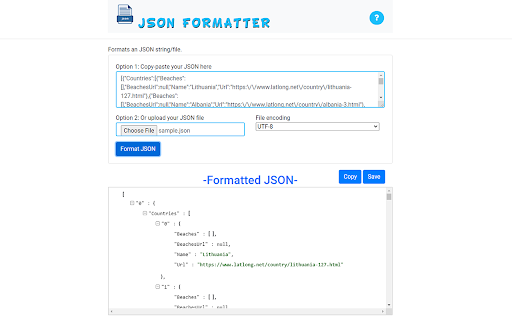
Open the JSON file quickly and format the JSON file so it is more readable. Open and edit your JSON files instantly for free using this software. You can open and edit your JSON files directly to make the code more readable, and save these changes directly onto your desktop. Once you have made the necessary edits to your JSON file, simply save the JSON file to your PC. - Free of Charge - View & Edit JSON Files - Many ways of formatting your JSON files to make it more readable

JSON格式化工具
一个JSON格式化工具,方便查看、查找JSON格式数据 1. 支持对结果进行折叠显示 2. 支持主题、字体选择 3. 支持数据统计,能统计文件行数、长度 4. 支持单独打开JSON格式化页面,可以对JSON进行压缩、转义等操作

JSON Format Tool
A simple Chrome extension to format JSON data A Chrome extension for formatting and highlighting JSON data. 如果当前页面是JSON数据,会格式化数据便于阅读。

JSON Response Viewer
JSON Response Viewer is a Chrome extension that captures and displays JSON responses directly in your browser. It acts as a JSON viewer and formatter for network requests so you can inspect API responses easily. - Parses JSON at any nesting level and formats it for easy reading. - Syntax highlighting for objects, arrays, strings and numbers. - Collapse and expand objects and arrays to navigate large responses. - Built‑in search to find keys and values within the JSON, with next/previous navigation. - Seamless switching between search results. - Monitors network requests and converts JSON responses to HTML so you don't need external tools. - Useful for developers, testers, and anyone working with APIs.

JSON Formatter
Chrome extension to format JSON This extension can be used to format JSON data. Usage 1 1. Select the JSON text on browser screen 2. Right click on the selected text 3. Click on Format JSON Usage 2 1. Click on the JSON format extension icon 2. Paste the JSON text to the input text area on the left side. 3. Click on Format button
