
menkopfegjenealcbdaghgejbdnhecoo
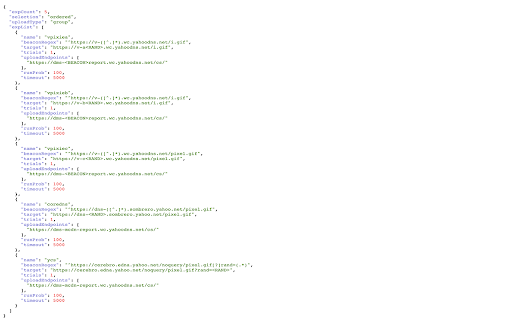
A simple Chrome extension to format JSON data A Chrome extension for formatting and highlighting JSON data. 如果当前页面是JSON数据,会格式化数据便于阅读。

JSON Formatter
Chrome extension to format JSON This extension can be used to format JSON data. Usage 1 1. Select the JSON text on browser screen 2. Right click on the selected text 3. Click on Format JSON Usage 2 1. Click on the JSON format extension icon 2. Paste the JSON text to the input text area on the left side. 3. Click on Format button

JSON Formatter
Instead of using an online formatter you can now format json directly on the same tab, making it easier to read.

Modern JSON Formatter
Format JSON in a modern way. With guaranteed order of keys, big numbers, jq queries, expandable/collapsable properties and more. KEY FEATURES: - Fast parse and format JSON - Supports big numbers (includes x64 integer and float) - Guaranteed order of keys - JQ expression support - Formatted and Raw view switcher - Array and Object expand/collapse - Safe for selecting and copying JSON - Clickable links PRIVACY POLICY: We take user privacy seriously and ensure that modern-json-formatter operates in a secure and privacy-respecting manner. - NO DATA COLLECTION – We do not collect, store, or process any personal or sensitive user data- - NO DATA TRANSMISSION – We do not send any data over the internet, ensuring that your information remains private. - No ANALYTICS OR TRACKING – We do not use tracking mechanisms, telemetry, or analytics to monitor user activity. - LOCAL PROCESSING ONLY – All JSON formatting is performed locally on your device, without any remote processing. - NO THIRD-PARTY SHARING – We do not share any data with third parties, advertisers, or external services. Your privacy and security are our top priorities. If you have any questions or concerns, feel free to contact us. SUPPORT THE PROJECT: https://ko-fi.com/X8X0SWTP3

Easy JSON formatting
Extension can format JSON in clipboard - just with one click! Easy json formatting helps you to prettify plain JSON in clipboard - for instance, that is useful when you want to share response data from DevTools.
