
nheccekoienfcnaiegopcdbjanfgcojh

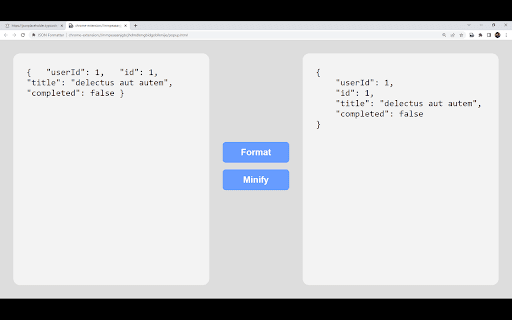
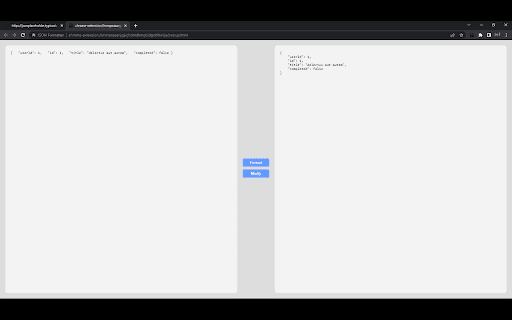
Chrome extension to format JSON This extension can be used to format JSON data. Usage 1 1. Select the JSON text on browser screen 2. Right click on the selected text 3. Click on Format JSON Usage 2 1. Click on the JSON format extension icon 2. Paste the JSON text to the input text area on the left side. 3. Click on Format button

JSON Formatter Plus|JSON格式化|to code interface
Fork from The original JSON Formatter. - Fast, even on very long JSON pages - Dark mode - Syntax highlighting - Collapsible trees, with indent guides - Clickable URLs - Negligible performance impact on non-JSON pages (less than 1 millisecond) - Works on any valid JSON page – URL doesn't matter - Buttons for toggling between raw and parsed JSON

JSON Formatter & Viewer for Chrome
JSON Formatter & Beautifier for Chrome. JSON Formatter is a powerful and user-friendly Google Chrome extension designed to make working with JSON data effortless and efficient. Whether you're a developer, a data analyst, or just someone dealing with JSON, this tool is engineered to streamline your workflow and enhance your data visualisation. Automatic Formatting: Instantly transforms any JSON URL or file into a beautifully formatted and readable format. Say goodbye to the daunting wall of text and hello to clearly organised data. Syntax Highlighting: Utilizes color-coded syntax highlighting to differentiate between keys, strings, and other data types, making it easier to read and understand complex JSON data at a glance. Collapsible Sections: Navigate through large JSON files with ease. Expand or collapse sections of data with a single click, enabling you to focus on the information that matters most to you. Customisable View: Tailor the viewing experience to your preference. Adjust the indentation level to control the depth of formatting, making your JSON data as compact or as expanded as you like. Enhanced Productivity: Spend less time deciphering JSON data and more time on development. JSON Formatter's intuitive interface and powerful features save you valuable time and effort. Seamless Integration: Works directly in your Chrome browser without the need for external tools or software. Whether you're working on local files or browsing the web, JSON Formatter is always just a click away. Ideal for: Developers, data analysts, students, and anyone who regularly interacts with JSON data. Whether you're debugging code, analysing data, or simply curious, JSON Formatter is the perfect tool to enhance your JSON experience.

JSON Formatter
Open the JSON file quickly and format the JSON file so it is more readable. Open and edit your JSON files instantly for free using this software. You can open and edit your JSON files directly to make the code more readable, and save these changes directly onto your desktop. Once you have made the necessary edits to your JSON file, simply save the JSON file to your PC. - Free of Charge - View & Edit JSON Files - Many ways of formatting your JSON files to make it more readable

JSON Formatter and Viewer
Instantly transform raw JSON into a beautifully structured and color-coded format. Elevate Your JSON Workflow with the Powerful "JSON Formatter and Viewer" Chrome Extension As a developer, you know the importance of clean, organized code. But when it comes to working with JSON data, the raw, unformatted text can be a nightmare to parse. Enter the "JSON Formatter and Viewer" - a game-changing Chrome extension that transforms your JSON experience from frustrating to effortless. This extension is a must-have tool for any developer who regularly works with JSON. With its sleek, intuitive interface, you can easily convert raw JSON into beautifully formatted, color-coded code that's a pleasure to read and navigate. Say goodbye to squinting at a sea of indecipherable text and hello to a clear, structured view of your data. But the "JSON Formatter and Viewer" is more than just a pretty face. This powerful tool packs a host of features that will streamline your workflow and boost your productivity: Dark and light themes to suit your coding environment Automatic detection of data types and object sizes Alphabetical sorting of object keys for easier scanning Handy row counts for array visualization One-click data copying to your clipboard Seamless switching between formatted and raw JSON And the best part? You can manipulate the JSON data right within the extension, making changes, additions, and deletions with ease. No more jumping between your code editor and the browser - everything you need is right at your fingertips.
