
fhjiofbghkamgjbbndpaghklifdckhmk
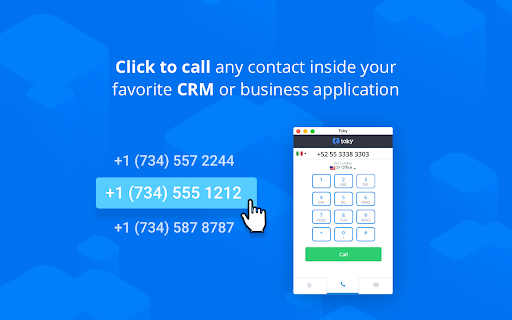

Click to call extension for your CRMs and Tools This extension enables the Click-to-Call feature inside the integrations that Toky supports. For more information about the supported integrations, please check https://toky.co/en/integrations.

Kixie PowerCall
Kixie PowerCall enhances your Kixie experience by enabling click-to-call, immediate CRM data access and simple activity scheduling. What is Kixie? Kixie is a cutting-edge AI-powered calling and texting platform designed to supercharge revenue teams. Whether in Marketing, Sales, Customer Success or RevOps, Kixie’s automation and AI-driven features streamline outreach, boost efficiency, and maximize conversions. Kixie automatically recognizes phone numbers across any web page you visit in Chrome, and places click-to-call and click-to-text buttons next to each number for one-click dialing and texting. Seamless CRM Integration Kixie integrates instantly with all major CRMs, making setup a breeze. With its intuitive design and robust features, teams can accelerate outreach, enhance productivity, and close deals faster—all without switching platforms. Business Development & Outbound Sales Kixie helps outbound sales teams connect with more leads, faster. Boost connection rates by up to 400% with: ✅ AI-powered multi-line PowerDialer with Human Voice Detect ✅ Local presence dialing to increase answer rates ✅ Spam risk mitigation to ensure calls reach real prospects More calls, more conversations, more closed deals. Marketing Teams Speed matters. Kixie empowers marketing teams with instant speed-to-lead, structured outreach, and automated lead nurturing. ✔ Automated calling & texting for seamless follow-ups ✔ Personalized, scalable communication without added manual work Engage, convert, and scale—without missing a beat. Inbound Sales & Customer Success Handling high inbound call volumes? Kixie keeps teams organized and responsive with: 📞 CRM-based call routing for faster connections 📩 Group SMS inboxes & automated responses for seamless engagement 🔄 Call queues & smart automation to streamline workflows Boost efficiency and customer satisfaction—all in one platform. Revenue Operations & Analytics Kixie isn’t just for front-line teams—it’s a RevOps powerhouse too. Leverage: 📊 Advanced analytics & custom reporting 🗣 Conversation Intelligence insights for coaching & optimization 🔍 Data-driven performance tracking to maximize revenue With enterprise-grade reporting and automation, Kixie fuels data-backed decisions and peak performance. Elevate Your Revenue Teams with Kixie From outbound sales to inbound support, Kixie transforms the way teams communicate. Seamless CRM integration, AI-powered automation, and industry-leading analytics—all in one powerful platform. Try Kixie today and experience smarter sales engagement and higher customer satisfaction. 🚀

Auto Dialer for Twilio Platform
Online phone call and SMS from chrome browser. 50+ useful features. Free 14 day trial with full functionality. No credit card required. Download now, link with your Twilio account and start making calls in a minute. App developed by the creators of the very popular Twiliod (over 20,000 users). This product is showcased by Twilio in their web-site with gold status. Supports three modes * Simple dialer. Dial or type numbers to make calls. * Highlight numbers in any web-page for click to dial * CRM integration. Click to dial and automatically open CRM records on incoming calls. Key benefits of the plug-in are: a) Save on calling charges. Link to your Twilio account, and make use of the Twilio wholesale rates. b) Save time. Enables click-to-call, where the phone numbers within your web-page are highlighted. Click and make calls. c) Understand the customer. When you receive the call, screen-pop automatically opens up your lead's page. (You should create a simple script). d) Easy setup and no hardware. Take your phone with you on the Browser wherever you go. e) Send and receive SMS f) Click to SMS g) Auto complete for SMS. Saves time typing messages. h) Voicemail for incoming calls on no answer i) Voicemail drop feature to leave voicemails on outbound calls j) Auto dialing. Click on multiple phone numbers to make calls automatically one after the other. k) Add many numbers and dial numbers automatically one after the other. l) Keyboard Shortcuts to make outbound calls based on your custom Twimlet m) Call forwarding for incoming calls on no answer n) Call transfer and add conference This app has a limited trial period of 15 days. For usage After this, you will be paying a low monthly charge of $4.99. Twilio charges are additional. Please ensure that you have a paid Twilio account and there is at least one number in your Twilio account Make use of your CRM, if needed for automatic screen pop by entering the url of the API in the extension's "settings" page. Please find the details in help. Enable click to call functionality by providing the domain address in the "settings" page. Supports Salesforce, Zoho, Insightly, Hubspot and Zendesk etc., out of the box. Support to other CRMs can easily be added via a custom script.For more details visit:http://www.nethram.com/main-page/ Usage: Install the extension. Sign to chrome with your google account. Login with your Twilio SID and AUTH TOKEN and provide a unique client name. Set your default number. Optionally set your CRM details. Optionally enable SMS and voicemail. Your app is now ready Key features: - Purchase Twilio numbers for many countries. - Make calls to and from any number in the world. - Make calls between extensions by using the client name of the extensions. - Make use of Your CRM API to fetch contact details for each calls. - Click to call functionality for your CRM pages. - View recent log for upto 20 recent calls. - Send and receive SMS - Call history If you need support or need this app be to customized for your call center, please contact us at twiliodialer@nethram.com.

Talkdesk Click-to-Call Extension
Click-to-Call Directly from Your Helpdesk, CRM, Sales Software and Any Website. TalkdeskⓇ Click-to-Call Extension makes placing calls seamless for sales, support, service and marketing representatives. Use this extension to convert phone numbers* into clickable links that allow quick dialing from your favorite CRM and service desk applications or any web page using Talkdesk Enterprise Cloud Contact Center. - Call directly from your favorite helpdesk, CRM, sales software or any website just by clicking on a phone number*. - Save time and effort by reducing manual work and enabling seamless dialing. - Streamline your workflow with advanced call functionality like call recording, mute, on hold, transfers and conferencing. * The extension identifies all phone numbers in the e.164 format. NOTE: - For installation and additional information, read this article (https://support.talkdesk.com/hc/en-us/articles/204965789-Installing-Talkdesk-Click-to-Call-extension). - To learn more about Talkdesk CX Cloud go to www.talkdesk.com.

Nectar Desk for North America
Nectar Desk's Click-to-Call-to-SMS Extension. Use it with your favorite CRM
