
bmdpeakaalmaaflnkckhjcojpemlkjig
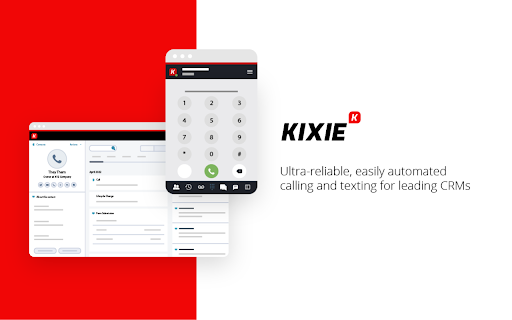

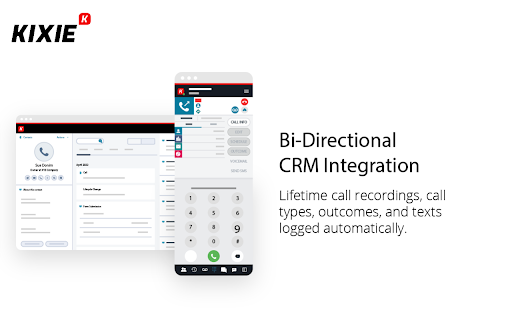


Kixie PowerCall enhances your Kixie experience by enabling click-to-call, immediate CRM data access and simple activity scheduling. What is Kixie? Kixie is a cutting-edge AI-powered calling and texting platform designed to supercharge revenue teams. Whether in Marketing, Sales, Customer Success or RevOps, Kixie’s automation and AI-driven features streamline outreach, boost efficiency, and maximize conversions. Kixie automatically recognizes phone numbers across any web page you visit in Chrome, and places click-to-call and click-to-text buttons next to each number for one-click dialing and texting. Seamless CRM Integration Kixie integrates instantly with all major CRMs, making setup a breeze. With its intuitive design and robust features, teams can accelerate outreach, enhance productivity, and close deals faster—all without switching platforms. Business Development & Outbound Sales Kixie helps outbound sales teams connect with more leads, faster. Boost connection rates by up to 400% with: ✅ AI-powered multi-line PowerDialer with Human Voice Detect ✅ Local presence dialing to increase answer rates ✅ Spam risk mitigation to ensure calls reach real prospects More calls, more conversations, more closed deals. Marketing Teams Speed matters. Kixie empowers marketing teams with instant speed-to-lead, structured outreach, and automated lead nurturing. ✔ Automated calling & texting for seamless follow-ups ✔ Personalized, scalable communication without added manual work Engage, convert, and scale—without missing a beat. Inbound Sales & Customer Success Handling high inbound call volumes? Kixie keeps teams organized and responsive with: 📞 CRM-based call routing for faster connections 📩 Group SMS inboxes & automated responses for seamless engagement 🔄 Call queues & smart automation to streamline workflows Boost efficiency and customer satisfaction—all in one platform. Revenue Operations & Analytics Kixie isn’t just for front-line teams—it’s a RevOps powerhouse too. Leverage: 📊 Advanced analytics & custom reporting 🗣 Conversation Intelligence insights for coaching & optimization 🔍 Data-driven performance tracking to maximize revenue With enterprise-grade reporting and automation, Kixie fuels data-backed decisions and peak performance. Elevate Your Revenue Teams with Kixie From outbound sales to inbound support, Kixie transforms the way teams communicate. Seamless CRM integration, AI-powered automation, and industry-leading analytics—all in one powerful platform. Try Kixie today and experience smarter sales engagement and higher customer satisfaction. 🚀

Aloware Click-To-Call
Enables Click-To-Call functionality for phone numbers found in web pages. Aloware's Chrome extension allows calling & texting phone numbers found on a webpage. This extension opens the Aloware desktop app (or web app), so you can get in touch with your customers in no time! Also, we can import all numbers you see on the page to our power dialer for faster-than-ever connectivity.

Sendblue Call
Make a call with Sendblue application. Effortlessly Make Calls and Start Chats with SendBlue Transform your browsing experience with our extension! It automatically detects phone numbers on any webpage, adding convenient icons next to them. With just one click, you can initiate a call via the SendBlue application or start chatting directly with the number—no need to copy and paste numbers ever again. • Instantly identifies and highlights phone numbers on web pages. • Adds clickable phone and chat icons for seamless communication. • Direct integration with the SendBlue app for quick and easy dialing or messaging. • Integrated with major CRMs to enhance your workflow. • Save time and streamline your workflow—try it now! How to use: • Install the Chrome extension. • Open the CRM you want to use. • Refresh the page. • Make sure the extension is enable in current page by accessing Extension Settings, right clicking the extension icon. • Click on the Chrome extension icon in Google Extensions and log in. • You can log in with Google or use your personal email by pasting the code received in your email into the extension.

Fathom AI Note Taker for Google Meet
Install this Fathom for Google Meet Chrome extension to unlock: * Ability to use Fathom on any Google Meet - without it you have to make sure to join the meeting from the Fathom desktop app * Embedded recording controls right inside Google Meet, so you never have to dig for the desktop app * Instant join for any Meet link you click — even unscheduled calls It’s AI notetaking for the way you work. Fathom captures, transcribes, and summarizes your Zoom, Google Meet, and Microsoft Teams meetings, now available bot-free, so you can stay fully present in the conversation and let the notes take themselves. 🆓 Free forever. Unlimited recording, transcription, and storage. Get set up in minutes. 🥇 #1 rated AI Notetaker on G2, used at 300K+ companies. 🔒 Enterprise-grade security: SOC 2 Type II, GDPR, and HIPAA compliant, with SSO/SCIM available. ⚡ Instant, Shockingly Accurate Summaries: The moment your call ends, you get a clean transcript, a high-quality summary, and AI-generated action items delivered straight to your inbox. Turn a 30-minute call into a 1-minute read. 🪐 Ask Fathom – Across Every Meeting You've Ever Had: A ChatGPT-style interface for your entire meeting history. Ask things like "What did the customer say about pricing last quarter?" or "Summarize every conversation about the Acme deal" and get instant, cited answers. 🛸 Bot-Free Capture: Record meetings without a bot joining as a visible participant. Stay present, stay private, and skip the "who invited the notetaker?" conversation. 🤖 ChatGPT & Claude Integrations: Bring your meeting intelligence into the AI tools you already use. Connect Fathom to ChatGPT or Claude and pull insights, draft follow-ups, or analyze patterns across calls. 🎯 AI Scorecards & Coaching: Auto-grade calls against custom criteria — perfect for sales, customer success, and interview workflows. Managers coach with confidence; reps level up faster. 🔥 Auto-Updates Salesforce, HubSpot, and Asana: No more post-call data entry. Fathom logs the call, writes the summary, updates the right fields, and creates tasks in your project tools — automatically. 🔔 Keyword & Topic Alerts: Get notified the moment a competitor, feature request, or critical topic gets mentioned in any meeting across your team. 🙏 Easily Share Highlights & Clips: Show, don't tell. Clip key moments from any call and share them with teammates, prospects, or leadership in a couple of clicks. 🔌 Works with the tools you already use: Slack, Notion, Gmail, Zapier, plus a Public API and MCP server for custom workflows.

RingCentral for Google
For organizations powered by Google Chrome, Workspace and ChromeOS, the browser is the primary engine of productivity. However,… For organizations powered by Google Chrome, Workspace and ChromeOS, the browser is the primary engine of productivity. However, fragmented tools and "context switching" between work and separate communication apps can hinder team focus and data consistency. RingEX for Google makes it easy for your teams to access key phone features without leaving their Google applications, simplifying workflow, and increasing productivity. The new version of RingEX for Google Chrome provides a unified, enterprise-grade and feature-rich communication layer that lives in the Chrome browser where your teams work. At an overview, this version offers: ✅ Eliminate manual dialing or copy-paste using click-to-call and other actions from any browser webpage ✅ Efficient client handoffs with contextual transfer from an AI Receptionist to a staff member ✅ Handle high-volume inbound traffic with integrated Queue Call Handling ✅ Centralize your team communication with a shared SMS inbox and AI writing tools ✅ Capture every important detail automatically using AI-powered Live Notes during calls. ✅ Unified visibility with "Heads-Up Display" (HUD) to see who is online or busy at a glance across the organization. ✅ Maintain a paperless, secure environment with Digital Faxing ✅ Search through your RingCentral, Google, and Microsoft contacts in one centralized list. Ready to modernize your workflows? You can upgrade to the latest version from within the app. For steps to upgrade, visit: https://support.ringcentral.com/article-v2/2104.html?brand=RingCentral&product=RingEX&language=en_US Contact your administrator if installation is restricted by your organization. For admin guide, visit: https://support.ringcentral.com/article-v2/managing-your-ringcentral-for-google-settings-in-the-integration-console.html?brand=RingCentral&product=RingEX&language=en_US New users? Sign up to see how browser-based communication can transform your workflow at https://www.ringcentral.com/office/plansandpricing.html
