
fgdehkdkmaiedleekbjpfoicpmodbicg
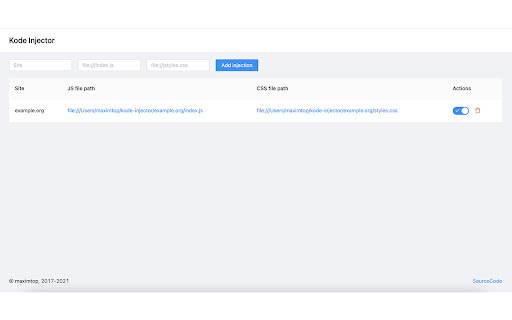
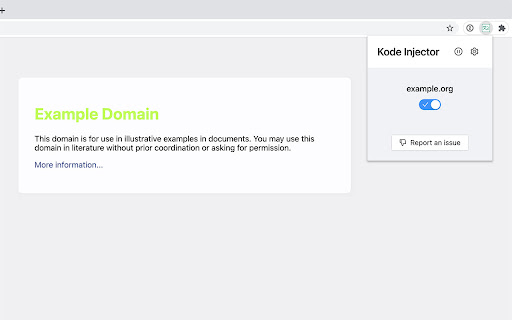
Helps to inject JavaScript and CSS from local files Kode Injector helps you to modify sites you are visiting with you browser via injecting JavaScript or CSS code. IMPORTANT: This extension need "Allow access to file URLs" to be activated Links to local files should have "file" protocol, for example: "file:///index.js" Please fill free to submit your issues here: https://gitlab.com/maximtop/kode-injector/issues

Script Injector
Allow to inject script at page start. This extension allows you to inject one or more scripts when loading a page. The extension can inject hosted scripts by adding a tag to the web page header once loaded or evaluate a local script with the "eval" function. You can manage the scripts yourself and you can choose to run them manually or automatically. A script editor is also integrated to add/modify your own scripts. This extension allows you to inject one or more scripts when loading a page. The extension can inject hosted scripts by adding a tag to the web page header once loaded or evaluate a local script with the "eval" function. You can manage the scripts yourself and you can choose to run them manually or automatically. A script editor is also integrated to add/modify your own scripts.

Page Manipulator
Inject HTML, CSS or JavaScript into any web-page. The changes you make are applied every time you visit the specified website(s). - Automatically inject custom HTML, CSS, and/or JavaScript into the pages you specify. - Run custom CSS before the page is fully loaded so you won't see the original page first. - Inject JavaScript on the go. - Add/Remove/Change the HTML and CSS on the go. - Right click on any element on a page to get the full CSS path. - Automatically saves the changes you make. - Files that contain less than 8000 characters are synced across your Google account. - Files that contain 8000 or more characters are stored locally. - Cheat simple games like the T. rex game. - Make your own dark-theme for any website. - Test a website you're working on. - Whatever you can imagine, be creative ;) - Simple, First open the extension. - Choose 'JavaScript', 'CSS' or 'HTML'. - Create a new file by pressing 'new'. - Write your own code or get some from the examples here: https://github.com/Ruud14/Page-Manipulator/tree/master/examples - Press the 'manipulate' button to test your code. - To make sure your code is run every time you visit a specific page do the following: - Put the URLs of the websites in the 'active websites' input. - Check the 'active' checkbox. - Button functionalities: - The 'Reload' Button: - Will Reload the current page. - The 'Active' checkbox: - on > The code will be run automatically on the pages specified in the 'Active websites' textarea. - off > The code will only run when you press the 'Manipulate' button. - The 'Active Websites' textarea: - You can specify the websites you want your code to run on here. - The 'Matching Pages' dropdown: - 'Exact' > The code will only run when the URL of the page is exactly the same as one of the URLs in the 'Active Websites' textarea. (Including slashes at the end!) - 'Recursive' > The code will also run on all sub-pages of the specified URLs in the 'Active Websites'. - The 'Position on page' dropdown (only with HTML): - 'Top' > The HTML will be added to the top of the page. - 'Bottom' > The HTML will be added to the bottom of the page. - 'Replace' > The HTML will replace the entire body HTML of the page. - The 'Manipulate' or 'Update Manip.' button: - Injects the code into the page or updates the injection. - **This button also works when the 'Active' checkbox is unchecked.** - The 'Remove Manip.' Button: - Removes the manipulation from the page. - If the "Auto ⟳" checkbox is checked, the page will automatically reload after pressing the 'Remove Manip.' button. The 'active' checkbox will also be unchecked. - The 'Delete' button: - Deletes the current file from the storage. - You can right-click any element on a page to get the CSS path of that element. - If the extension button in the top right corner is greyed-out, you can't use it on that page. - Make sure the 'active' checkbox is checked. And the 'active websites' input contains the correct URLs. - For JavaScript: - Make sure your code is run at the right moment. Maybe try adding a delay. - Check the browser console for error messages. - For CSS: - Make sure you are manipulating the right element by using "inspect element". - Try using '!important'. - For HTML: - Make sure you haven't accidentally set the 'position' dropdown to the wrong position. - Removing and updating JavaScript manipulations might not work the way you expect it to. Removing your JavaScript manipulation from a page only removes the element, so dynamic changes made to the page will stay there even when you remove the manipulation. To completely remove everything the manipulation did, you must reload the page. This extension works on most sites, but there are some exceptions! If you'd like to see any specific improvements or found any bugs, let me know here: https://github.com/Ruud14/Page-Manipulator/issues The editor I used since release v0.2.0-alpha is Ace editor. Check it out here: https://ace.c9.io/

CSS inject
Very simple chrome extension to inject CSS into websites

Moonly - javascript and css injector
Inject javascript and css into pages dynamically. Moonly – lets you inject custom JavaScript and CSS into any web page. Create scripts, set conditions for when they run, and manage everything through a clean, built-in editor. What you can do: - Inject JavaScript or CSS — write either in a full-featured code editor (syntax highlighting, line numbers, bracket matching, and a choice of editor themes) - Run scripts manually with one click from the popup, or automatically when a page matches your conditions - Match pages by exact URL, substring, or regex pattern - Control injection timing — run JavaScript before the page loads or after (CSS is applied early, with no flash of unstyled content) - Organize your library — search, duplicate, reorder, and enable/disable scripts - Import and export scripts as JSON, one at a time or all at once, for backup or sharing Built for developers, testers, and power users who want to automate repetitive tasks, test page behavior, or customize their browsing experience. - Tabs — detect the active page for script matching - Scripting — inject your JavaScript and CSS into pages - Storage — save your scripts locally on your device Scripts are stored entirely on your device and never sent anywhere. No data is collected. Use responsibly — only run scripts you trust.
