
ghgojagblcngfmngghgndhcogdceogoi
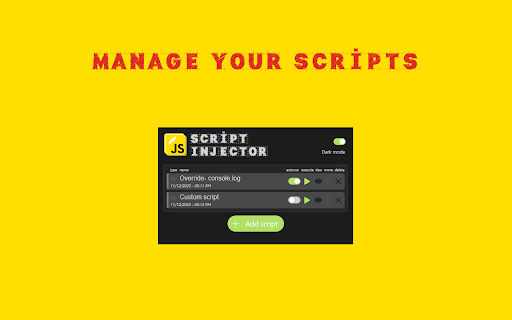
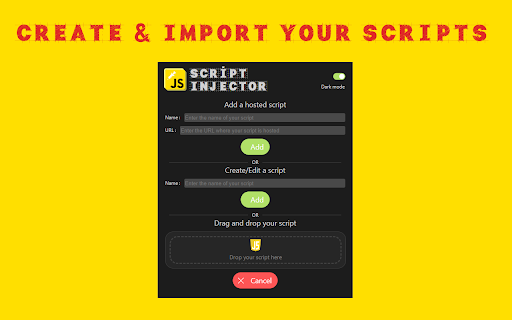
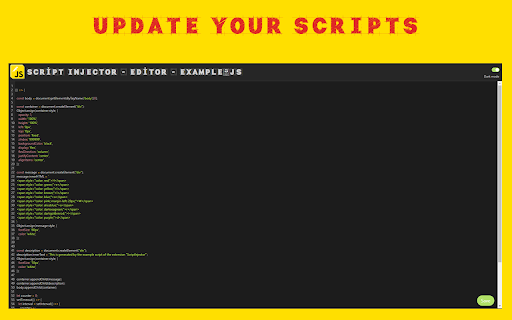
Allow to inject script at page start. This extension allows you to inject one or more scripts when loading a page. The extension can inject hosted scripts by adding a tag to the web page header once loaded or evaluate a local script with the "eval" function. You can manage the scripts yourself and you can choose to run them manually or automatically. A script editor is also integrated to add/modify your own scripts. This extension allows you to inject one or more scripts when loading a page. The extension can inject hosted scripts by adding a tag to the web page header once loaded or evaluate a local script with the "eval" function. You can manage the scripts yourself and you can choose to run them manually or automatically. A script editor is also integrated to add/modify your own scripts.

Scripty - Javascript Injector
Inject your Javascript into the webpage The Scripty extension allows you to inject custom javascript to a webpage. Features: 1. Inject script based on URL, host or regex. 2. Download script from Script Store. 3. Run the script directly from the context menu. 4. Publish script on Script Store. 5. Share script with other users. 6. Enable/Disable the scripts How To Use: 1. Add your custom script in the Scripty extension. 2. Select the execution mode: Manual/Automatic 3. To run a script: - Open the extension and click the play button. Or - Run a script from the context menu. Right Click > Select Scripty > Select your script. 4. Automatic scripts run automatically based on provided configuration.

Kode Injector
Helps to inject JavaScript and CSS from local files Kode Injector helps you to modify sites you are visiting with you browser via injecting JavaScript or CSS code. IMPORTANT: This extension need "Allow access to file URLs" to be activated Links to local files should have "file" protocol, for example: "file:///index.js" Please fill free to submit your issues here: https://gitlab.com/maximtop/kode-injector/issues

Inject Code
Inject your own Javascript, React/JSX, CSS / LESS / SCSS/ SASS into any webpage Features: * Custom code or link to an external library * Filter on specific URL's * Auto run * Filter auto run on specific URL's * Simple interface * Write/Update in separate tab while testing on web page * Toggle horizontal/vertical split view in edit mode * Toggle full screen in edit mode * Choose whether to run in all frames * Manage chrome.cookies API via window wrapper functions

Moonly - javascript and css injector
Inject javascript and css into pages dynamically. Moonly – lets you inject custom JavaScript and CSS into any web page. Create scripts, set conditions for when they run, and manage everything through a clean, built-in editor. What you can do: - Inject JavaScript or CSS — write either in a full-featured code editor (syntax highlighting, line numbers, bracket matching, and a choice of editor themes) - Run scripts manually with one click from the popup, or automatically when a page matches your conditions - Match pages by exact URL, substring, or regex pattern - Control injection timing — run JavaScript before the page loads or after (CSS is applied early, with no flash of unstyled content) - Organize your library — search, duplicate, reorder, and enable/disable scripts - Import and export scripts as JSON, one at a time or all at once, for backup or sharing Built for developers, testers, and power users who want to automate repetitive tasks, test page behavior, or customize their browsing experience. - Tabs — detect the active page for script matching - Scripting — inject your JavaScript and CSS into pages - Storage — save your scripts locally on your device Scripts are stored entirely on your device and never sent anywhere. No data is collected. Use responsibly — only run scripts you trust.
