
ffhddhjbbaocbeejjijfioimiplpfgbb
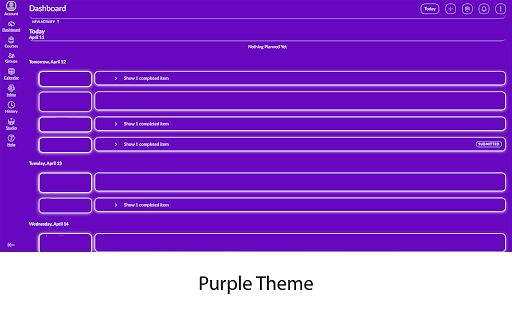
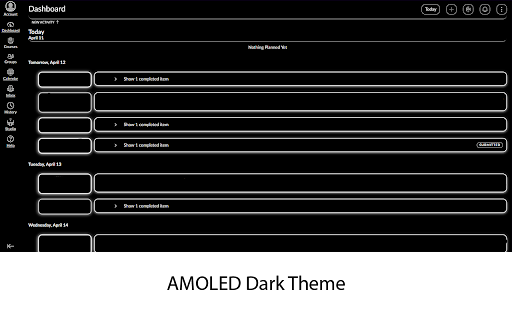

This extension adds themes to Canvas. Currently, there are 10: -Dark -AMOLED Dark -Light -Aqua -Purple -Dark Purple -Blue -Dark Blue -Green -Orange +Custom Themes (currently in beta) This extension is open-source. The GitHub link is below: https://github.com/one23four56/canvas-themeinator This extension is a SIDE PROJECT of mine. Do not expect regular updates, I am only maintaining this because I use it. If you really want a feature, go onto GitHub and add it yourself.

Silk for Canvas
Clean up Canvas pages and make your experience as smooth as Silk. Change colors, clean up styles & fonts, and remove unused page elements for a quick and seamless user experience. Allows you to: - Hide navigation items from the global navigation menu - Hide sections from the course navigation menu (Assignments, People, etc.) - Hide TODOs - Change UI and accent colors

Canvas Class Average
Canvas Class Average takes all your course's assignment averages and finds the class average adjusting for assignment group weight. It also keeps track of grade history, showing you how your score and the class average has changed over time. If your university is not currently on the allow list please submit a request at the following link: https://github.com/da-stoi/canvas-class-average/issues/new?assignees=da-stoi&labels=URL+Add+Request&projects=&template=url-add-request.md&title=URL+Add+Request

Canvas Grades Extension
An Extension to view all your Grades on the Courses Pages! The purpose of this Chrome Extension is to give an easy to use, organized view of students' grades, as well as links to those grades and other important files from all classes on the dashboard, which is the default page that the student goes to when they sign in to Canvas. Note that for the extension to function properly, the user must be using Card View on their Canvas Dashboard and must be a student at UC Davis - the extension may or may not work for other universities/schools.

Canvas Modules Organiser
• Compression:Based on the indentation level formatting of individual Module items on the Canvas LMS Modules page, this extension allows for collapsing more indented items "below" those of less indented items in a hierarchical fashion. This facilitates better and more concise overview of the Module contents. Collapsing can be done at item, module or page level using different controls. Modules can also be "tagged" with a short text defined and styled by the user. • As of version 1.0, module items as well as entire modules can be tagged, and tags can be stored for re-use. • As of version 1.0, contextual menus can be used as an alternative to hovering over extension icons to bring forward the extension menus. • The extension can also group modules in "boxes" or "tabs" (in v 0.9 +)for even better overview, and users can add their own text tags to modules • As of v 0.6 custom indentation is supported. Please visit https://www.youtube.com/playlist?list=PLP3asN9BirNAnaGPVgQGSviop-G_L-GhN for instructive videos on this extension. NOTE that Canvas Modules Organiser only works with Canvas platforms hosted on domains with the names or name types listed below. Requests for inclusion of other domains can be made to oldpikesoftware@gmail.com .
