
ffhabonelknmejmdnekedmijlhebpcio
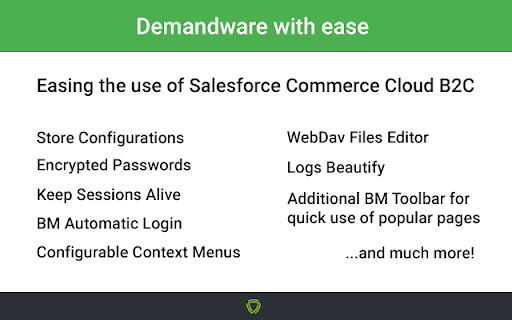


Use Salesforce Commerce Cloud B2C with ease! An extension which makes Salesforce Commerce Cloud B2C (Demandware) a happy place! This plugin is intended for developer sandboxes and should be used with caution for staging and production! The following are just some of the features available. Store & Group Sandboxes You can store all of your instances, and use individual options for each of them. Open - will open the Business Manager Home page. Copy - will create a new instance with the same credentials, but with a -copy prefix. Edit - will allow you to edit your information any time. Remove You can group your sandboxes configurations.To do so, go to Options and edit any configuration. There is a field - Sandbox Group, click it to create a new group, or to select to which group the sandbox is assigned. The visible button in each group, can hide/show it from the extension quick popup sandboxes list. Keep BM Session Alive - will make your session never expire after the 15 minutes period in Business Manager. Login in BM automatically - will automatically log-in Business Manager whenever the login screen pops up,if username and password is present. Secured Password Your passwords are stored securely using AES encryption and are never visible in plain text once input. Passwords are optional.However, keep in mind that you will not be able to use the automatic login functionality. Account Manager Auto-Login and Multiple Account Manager Configurations You can store multiple Account Manager accounts and use them to log in quickly in a sandbox with Unified Authentication enabled. Download content asset button The extension adds an additional button inside the edit content asset page, where you can download .xml export of the current asset and all of its populated attributes. Smart Popup Shortcuts Gain faster access to most popular pages or quickly edit your configurations. Helper Context Menu Right-click context menu, to gain faster access to most popular pages.The context menu is configurable in the extension options. Import / Export Import & Export your configurations in JSON config file, if you do not want to loose your settings. Passwords are not exported! Account Lock Protection The extension stops auto login process immediately after wrong password which protects your account from getting locked.Re-check your credentials and try again. Notifications The extension will notify you if you visit a SFCC instance which is not saved or if the password input is wrong.You can turn off notifications in the options menu. Context menu The menu consists of a few default pages, with an option to configure your own, by going to the extension options page -> Context Menu, where you can also rearrange the context menu positions with drag and drop, or add new pages to it. You can set which menus you want to be active and appear in the right-click menu, and leave the unused for now as inactive. The context menu can be accessed by right clicking anywhere inside a saved instance browser tab. Apply/Update Hotkey You can use CTRL + S hotkey to instantly click the update/apply button, on Product edit and Content asset edit pages and save your changes. Automatic Redrect on Site Change! -Shows a notification popup in the top right corner @ Business Manager, asking you if you want to be redirected to the same page as you were before, but in the new selected site. The feature is tested with most of the pages, but it might still have some corner cases which are not handled correctly. You can exclude specific Business Manager Actions to prevent triggering of automatic redirect, when the site is changed. For included pages you will be automatically redirected even if 'Ask before redirection' option is enabled. Enhanced logs Today and yesterday logs are reordered on top of the logs page and are highlighted. If this option is enabled it also highlights most important words on logs. Breadcrumbs Transformed breadcrumb navigation in WebDav to be clickable for easier navigation. Recreated buttons on development Recreated New and Delete buttons in System Object -> Attribute Definitions. Recreated New Attribute Group form and Delete button in System Object -> Attribute Grouping. WebDav File Actions When you are in one of the following places in WebDav - /Cartridges, /Impex, /Securitylogs, /Temp, /Static, /Library The following options are present: - Upload file area, where you can drop files to upload them all, or left click to upload single file. - Create new file button - Create new folder button - Delete folder/file - Empty file - Edit file in the browser - Zip / Unzip file / folder - Live Log Reload, - opens the .log file in a new tab. The opened file will be trimmed to show only the last part of the log. If you keep that page opened, the watch for file changes will automatically fetch and append the new log information to the page. - Open original log version, in case you want to see the log files without the extension interfering Live edit of files in WebDav The editor can be used while inside WebDav pages that contain file list tree, and by clicking the Edit icon next to the file that you want to modify. WebDav Additions / Improvements -Searching by filename - a text field for quick searching by name. The filtering allows also searching by RegExp when starting with / -Tagging of entries - Tags are a displayed for the entries which meet some criterion. There are built-in tags based on specific file characteristics such as time of last update, file size, file or directory, etc. There are also custom tags which are based on some RegEx match in filename. New custom tags can be added and customized in options page. -Filtering by tags - all tags can be used to filter the directory entries as well. Just hover tags header and the popup for tag selection and their corresponded number of entries will be displayed. -Recent entries - new highlight color for the files which are changed recently. By default the files which are changed within last 5 minutes will be with greenish background (there is also Recent built-in tag for these entries). The time can be configured in options. -Download icon - Every file and directory have a fancy icon. By clicking the icon of files the file is downloaded. -Auto refresh / Timer - At the top right corner, it is added a timeout after which the page will be automatically reloaded. If you want to stop the refreshing you can click the timer box which will be changed to time since you are on that page (in order to know how stall is the data). You can configure the timeout and the behavior of the timer in options. -Local time tooltip - when you hover the time of the file you can see your local time if you are in different time zone than GMT -Preserving of filters - All selected filters are saved so next time you land on the same WebDav scope (scopes such as Logs, Cartridges, IMPEX, etc.) your filters will be preselected. -Number of filtered entries - if some of the entries are filtered a message with the number of shown out of total entries will be displayed Additional Demandware With Ease toolbar in Business Manager, which allows you to skip a few steps and do everything on any page you want. The current implemented toolbar actions are: -> Run Search Reindex on options you prefer -> Turn on/off or invalidate static/page caches -> View and manage Cartridge Path -> Search with ease! Fast search found in the toolbar, from which you can search trough both menus - Merchant Tools and Administration, as well do quick searches for Customer, Order, Content, Product, etc. Enjoy using Salesforce Commerce Cloud B2C with ease!

AutoMaton (Account Manager)
An extension to make life a little easier logging into Salesforce Account Manager using 2FA (TOTP only - Generator APP). A Salesforce Commerce Cloud browser extension brought into being to make life a little bit easier when working with the Account Manager. It works the same way as a Password Manager, requiring an "encryption key" to enable automatic login into Account Manager. It will automatically prefill your username, password, and One Time Password too.

AllAi
AllAi, boosting productivity at OSF for Multicloud projects. AllAi Chrome is a powerful browser extension designed to enhance your Salesforce experience by providing quick and personalized access to AI assistance. Tailored for all roles across all Salesforce clouds, AllAi Chrome is the ultimate companion for individuals seeking expert support and improved productivity. AllAi Chrome is an innovative extension that brings the power of AllAi directly to your browser. It seamlessly integrates with Salesforce, providing specialized help cloud by cloud. With AllAi Chrome, you can access AI tools and support right within the pages you're browsing, making it easier than ever to get the assistance you need. Who is it for? AllAi Chrome is designed for Salesforce users of all roles and across all clouds. Whether you're a developer, marketer, administrator, or any other Salesforce professional, AllAi Chrome is tailored to meet your specific needs. It provides specialized support for Salesforce Marketing Cloud, offering tailored prompts and assistance for each specific language on SFMC. 1. Save Time: AllAi Chrome streamlines your daily efficiency by providing quick access to an AI assistant. Instead of switching between tabs and applications, you can get instant support and answers to your tasks and questions, saving you valuable time. 2. Perform at Your Best: AllAi Chrome improves your work quality by giving you expert assistance. With personalized prompts and tailored support, you can perform at your best and achieve optimal results in your Salesforce tasks. 3. AllAi Chrome Side Panel: With the extension, you get access to AllAi Chrome in a convenient Google Chrome side panel. This allows you to seamlessly interact with the AI assistant while browsing, without interrupting your workflow. 4. Context Bubble: AllAi Chrome instantly captures selected text from any webpage, making it available for AI assistance. You can ask questions and utilize one-click prompts that are context-aware and can change based on your selection or the page you're on. 1. SFMC Specialization: AllAi Chrome is specially designed to cater to Salesforce Marketing Cloud users. It provides specialized prompts and assistance on SFMC pages, ensuring personalized and tuned help for your current tasks. 2. One-Click Prompts: Whenever you select text on any webpage, AllAi Chrome offers context help with one-click prompts. These prompts are tailored to the selected text and can change based on the page you're on, providing instant assistance and guidance. 3. SFMC Role Specialization: AllAi Chrome allows you to choose your role and customize your experience. By selecting your specific role within Salesforce Marketing Cloud, you can further personalize the AI assistance and prompts to align with your unique needs. AllAi Chrome is the ultimate AI assistant extension for Salesforce users. It provides quick and personalized access to AI assistance, saving you time, improving your work quality, and enhancing your overall productivity. With specialized support for Salesforce Marketing Cloud and customizable features, AllAi Chrome empowers you to perform at your best in your Salesforce tasks. Try AllAi Chrome today and unlock the full potential of your Salesforce experience.

Analytics Debugger
Your Single Source of Truth (SSOT) for debugging analytics implementations Formerly known as "GTM/GA Debugger," our tool is your ultimate Single Source of Truth (SSOT) for debugging analytics implementations! Are you a developer, analyst, or marketer committed to achieving top-tier web analytics and tracking results? Look no further! Our powerful debug tool is meticulously crafted to simplify your life. Analytics Debugger streamlines your daily debugging tasks, boasting user-friendliness for all while delivering in-depth insights to advanced users. v2.4.6 - Adds support for Chartbeat - Fixed Amplitude Regional Collection Endpoints 🛠️ Wide Compatibility: Our tool seamlessly supports a variety of analytics and tracking tools, including: - Google Tag Manager - Google Analytics - Tealium - Piwik Pro / Matomo - Adobe tools - and most commonly used Marketing Pixels. to mention some of them (Check the full list here) 🔒 Privacy Enhancement: Rest assured, our tool injects code only after DevTools has loaded, with no background monitoring. 🚀 Tools: Supercharge your tracking implementation with a rich toolkit including - GTM Preview Enhancer: USe this tool to bypass all the limitations from the original Preview Mode - Google Analytics Debug Libraries Loader - Block GA3/GA4 Hits: Prevent your - Export Features - Real-Time Data - Enhanced Ecommerce Reports - Data Filtering for Focused Insights - Clicks Blocker: Prevent being redirected to next page - and much more! Get started today and elevate your analytics debugging and optimization process effortlessly. Unlock the full potential of your analytics and tracking endeavors – streamline your workflow, enhance privacy, and gain profound insights seamlessly. Download now and experience the transformation! Changelog: You can check out our latest updates on our GitHub repository. https://github.com/analytics-debugger/analytics-debugger-browser-extension Support / Feedback: Offered via the Store or using the Github Repository Official Documentation: For detailed guidance, visit our official documentation at https://www.analytics-debugger.com/tools/browser-extension Don't miss out on this game-changing tool. Elevate your analytics game today!

Salesforce Inspector Reloaded
Productivity tools for Salesforce administrators and developers to inspect data and metadata directly from the Salesforce UI. This extension is based on the original Salesforce inspector extension made by Søren Krabbe. IMPORTANT: If you have any question or facing bugs, please use the GitHub repository : https://github.com/tprouvot/Salesforce-Inspector-reloaded/issues - Analyze Field Usage in Show All Data - Multi Query tabs in Data Export - Download & Deploy Metadata - Security improvements - Field Creator page to bulk create fields from the extension - Event Monitor page to subscribe to Platform Events from the browser - Import / Export configuration from Option page - Customise extension shortcuts - Support SOSL and GraphQL languages - REST Explore page to run any API from the extension without external tool - Load recent records from popup - Customize extension favicon and Sandbox banner - Check QueryPlan on data export - Enable Logs from User tab - Customize settings in Option page - New Org tab - Search for a particular flow, profile or permission set from Shortcut tab - Restrict Salesforce Inspector usage with a default connected app - New "Shortcut" tab to quickly access setup menu - Link to permission sets assignment from User tab And many more !
