
fekfpgdgajbfdjkfimainjjhfcfoonlj


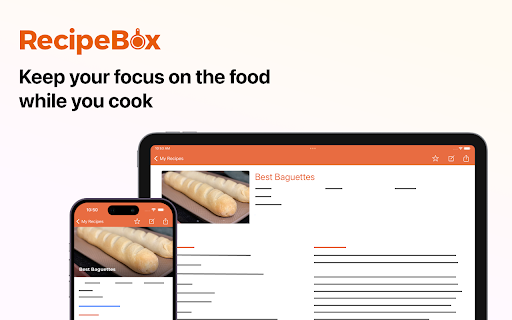

Store all your favorite recipes in one place for free. RecipeBox is the best way to save, store and organize your favorite recipes from all across the web. With one click, your recipe is saved in your RecipeBox account and accessible on recipebox.com or through the RecipeBox iOS and Android apps. YOUR ENTIRE RECIPE COLLECTION IN ONE PLACE - Save any recipe that you'd like to cook and access it anytime you need it. - Manage all of your recipes on recipebox.com or on our iOS and Android apps. - Build your grocery list and shop online with Walmart, Kroger, Albertsons, and more. - Categorize your favorite recipes and see all your favorites in one location.

Copy Me That
Copy any recipe from any website with just one click. Recipe manager, shopping list, and meal planner. Manage all your recipes in… Copy any recipe from any website with just one click. Recipe manager, shopping list, and meal planner. Manage all your recipes in one location. Edit copied recipes or add your own. Organize with collections. Add recipes to your shopping list and cross items off when you're in the supermarket. Plan meals with the meal planner. Share your recipes and get inspired by others.

Recipe Saver AI
Easily save the recipe from any web page. 🍳 Tired of losing track of great recipes you find online? 😫 Or scrolling through tons of ads and unnecessary text to reach the recipe? 📜 Recipe Saver AI is here to help! 🦸♀️ 🔥 Our Chrome extension lets you save any recipe from any website with just one click ☝️ and view just the most important parts. No more distractions! 🙅♂️ 📚 We're more than just a recipe clipper! 🌟 We'll help you manage all your recipes in one place, whether they're from the web 🌐 or your grandma's secret cookbook 👵. Edit saved recipes ✏️ and adjust servings up ⬆️ or down ⬇️ to find the right amount of ingredients easily. 🗓️ Planning meals becomes a breeze with our built-in meal planner. And when it's time to shop 🛒, we've got your back! Add ingredients to your shopping list ✅, check them off as you go, or even order directly from Amazon Fresh 🥬 or Whole Foods 🥑. 👨🍳👩🍳 Recipe Saver AI is perfect for anyone who cooks or meal preps. Give it a try for free! 🆓

Samsung Food
Save recipes from anywhere across the web. The Samsung Food button allows you to save recipes from all your favorite sites. You can also sort and organize all your recipes into collections. Once recipes are saved to Samsung Food you can easily scale servings and generate shopping lists with one click! Samsung Food’s shopping list intelligently combines ingredients from multiple recipes so you buy just the right amounts. Samsung Food makes planning and shopping easy with collaborative lists you can share with friends and family. Take your list to the store or buy ingredients online with integrated retailers. All your saved recipes are synced to your Samsung Food account available on app.samsungfood.com.

Recipe Cart | View & Save Recipes
View simplified recipes, save or print them, and order ingredients directly from Instacart. RecipeCart gives you cleanly formatted recipes the top of any recipe site. Save recipes from any site and organize them into folders. Print in black and white on one page. Avoid paywalls! Join over 3000 users in downloading the No. 1 recipe extension. + VIEW RECIPES AT TOP OF THE PAGE Immediately get the recipe at the top of the page. Once click to share a copy or print a pdf! + SAVE RECIPES TO YOUR BROWSER OR DESKTOP + ORDER INGREDIENTS FAST VIA INSTACART Select ingredients for same-day delivery via Instacart + SAVE TIME Immediately print, save, or share the recipe. Get to cooking faster! + REDUCE WASTE Order only what you need for cooking on the day you need it. + STICK TO YOUR DIET Search for recipes matching your diet type- Keto, Vegan, FODMAP, Weight Watchers, Noom and more at www.GetRecipeCart.com/Search + WORKS WITH ALL RECIPE SITES Recipecart is compatible with NYT Cooking, Allrecipes, Food Network and more! HOW TO INSTALL: 1. Click 'Add to Chrome' 2. Login to enable "Save" functionality 3. You're all set! RC automatically shows on any recipe page. SUPPORT If you have any problems or requests for new features, email us at support@getrecipecart.com .
