
ninjhiamekocpfhnaidinipdocmbiikp
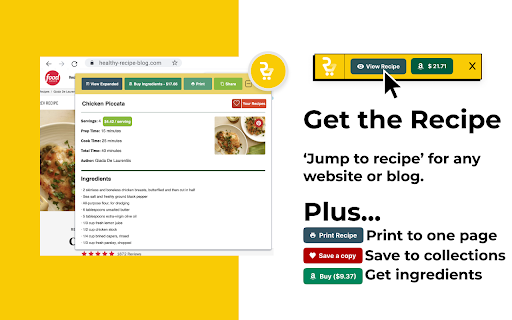
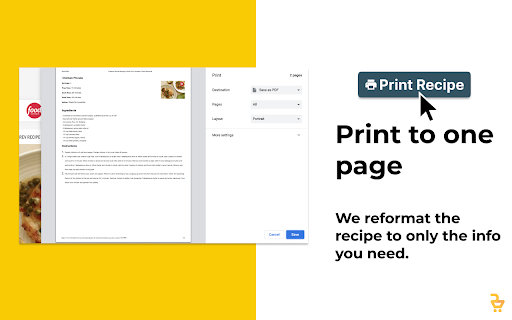

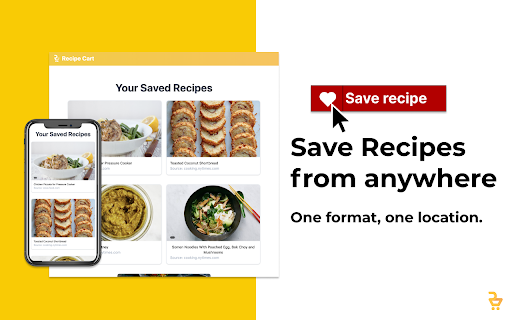

View simplified recipes, save or print them, and order ingredients directly from Instacart. RecipeCart gives you cleanly formatted recipes the top of any recipe site. Save recipes from any site and organize them into folders. Print in black and white on one page. Avoid paywalls! Join over 3000 users in downloading the No. 1 recipe extension. + VIEW RECIPES AT TOP OF THE PAGE Immediately get the recipe at the top of the page. Once click to share a copy or print a pdf! + SAVE RECIPES TO YOUR BROWSER OR DESKTOP + ORDER INGREDIENTS FAST VIA INSTACART Select ingredients for same-day delivery via Instacart + SAVE TIME Immediately print, save, or share the recipe. Get to cooking faster! + REDUCE WASTE Order only what you need for cooking on the day you need it. + STICK TO YOUR DIET Search for recipes matching your diet type- Keto, Vegan, FODMAP, Weight Watchers, Noom and more at www.GetRecipeCart.com/Search + WORKS WITH ALL RECIPE SITES Recipecart is compatible with NYT Cooking, Allrecipes, Food Network and more! HOW TO INSTALL: 1. Click 'Add to Chrome' 2. Login to enable "Save" functionality 3. You're all set! RC automatically shows on any recipe page. SUPPORT If you have any problems or requests for new features, email us at support@getrecipecart.com .

Recipe Filter & Grocery Finder | Ceres Cart
View recipes ad-free and automatically find ingredients nearby — fast and simple. Tired of scrolling through long recipe blogs full of ads and popups just to find the actual recipe? Meet Ceres Cart, your all-in-one Chrome extension that transforms any recipe website into a clean, ad-free, distraction-free format. Get just the recipe, no filler, no clutter, no endless stories. But Ceres Cart doesn’t stop there. It also saves you time and money in the kitchen by connecting recipes to real-time grocery prices at Walmart and Kroger near you. Enter your ZIP code, add your groceries and see what your meal will cost. Whether you’re shopping for a week of meals, meal-prepping on a budget, or just curious what groceries cost in another city, Ceres Cart makes it easy to compare grocery prices and plan smarter. ✨ Why Ceres Cart? -It's Free!: no ads, no subscriptions, and no hidden costs. The best free cooking app for your browser. -For Home Cooks: Focus on cooking without distractions. -For Budget Shoppers: Compare Walmart and Kroger prices instantly. -For Travelers: Check grocery prices in any ZIP code, perfect for vacations, relocations, or road trips. -For Students & Families: Build affordable meal plans without guesswork. -For Healthy Eaters: Quickly identify ingredients and add them to your cart without the noise of recipe blogs. 🔑 Key Features ✅ Ad-Free Recipes – Automatically extracts recipes into a clean, easy-to-read format. ✅ Recipe Filter – Separates ingredients from instructions so you can follow recipes easily. ✅ Compare Grocery Prices Nearby – Enter your ZIP code and view real-time prices from Walmart and Kroger. ✅ One-Click Shopping – Add ingredients directly to your online grocery cart and check out in minutes. ✅ Smart Store Memory – Ceres Cart saves your preferred store for faster shopping next time. ✅ Bypass Recipe Paywalls – Access popular recipe sites like NYT Cooking, Epicurious, America’s Test Kitchen (ATK), and Serious Eats (recipes only, not news articles). ✅ Meal Planning Made Simple – Price out full recipes before cooking, so you always know what you’re spending. 💡 Real-Life Examples Planning a dinner party and trying a new fancy recipe? Enter your ZIP code and see the total cost of your recipe before you buy. Traveling to Hawaii? Enter your hotel ZIP code and compare grocery prices and inventory before you shop. Trying to save money? Pull up another tab to compare prices between Walmart and Kroger to pick the cheaper option before adding items to your cart. 💬 How to Use Ceres Cart Download the extension. 1. Visit a recipe page. Ceres Cart will appear automatically. 2. Enter your ZIP code to see accurate grocery prices nearby. 3. Select the ingredients you want. 4. Add them to your cart with one click. -Saves Money – Know exactly what your meal will cost before cooking. 📱 Mobile Friendly Want the same experience on your phone? Visit our website for a mobile-friendly version of Ceres Cart! ✏️ Note: Walmart and Instacart links may include affiliate tags. Q: Can I use Ceres Cart outside the U.S.? A: Yes. However, grocery price comparisons currently only work with U.S. ZIP codes since Ceres Cart focuses on U.S. retailers like Walmart, Kroger and Instacart. If you’re outside the U.S., you can still use the reader view and collapse the product view. Ceres Cart will remember the last state it was in and reopen the same way next time. We’re actively working on expanding grocery price availability to more countries in the future. Q: I don’t like Ceres Cart popping up every time. Can I stop that? A: Yes. Ceres Cart remembers the last state it was in. If you minimize it, it will stay minimized and open that way the next time you visit a recipe page. Q: Is Ceres Cart free? A: Yes! Ceres Cart is completely free to use. Some retailer links (such as Walmart and Instacart) may include affiliate tags, but this never affects the prices you see. Q: Does Ceres Cart work on mobile? A: This Chrome extension only works on desktop, but we also provide a mobile-friendly website where you can view recipes and check grocery prices on the go. Q: What does Ceres Cart do with my user data? A: Protecting your privacy is important to us. We do not sell your data to brokers or advertisers. Features are available without creating an account, providing an email address, or going through any registration process.

Recipe Box
Recipe websites are notorious for many reasons. Chefs, like you, are overwhelmed with ads and units of measurement that aren't familiar to your kitchen. We scroll and pull out converters to make these delicious dishes. Shouldn't it be easier? This is where Recipe Box comes in. We're committed to changing your world with our lovely cooking extension to keep online recipes enjoyable and easy to navigate. Features: • Auto-scroll to the recipe card • Bookmark recipes and sort alphabetically Roadmap: • Organize bookmarks by dish type • Auto-convert to your preferred units • Divide recipe by an amount • Annotate recipes with your own notes We love recipes and their amazing creators. Hit me up with your ideas and features you'd love to see.

RecipeBox – Save Your Recipes!
Store all your favorite recipes in one place for free. RecipeBox is the best way to save, store and organize your favorite recipes from all across the web. With one click, your recipe is saved in your RecipeBox account and accessible on recipebox.com or through the RecipeBox iOS and Android apps. YOUR ENTIRE RECIPE COLLECTION IN ONE PLACE - Save any recipe that you'd like to cook and access it anytime you need it. - Manage all of your recipes on recipebox.com or on our iOS and Android apps. - Build your grocery list and shop online with Walmart, Kroger, Albertsons, and more. - Categorize your favorite recipes and see all your favorites in one location.

Eat This Much Recipe Clipper
This extension allows you to quickly import recipes to use in your Eat This Much meal plans. UPDATED: Now works with the new Eat This Much web interface. Import your favorite recipes into your Eat This Much account with a few clicks. Find the recipe you want to import, click the clipper icon, and then verify and save the recipe. It's a huge time saver over entering your recipes manually. Once you have your recipes added, Eat This Much will automatically start using them in your meal plans! With a free account, the generator will incorporate the recipes into your meal plans that hit all of your daily nutrition targets, and with a premium account, we'll automatically build weekly meal plans for you complete with leftovers and grocery lists. Eating smart has never been this easy.
