
fafeeggmdfbclofckllhmiknegagjmap
Your One-Tab Link Preview Solution Peek is a useful Chrome extension for browsing the web with ease. With Peek, you can preview external link content in your current tab without opening a new one! Say goodbye to countless open tabs and hello to more efficient browsing. Get Peek now and start breezing through your online activities.

Web View - Link Previewer
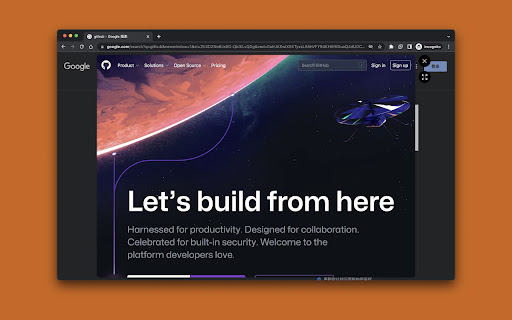
Web View – Link Previewer lets you instantly preview any webpage linked on a site—without clicking or losing your place. Simply hover over any hyperlink or linked image, and a small preview bubble appears beside it. Click the bubble to open a floating preview window showing the actual content of the linked page—right where you are. Designed for speed, safety, and clarity, the preview window is fully rendered. You can safely inspect links without distractions or risk. Advanced controls let you resize the preview for better readability, take a quick screenshot, split the page into 2 views, or manually close it. Once you move your cursor to any other link on original page (and if not splitted), the preview disappears seamlessly. 🫧 Preview Bubble – On hover, a subtle preview bubble appears beside the link instead of launching the preview directly. 🖱️ Click to Preview – Click the bubble to launch a floating, real-time preview window. 🔍 Enlarge the preview window for better readability 🖥️ Split view mode is available — compare side by side for better clarity 🔗 Open external link in split view for side-by-side access 📸 Capture a screenshot of the preview ❌ Manually close the preview 🔗 Hover over any link or image to activate preview bubble 🪟 Real-time, preview on demand 🧭 Works across most websites automatically 🧊 Minimalist design for smooth, distraction-free use 📚 Great for researchers, readers, and multitaskers Web View – Link Previewer is ideal for anyone who needs to check links efficiently without disrupting their browsing flow.

SneakPeek
SneakPeek is a better way to browse the internet. Do you know how you're searching for something on the web and end up visiting like 1000 pages just to go back in a few seconds because it's clearly not what you're looking for? Yeah, painful, we know... SneakPeek provides a simple way to Peek and Preview links without opening the page. You can: • Trigger a Peek (by link hover + trigger key) to see the promo image, description, and the start of the page text. • Trigger a Preview (by link click + trigger key) to display the full page without navigating away from the current page. SneakPeek also packs some power-user features and settings. Just to name a few: • It's ready for video pages like YouTube or Vimeo, displaying the little preview of the video. • It's ready for PDF files. • It automatically detects and displays the best answer from the StackOverflow questions. • It let's you adjust the trigger-key to fit your specific flow. • It let's you adjust the preloading behaviour to fit your needs and internet connection. • It has a theme editing. Give it a go. You might love it!

Preview pages
Press control and hover over a page Hover over a page to open a small preview of it that you can interact with! - Simply move your mouse away from the link to get rid of this window - Note: Press Control/Command while hovering over the link to get the window, otherwise you won't see anything different.

Arc Peek: Link preview
"Arc Peek" allows users to preview links, similar to the functionality in the Arc browser. 1. Preview links in current sliding window. 2. Use shift + click link or drag link to open links for preview. 3. Click outside the preview window to close it. 4. Click the expand button to open in a new tab. Some websites may not function properly due to service workers' onfetch handlers, while others disable drag or Shift + Click events, limiting options for link previews. Additionally, links might fail when redirecting to sites with strict Content Security Policies (CSP).
