
njjgclocednmcgjkdkaokdfmelnadgao
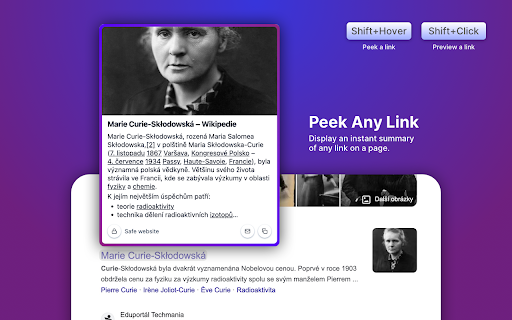
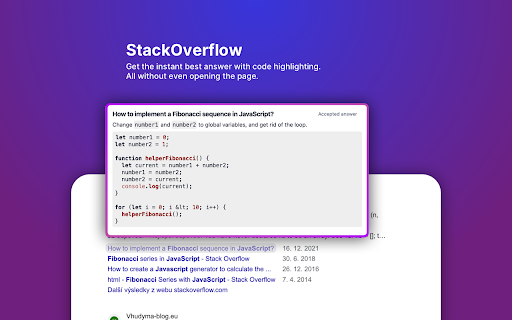
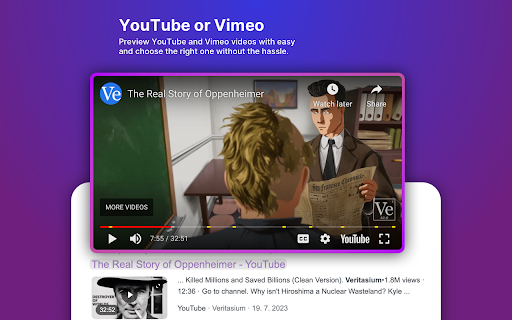

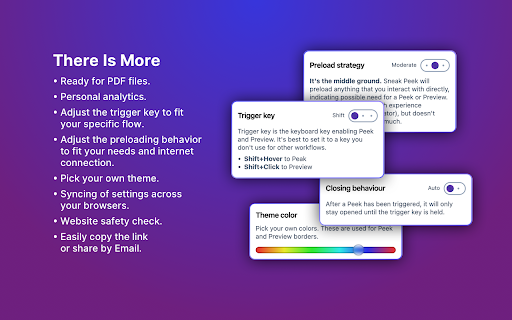
SneakPeek is a better way to browse the internet. Do you know how you're searching for something on the web and end up visiting like 1000 pages just to go back in a few seconds because it's clearly not what you're looking for? Yeah, painful, we know... SneakPeek provides a simple way to Peek and Preview links without opening the page. You can: • Trigger a Peek (by link hover + trigger key) to see the promo image, description, and the start of the page text. • Trigger a Preview (by link click + trigger key) to display the full page without navigating away from the current page. SneakPeek also packs some power-user features and settings. Just to name a few: • It's ready for video pages like YouTube or Vimeo, displaying the little preview of the video. • It's ready for PDF files. • It automatically detects and displays the best answer from the StackOverflow questions. • It let's you adjust the trigger-key to fit your specific flow. • It let's you adjust the preloading behaviour to fit your needs and internet connection. • It has a theme editing. Give it a go. You might love it!

Link Peek
Show a modern link summary on hover with modifier key support This extension will revolutionize the way you surf the web! Instead of clicking links on a website to check what is behind each and every one of them, use the Link Peek to get a summary of the page behind that link! This extension will improve your efficiency and help you go through the content of a website much quicker. It is perfect for news sites, forums, shopping sites, corporate web pages and many more. Please note that the extension blocks cross-domain pages to protect your security. In other words, only pages from the same website/domain will be shown. Be ready to experience a new way of using your browser! Please let me know if you need additional features. I am fully committed to maintain and improve the extension. IMPORTANT: - The extension will be ready once the website is fully loaded. You can check the status of the extension from its icon as it will turn to green once ready. - To activate the extension press Ctrl and move your mouse over a link. - You can change your settings by clicking on the extension icon. For ex, if you do not want to keep pressing Ctrl, you can update the behavior at the settings section. Please send us an email if you want new features and we'd be more than happy to implement :)

Peek Pop: Link Preview
Instantly preview links with a simple double-click, without breaking your workflow For more information, see: https://github.com/u-Sir/peek-pop?tab=readme-ov-file#peek-pop

LightWindow: link preview, browser-in-browser
While browsing the web — reading, clicking links, searching — it’s easy to lose track and open dozens of tabs. A search results page has 10 links, and you open each one in a new tab. Then every page you open has more links — and you open even more tabs. Soon your browser is overflowing with dozens or even hundreds of open tabs. You lose focus, forget why you opened a page, and can’t even tell where you are anymore. But the problem isn't you — it's the outdated 2D browsing model. 🌐 How 3D browsing helps solve the too many tabs problem While traditional solutions like tab managers still operate within the flat 2D model, LightWindow introduces a fundamentally new approach: adding a third dimension to viewing pages. Instead of opening every link in a new tab, you can open a floating preview window directly over the current page to take a quick look. Clicking a link inside this preview opens another nested window. This creates a tree of views — all inside a single tab. Preview windows don’t get lost, don’t clutter the interface, and most importantly — don’t overload your tab bar. You stay in the same flow and can quickly return to where you were. This reduces the pressure on the second dimension — tabs — keeping only the most essential pages there. 🧠 Why the third dimension is the logical next step To understand this, let’s recall the evolution of browsing: — In the 1D web, clicking a link replaced the current page. Navigation was linear — forward/back only. — In the 2D web, tabs arrived — a breakthrough that allowed multiple pages to stay open at once. But now the second dimension is overloaded. Countless tabs are breaking context and structure. It's time to go beyond the flat tab system. 3D browsing introduces depth and clarity. LightWindow brings this new model to life with a simple and intuitive hierarchy of views. 🚀 The result You’ll open fewer tabs — not because you’re trying to, but because now you finally have an alternative. Links no longer break your flow — they become part of it. ✨ Bonus features — Built-in address bar with autocomplete in every preview window — Page translation directly inside preview windows — Remembers window size and position for each nesting level — Customizable open methods: Ctrl + middle-click, Alt + click, hold-to-preview

Arc Peek: Link preview
"Arc Peek" allows users to preview links, similar to the functionality in the Arc browser. 1. Preview links in current sliding window. 2. Use shift + click link or drag link to open links for preview. 3. Click outside the preview window to close it. 4. Click the expand button to open in a new tab. Some websites may not function properly due to service workers' onfetch handlers, while others disable drag or Shift + Click events, limiting options for link previews. Additionally, links might fail when redirecting to sites with strict Content Security Policies (CSP).
