
eppedlbobmdflmhleafebmahnbphgipb
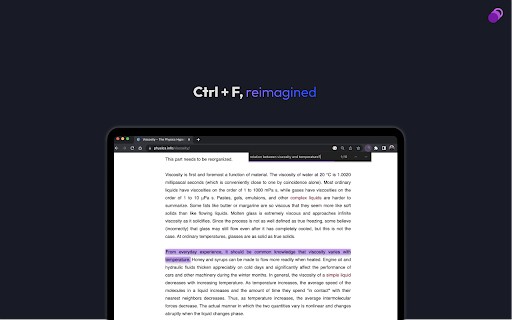
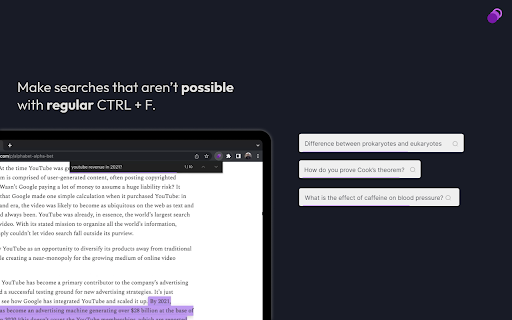


AI-powered CTRL + F for easy document search Locus Smart Search completely reimagines CTRL + F (or ⌘+F on a Mac) so you can quickly find and organize information from webpages or PDFs using natural language. It goes beyond basic keyword matching by understanding your search intent and highlighting the exact sections you need—even in lengthy, complex documents. Mix and match content from multiple pages, searches, and AI-generated summaries as you dive deeper into your research. Locus makes it easy to gather your highlights in a single “Action Drawer” and automatically turn them into interactive “cards,” helping you synthesize ideas without hopping between tabs or apps. Need specialized AI help? Locus supports popular language models (LLMs) like OpenAI, Gemini, Anthropic Claude, and now, Deepseek in v3.0!, letting you switch to a dedicated AI profile optimized for your exact needs—be it academic research, legal analysis, or simple curiosity. Whether you’re working with long papers, PDFs, news articles, blog posts, or online textbooks, Locus seamlessly adapts to most text-heavy web pages. Save time, stay organized, and hack your productivity by letting Locus handle the heavy lifting of searches and summaries—so you can focus on what truly matters.

Transcript - AI Homework Helper
Streamline your study experience with AI: Instant answers, deep insights, and personalized learning across subjects. Say goodbye to guesswork, struggling with difficult problems, and juggling multiple tabs to find answers. Introducing Transcript, the ultimate study companion powered by advanced artificial intelligence. Receive instant answers, explanations, and relevant resources for any question. 🖥️ Seamless User Interface Dive into a sleek, user-friendly interface designed for efficiency. Created by students who understand your needs, it ensures essential information and resources are right at your fingertips for a focused and optimized study experience. 🔍 Instant Solutions Ever stuck on a tough question or want to check your work? Get help from your AI sidekick without expensive tutors or time-consuming research. Instantly access accurate answers, detailed explanations, and related resources for any question. 🎓 Any Subject, Any Level Transcript is designed to provide personalized guidance on any subject, regardless of difficulty. It’s tailored to assist with multiple choice, math, select-all-that-apply, short and long answer, visual questions, and more! 💡 Knowledge Reinforcement Build your understanding with detailed, step-by-step explanations for any question. Chat with AI to ask follow-up questions, clarify doubts, and master concepts. Use your voice to converse with AI for hands-free exploration of topics, enhancing accessibility and providing a personalized learning experience. 🤖 Artificial Intelligence Transcript’s advanced AI exceeds the capabilities of Chat GPT-4, providing unparalleled accuracy and performance in answering your questions. 🌍 Universal Compatibility Bring your study companion anywhere you go across the web. Whether you're researching, browsing articles, or exploring new ideas, Transcript provides accurate information and support on any webpage. 📝 Notebook Upload your notes, lectures, and study materials all in one place, enabling AI to provide context-aware assistance when solving questions. How To Use 📚 1️⃣ Install the extension: Click the "Add to Chrome" button and pin it to the toolbar. 2️⃣ Log In: Sign in to your account. 3️⃣ Ways to Search: 🖱️ Text Selection: Highlight any text and press the "Solve Question" button. 📸 Snapshot: Press Cmd/Ctrl+Shift+1, then click and drag to initiate a search. Join over 100,000+ satisfied students who have discovered the power of instant learning with our revolutionary chrome extension. Install it now to elevate your learning journey! 🧠 📞 Need Help? Visit our website to learn more and contact us with any questions you may have.

GptGO - ChatGPT from any tab
Never leave your tab to search something on ChatGPT again! GptGO allows you to search anything on ChatGPT in an instant! With our Quick Search feature and lightweight popup, you can boost your browser and elevate your study productivity. See the video above for a full demo of the features. GptGO version 3.0 is here!!!! Some exciting new features are: - You can now start a new chat and view your search history from the popup - New support for ChatGPT's API - Up to 20% faster search times - Fixed errors that caused GptGO to be unstable at times ***Important Disclaimer: Some of GptGO's promotional videos highlight it's speed and objective accuracy by solving multiple choice questions. The questions in these videos hold no academic merit and are meant to only be a demonstration of the Extension's capabilities. GptGO does not support any form of cheating including but not limited to plagiarism, impersonation, or illegal use of online resources. Users are not permitted to use GptGO for any purpose that may result in academic dishonesty. The user assumes full responsibility for their actions and any consequences that may arise as a result of using GptGO in an unethical or illegal manner. ***Privacy Policy: Click on "Privacy Policy" under the Developer section to learn more.

Friday Go
The best 1st search result Friday is your personal answer assistant, helping you learn and find the answers to your questions using groundbreaking AI.

AI Toolbar - Reclaim Your Time Now
Simplify your life. Generate, Respond, Voice activation, combine prompts, Summarize text anywhere in the Web at no charge! This powerful and efficient Chatgpt powered Virtual Assistant with over 70,000 weekly active users is guaranteed to SAVE YOU TIME! Introducing AI Toolbar: Your Productivity Superstar! You will now have your very own personal assistant, to deal with the tasks you hate! Relax and make yourself a hot tea! Time-Saving Efficiency: Slash your daily tasks and free up your precious time. Effortless Email Handling: AI Toolbar composes brilliant replies, effortlessly tackling your inbox overload. Voice Commands: Simply speak your desires to AI Toolbar, and it will carry them out, no buttons or keyboard wrestling required. - Multilingual Genius: Translate, summarize, and paraphrase any selected text, breaking down language barriers effortlessly. Chatbot Feature: - Engage in witty banter, gather information, and export it in Word or PDF formats with ease. - Seamless Integration with Chatgpt: Partnered with Chatgpt, a rockstar language model, to skyrocket your results and efficiency. Join nearly 100,000 Professionals: Embrace the AI Toolbar revolution and transform the way you work. Become a Workplace Superhero: Conquer your tasks, unleash your productivity, and be the hero of your own success story. Grab AI Toolbar today, let it handle the heavy lifting, and enjoy the sweet taste of victory while sipping your coffee. Don't be left behind in a world of manual labor and outdated routines – join the revolution and become a productivity superhero! Features: 1) select any text on a webpage and speak or type your command 2) reply to emails with minimal input. 3) save your prompts 4) Prompt Builder with over 300 Combinable (Tones, type, Length, Purpose, Excel, ETC..) 5) Voice Prompts - Speak to the Chatbot 4) Export outputs in Word and PDF 5) Automation Tools (Undetectable AI and Video Generation) Step 2 Open your email or any page, article containing text Step 3 Select a piece of text with your Mouse and watch the magic happen! Step 4 - If you are using chatgpt, open it to enjoy our integrated toolbar. Our innovative extension provides over 300 combinable prompts with different functionalities, tones, and purposes, so you can easily customize the conversations and written content provided by OpenAI's API. AI Toolbar, also allows for voice control, making it easy to dictate your ideas and have them transcribed in real-time. This feature is especially useful for those who prefer to speak their ideas rather than write them down. It also allows you to save your common and most used Prompts, and avoid over engineering the creation of prompts and having to keep an external database of Prompts. Finally, Ai Toolbar, also allows for easy word and PDF exports from, so you can share your work with others quickly and easily. Whether you're working on a school project, a business report, or just need to send a quick message, we have you covered. So why wait? Download the AI Toolbar Chrome extension today and take your ChatGpt to the next level!. Our Chrome extension may contain links to third-party websites or services that are not owned or controlled by AI Toolbar such as the OpenAi website in order to access GPT3.5. We are not responsible for the privacy practices or the content of these third-party websites or services. We encourage you to read the privacy policies of any third-party websites or services you visit. Visit the privacy policy section for more information. If you have any questions or concerns about this Privacy Policy or our privacy practices, or want to cancel any upgrades or subscriptions please contact us at ultimatetoolbargpt@gmail.com To cancel an existing subscription please send an email titled Cancel and it will be deleted within 24h, The plans do not provide refunds but you will be able to use the pro version until your renewal date. UPDATES Update for issue with Log in and sign up occurred on 08/10/2023 FIX Released We had a ton of requests to enable users to perform more bespoke actions, however we cannot do it all ourselves. We have included a number of AI services under the "Automation" section. These include, Plagiarism tools, Image and video generators, Website builders, Competitor analytics, Chatbots, AI voice automation and many more, hope you enjoy our work!
