
eomebclcdmdeneiikgihjlbhlieghfdl
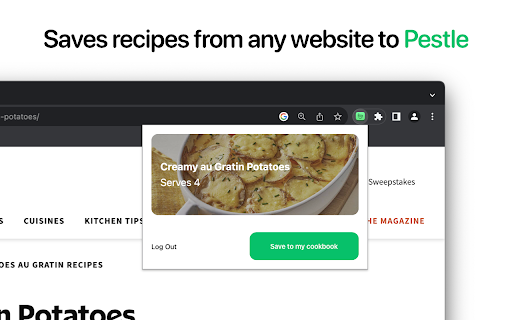
Save recipes to Pestle from directly from Chrome. Save recipes to Pestle from any website.

Readwise Highlighter
Save a page to Readwise Reader This is the official Reader browser extension made by and maintained by the Readwise team. You use the Reader Highlighter extension to: • Save articles to Reader – the first ever read-it-later app built for power readers. If you’ve ever used Instapaper or Pocket, Reader is like those, except it’s built for the modern era and brings all your reading into one place including: web articles, email newsletters, RSS feeds, Twitter threads, PDFs, EPUBs and more. You can get started with Reader here. • Highlight and annotate the open web. All highlights that you make using this extension will be synced with the Readwise ecosystem and, optionally, to your note-taking app of choice such as Obsidian, Notion, Roam Research, Evernote, Logseq, and more. Note: You must have an existing Readwise account to use this extension. If you are not already a subscriber, you can get a free 30-day trial with no credit card upfront. At the end of the trial, you will not be charged unless you choose to subscribe.

Bear Web Clipper
This extension allows to turn entire pages or portions of them into Bear.app notes importing images, links and more! **MacOS Only!** * Capture an entire web page: Click the extension button to save the full page as a Bear note, including images. Whenever possible, Bear will automatically remove unnecessary elements such as advertisements, navigation menus, and footers. * Capture a selected portion: Highlight the content you want to save in the browser, then click the extension button. Only the selected content will be imported into Bear. Check the extension options for fine-tuning your workflow.

Umami
Shows just the recipe and skips the rest. Save and customize the recipes you like. Click the Umami button on any recipe website to see just the recipe and nothing else. The recipe is shown in a beautifully simple sheet with ingredients and directions side-by-side. Click ingredients to check them off as you go and click steps in the instructions to mark your spot. Your progress is saved as you cook. Even if you close the cooking sheet or refresh the page, you can still pick up right where you left off. To save a recipe, click the "Import" button and select the recipe book you want to add it to. Once saved to Umami, you can edit and customize the recipe to your taste.

Matter
Save articles to your Matter account Finally, a better reading app. The internet is full of things you want to read – articles, newsletters, Twitter threads, PDFs. Matter brings them together in one place. “Matter improves vastly on earlier read-later apps like Pocket and Instapaper, letting you easily access news and other stories whenever you get the time” –The Wall Street Journal (2022) Save in 1-click: - Save full articles if you’re within the paywall (eg. Bloomberg, NYT, WSJ) - Rollup Twitter threads into a single article page - Save PDFs and YouTube 3 ways to save: - Click the Matter button in the toolbar - Or right-click a link and “Save to Matter” - Or use the keyboard shortcut ‘Control + M’ Unified inbox for your subscriptions: - Sync your newsletters by connecting Gmail - Follow individual writers for their latest - Add any RSS feed The most elegant reading experience: - Best-in-class article parsing - Gorgeous night mode - Human-like text-to-speech - Fluid highlighting Export your knowledge: - Sync your highlights to Notion, Obsidian, Roam, Readwise, and others
