
knjbgabkeojmfdhindppcmhhfiembkeb
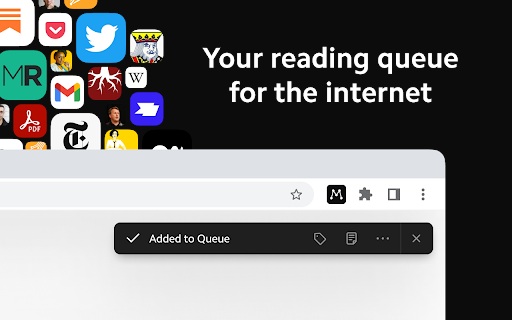


Save articles to your Matter account Finally, a better reading app. The internet is full of things you want to read – articles, newsletters, Twitter threads, PDFs. Matter brings them together in one place. “Matter improves vastly on earlier read-later apps like Pocket and Instapaper, letting you easily access news and other stories whenever you get the time” –The Wall Street Journal (2022) Save in 1-click: - Save full articles if you’re within the paywall (eg. Bloomberg, NYT, WSJ) - Rollup Twitter threads into a single article page - Save PDFs and YouTube 3 ways to save: - Click the Matter button in the toolbar - Or right-click a link and “Save to Matter” - Or use the keyboard shortcut ‘Control + M’ Unified inbox for your subscriptions: - Sync your newsletters by connecting Gmail - Follow individual writers for their latest - Add any RSS feed The most elegant reading experience: - Best-in-class article parsing - Gorgeous night mode - Human-like text-to-speech - Fluid highlighting Export your knowledge: - Sync your highlights to Notion, Obsidian, Roam, Readwise, and others

Twos: The best place to write *things* down
Chrome extension for Twos: The best place to write *things* down This is the official Chrome extension for Twos ✌️ (www.TwosApp.com). Once you have an account, you can login and easily add websites and text to your Today using this Chrome extension. Let us know if you need any help.

Anybox
Browser extension for Anybox. Collect your links and images. Use this extension to easily save links, text and files to Anybox Mac app. You can configure if you want to show the checkmark for existing links in Options page. * This extension is only applicable on macOS and requires the running of Anybox for macOS app.

Amplecap Beta
Amplecap helps capture the best of the internet into your Amplenote notes, to-do lists, and bullet lists. This release includes the following capture types: *Screenshot selection* Pick an area of the page to capture, we'll also grab the URL of the page and any notes you want to store with it. All text in the screenshot can optionally be searched or pasted into your Amplenote notebook via built-in OCR. *Page excerpt* Drag to select quotes, phrases, or information you want to remember from any web page. A list of all quotations selected is captured by Amplecap for you to optionally edit before saving. The URL of the page and time of capture is automatically recorded to your note along with the list of citations. *Full page capture* Capture the entire scrollable contents of the current web page. We perform two passes of the page to ensure that dynamically loading content will be loaded & visible in your full page screenshot. *Quick Note* If you want to capture a to-do item not necessarily related to the page you're browsing, and send it to your Amplenote to-do list without opening the app. *URL* Capture the URL of the current page -- usually in a to-do item for later follow up, or as part of a bullet list of bookmarks to assemble on a particular topic. All of these types of content can be captured into the body of a note, a bullet item, or a to-do item. You can also insert the captured content into a new note or existing note. New for this release, you can also capture your content to the copy buffer so you can paste it at a specific point in your note. This release also introduces the ability to capture to Rich Footnotes, when you have "Clipboard" selected as the capture destination. This allows quickly snap screenshots or take excerpts, in a format that remembers the URL of the page and can easily be pasted into a research note or a to-do item.

Capacities Web Extension
Save website URLs, titles and cover images directly to Capacities.
