
ennonaillbjlamhdfokhnghbmnfodeja
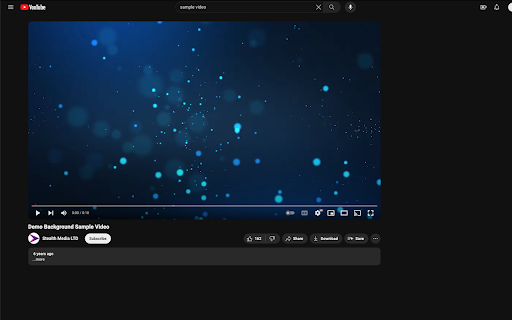
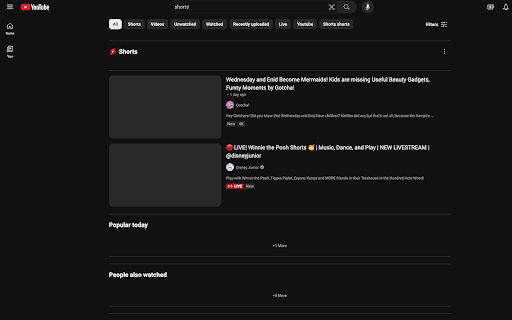

Blocks out all tools YouTube™ uses to keep you hooked, such as thumbnails, comments, recommendations, endscreens, shorts, and more New update: Block all videos except for subscriptions. Destimulate YT is a Chrome extension designed to provide users with a seamless and distraction-free YouTube experience. By consolidating various YouTube extensions into one, it allows users to customize their viewing environment effortlessly. Firefox and mobile are not included in this extension Toggle features to block (Checked to hide feature, uncheck to see feature) Homepage: -Suggestions: Hides the recommendation filter under the search bar -Video content: Hides the recommended videos in the home page Sidebar: -Shorts: Hides the "shorts" shortcut key on the left of the homepage -Subscriptions: Hides the "subscriptions" shortcut key on the left of the homepage -Explore: Hides "explore" shortcut key on the left of the homepage Watching: -Views: Hides every YT video view count -Comments: Hides comments (can't see comments or create comments) -Subs: Hides content creator subscriber count Thumbnails: (configure settings) -Hidden -Hidden (except when hovered) -Blurred -Solid Color -Normal -Endscreen and sidebar: Hides recommended videos and sidebar videos when watching YT -Shorts: Hides all shorts videos -Block all videos except for subscriptions.

Unhook - Remove YouTube Recommended & Shorts
Hide YouTube related videos, shorts, comments, suggestions wall, homepage recommendations, trending, and other distractions. A browser extension to remove YouTube distractions, including the recommended sidebar, shorts, endscreen video suggestions, user comments, homepage related videos feed, trending tab, turn off autoplay or annotations, and more. Toggle the options through the popup to customize your own YouTube experience! Compatible with mobile YouTube, m.youtube.com, through Firefox on Android. Also works on video embeds. Unhook YouTube is available as an add-on for: - Firefox: https://addons.mozilla.org/firefox/addon/youtube-recommended-videos/ - Microsoft Edge: https://microsoftedge.microsoft.com/addons/detail/unhook-remove-youtube-r/hebpjnnclppdnfghdnmhgdljmjpfhggk If you find Unhook useful, please consider making a donation: PayPal.me/unhook OPTIONS: - Hide Homepage Feed - Hide Video Sidebar - Hide Recommended (Related Videos) - Hide Live Chat - Hide Playlist - Hide YouTube Shorts - Hide End Screen Videowall - Hide End Screen Cards - Hide Comments - Hide Mix Radio Playlists - Hide Merch, Tickets, Offers - Hide Video Info - Hide Video Buttons Bar (share, likes, dislikes) - Hide Channel (profile + subscribe button) - Hide Video Description - Hide Top Header - Hide Notification Bell - Hide Irrelevant Search Results ("Related to your search", "Latest from", "Searches related to", "People also search for", etc.) - Hide Explore and Trending - Hide More from YouTube - Hide and Redirect Subscriptions - Disable Autoplay - Disable Annotations

YT Focus - Learning Made Easy
YouTube Without The Distractions | Focus Homepage, Hide Shorts/Comments/Recommendations and more... It's always hard to learn in the same place you relax. YouTube Focus fixes that problem: - Hide homepage recommendations - Blur or Hide Recommendations - Video Brightness - Video Blue Light Filter (Sepia) - Hide Comments - Hide Shorts - Shorts Timer - lowercase titles combat (CLICK BAIT) - Power Button to toggle on & off YT Focus About: YouTube Focus improves productivity by combatting distractions on YouTube. This means getting rid of flashy click-bait thumbnails, and titles THAT LOOK LIKE THIS, hiding shorts, and so much more. YouTube Focus, well, wants you to focus! With this app, you can laser focus on whatever you need to do, stopping impulsive clicks or searches. Then when you're done, toggle it off, kick-back and relax. Open Source (Learn How to Make a Chrome Extension): YouTube Focus is open source, meaning that all the code for this extension is visible on our github page! If you've been looking to contribute or want to learn how to make your own chrome extension like this, it's all available on our repository! We have both our chrome extension and website code public, so there's a lot to learn or add to. Open for Feedback: YouTube Focus is committed to providing a distraction free learning experience on YouTube. If you find any bugs or have a feature suggestion, let us know on GitHub! Report Bugs: If you encounter any bugs while using YouTube Focus, please leave an issue on our GitHub page. Additionally, most bugs are fixed by refreshing the page. Personal Data: YouTube Focus respects the privacy of its users and is committed to protecting their personal information. We do not collect or retain any personal data, browsing history or other identifying information. Third Party Services: YouTube Focus uses Chrome (Chromium) or WebExtensions Storage Sync API to store user settings, and browser's Web Storage API (localStorage) to store Developer Tools fixes. Donations to YouTube Focus are processed by Open Collective and their chosen payment processors, Stripe and PayPal. Do yourself a favor and get focused!

YTBlock - Block any content from YouTube™
Block videos, comments, channels and much more! With this extension you can block any type of content in Youtube™. ✨ Features: • Blacklist words and phrases (regex supported). • Block channels, videos, comments, posts, and playlists. • Block videos by title, categories*, tags*, description*, duration, link, ID, views*, date* and published time*. • Block members only videos. • Block already watched videos. • Block video by language*. • Block shorts, live, premiere, and age-restricted videos. • Block channels and whitelist channels. • Block comments and posts by their content or by channel. • Block playlists by channel, title, and even mix playlists. • Toggleable block overlays. • Password protection. • Many more! ⚠️* Note: A Google API key is necessary to get information that are not visible in the YouTube™ page about videos and channels, such as tags, categories and descriptions. Within the extension there's instructions on how to get one.

UnHook YouTube
Use UnHook YouTube tool to hide shorts, comments, remove recommendations, related videos. Get distraction free and focusing youtube. Introducing UnHook YouTube – Your Gateway to Distraction Free Viewing! 🚀 Did you know that recommendations are responsible for over 70% of time spent on the platform? Take back your time and install Unhook Youtube. This tool is fully customizable! Just tap on it in the toolbar and choose the options you want to remove. 🧑💻 How to Make the Most of It: 1. Install extension by pressing the button Add to Chrome. 3. Click on the UnHook YouTube icon in the toolbar. 4. Choose which distractions to remove from these options: hide homepage recommendations, hide explore, hide subscriptions, hide shorts, hide related videos on the video page, hide comments, hide video endscreen, hide thumbnails. Are you tired of feeling like you're in a never-ending loop, constantly bombarded with shorts, trending videos, and endless distractions? It's time to take back control of your online experience with unhooked YouTube – the ultimate Chrome tool designed to help you focus on what truly matters. With UnHook YouTube, you can customize your environment to suit your needs, enabling you to get distractions free youtube and create a space where you can concentrate on the content that aligns with your goals and interests. Let's dive into the features that make unhooked Youtube the must-have tool for anyone seeking a more focused browsing experience: 1️⃣ Disable YouTube Shorts: Say goodbye to those addictive short videos that keep pulling you away from your tasks. With unhooked youtube, you can easily disable shorts and regain control of your viewing habits. 2️⃣ Hide youtube comments: Say farewell to the endless scroll of comments that can distract you from the video content. unhook youtube lets you disable comments, giving you a cleaner and more streamlined viewing experience. 3️⃣Hide youtube Explore: Keep your homepage clutter-free by hiding the explore tab. Say goodbye to irrelevant recommendations and hello to a personalized feed that caters to your interests. 4️⃣ Hide YouTube Related Videos: Put an end to the cycle of clicking from one video to the next. With UnHook YouTube, you can hide related videos on the video page, allowing you to focus on the content at hand without getting sidetracked. 5️⃣ Hide youtube Subscriptions: Keep your subscription feed clean and clutter-free by hiding subscriptions. UnHook YouTube ensures that you only see the channels and content you truly care about. 6️⃣ Hide Youtube Homepage Recommendations: Take control of your homepage by hiding recommendations that don't align with your interests. UnHook YouTube lets you customize your feed, ensuring that you only see content that matters to you. 7️⃣ Hide Youtube Thumbnails: Say goodbye to distracting thumbnails that lure you into clicking on videos you don't need to watch. unhook youtube allows you to hide thumbnails, so you can focus solely on the titles and descriptions of videos. 8️⃣ YotTube Unhooked: Take control of your watching experience in a whole new way with unhook YouTube. Say goodbye to distractions and hello to a focused browsing experience that allows you to make the most of your online time. Stay tuned for future updates, where we plan to introduce enhanced hiding options and new features for staying focused. 💡 Unhook youtube is a chrome extension that allows you to remove distractions: youtube comments, youtube explore, youtube related, block youtube shorts, subscriptions, video endscreen, thumbnails. 📌 Can I use it for free? 💡 To install unhook youtube, press the button "Add to Chrome". 📌 Can extension hide anything on the platform? 💡It can remove most of the distractions available there. Soon we'll add more options. 📌 Is it safe for my privacy to use this extension? 💡 Yes, this tool operates locally within your browser, ensuring the privacy and security of your personal information. It does not collect or store any user data. 📌 Is it available on iOS, Android, Windows, and Mac? 💡Development for these platforms is in progress, and soon you'll be able to enjoy our tool on multiple platforms. UnHook YouTube fast isn't just a tool – it's a game-changer for anyone who wants to make the most of their time online. Whether you're a student trying to study, a professional trying to work, or just someone who wants to enjoy distraction free youtube, Unhook youtube is the solution you've been searching for. So why wait? Install unhook youtube today and experience the freedom of distraction free Youtube. Take control of your online experience and unlock a world of productivity with our focus youtube tool! 🌟
